
nyoUpdates | ⚡极速模组管理器
基于nyoCF API的超快速模组管理器 - 约50毫秒内检查所有模组,提供完整的游戏内用户界面,用于安装、版本选择和管理。
 查看大图
查看大图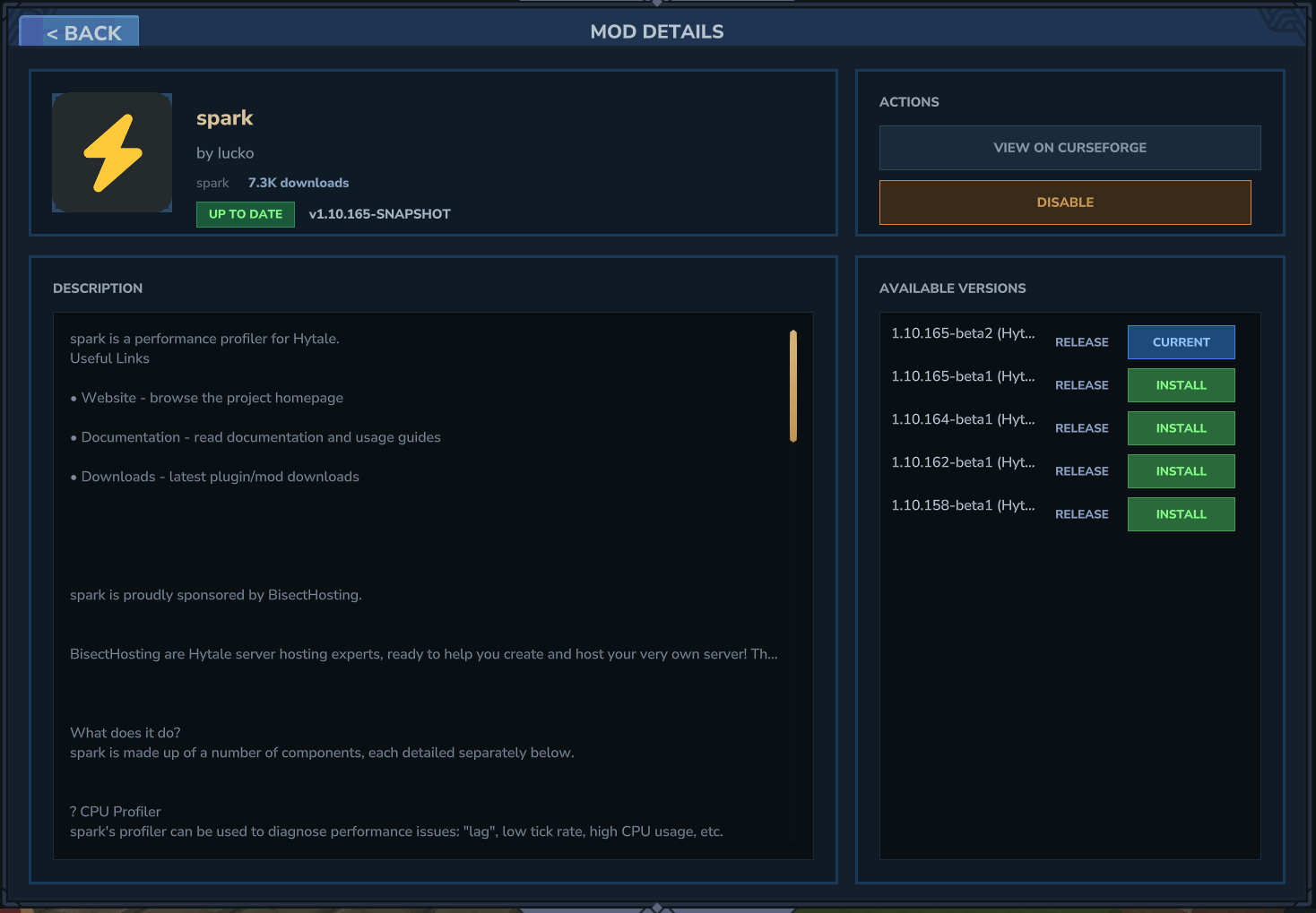
NyoUpdates
NyoUpdates 是 Hytale 最快的模组管理器。它使用 nyoCF API,这是一个专用的 Hytale 模组数据库,其与 CurseForge 同步的速度远快于其他 API。更新检查仅需约 50 毫秒,而非 50 秒以上。
性能
nyoCF API 针对 Hytale 模组管理进行了专门优化:
- 批量端点可在单个 HTTP 请求中检查所有已安装模组
- 对于 200+ 模组,响应时间通常低于 100 毫秒
- 数据库与 CurseForge 的同步速度比 CFWidget 或其他工具更快
- 如果主 API 不可用,自动回退到 CFWidget
- 无需 API 密钥
游戏内界面
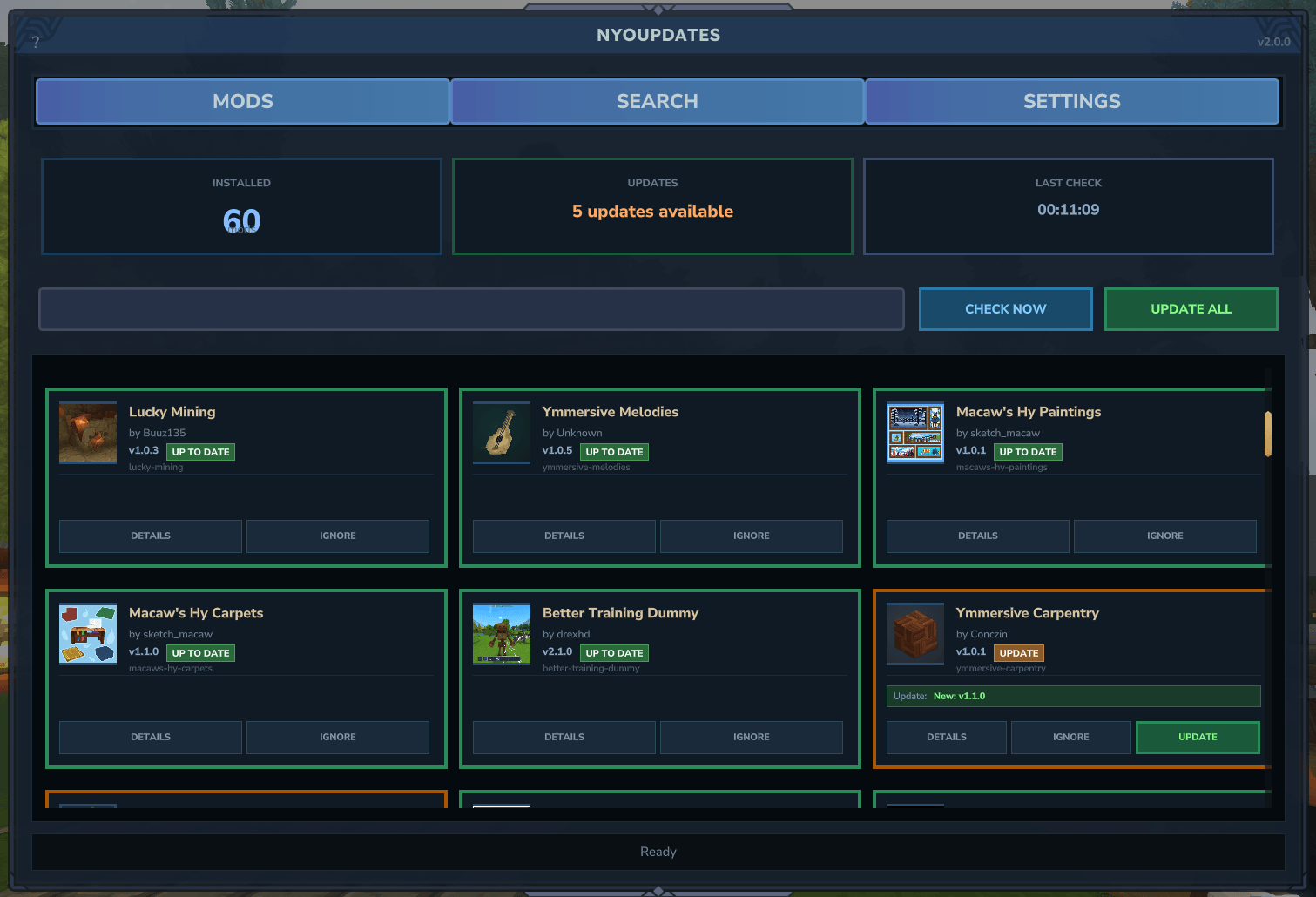
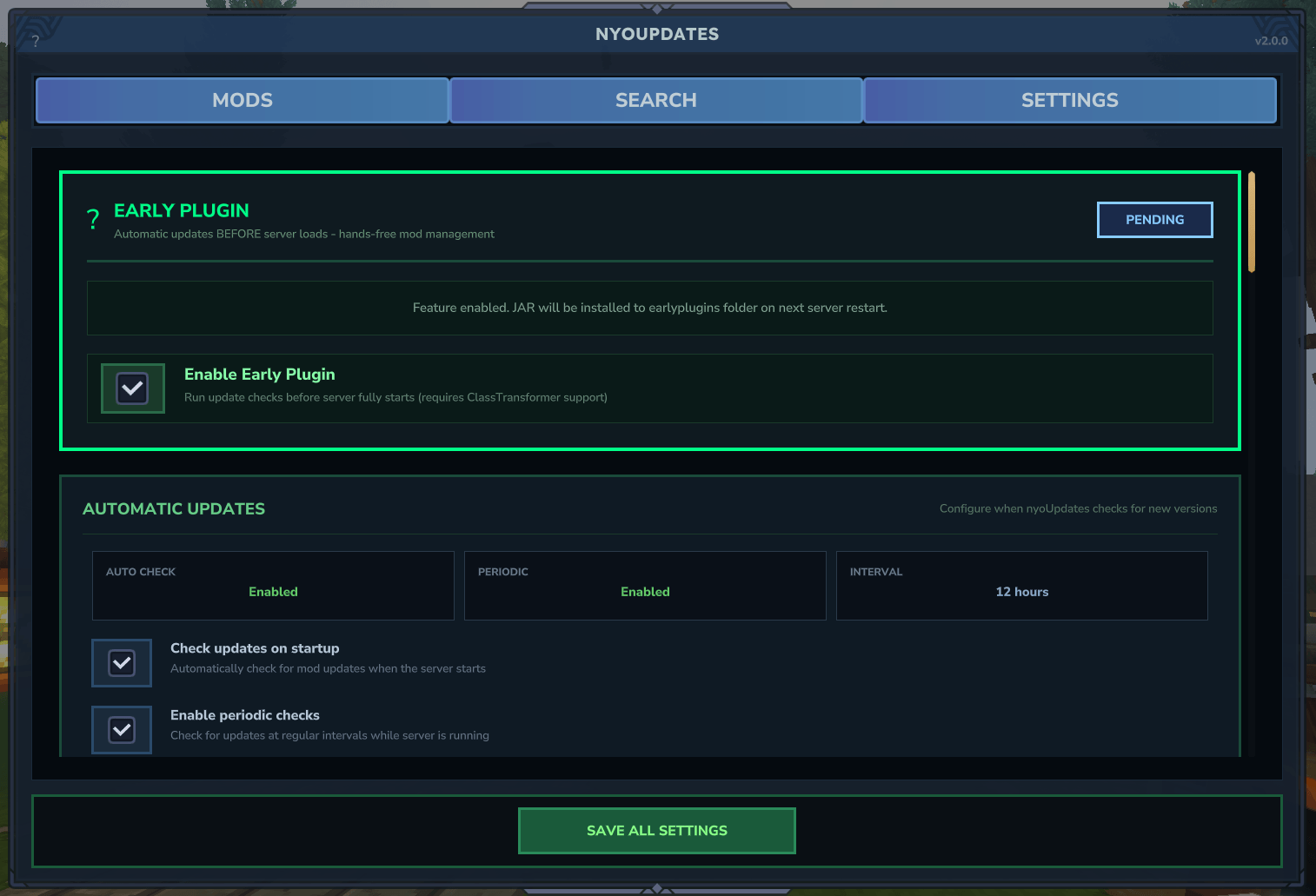
2.0 版本引入了完整的游戏内模组管理界面:
- 使用
/upd ui打开 - 浏览已安装模组及其更新状态
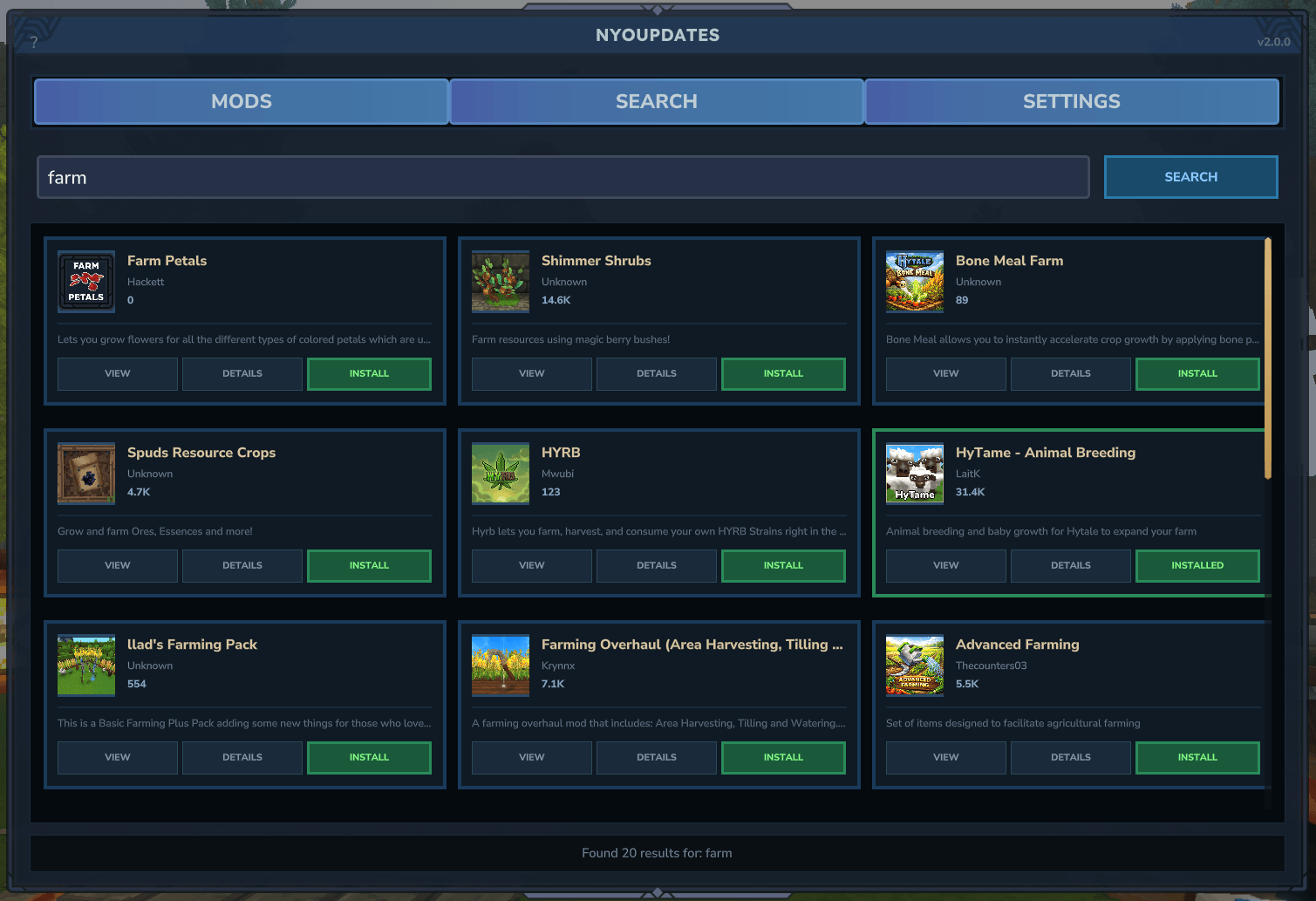
- 直接从 CurseForge 搜索并安装模组
- 选择要安装的特定版本(而不仅仅是最新版本)
- 无需离开游戏即可启用/禁用模组
- 在更新检查中忽略特定模组
- 可视化配置插件设置
界面显示模组图标、版本历史、发布类型和文件大小。版本变更会暂存为待处理更新,并在重启后应用。
工作原理
- 当服务器启动(或运行
/updates check)时,NyoUpdates 扫描你的模组文件夹 - 它向 nyoCF API 发送一个包含所有模组信息的单个批量请求
- API 立即返回所有模组的更新状态
- 可用的更新被下载到
.updates文件夹 - 创建一个
apply_updates.bat/sh脚本用于手动应用 - 也可以通过 EarlyPlugin 在重启时自动应用更新
功能
- 批量 API 实现快速更新检查(所有模组约 50 毫秒)
- 游戏内界面用于模组管理、安装和版本选择
- 无需 API 密钥
- 包支持(从具有模组/早期插件结构的 zip 文件中提取模组)
- 带模组选择的交互式更新脚本
- 更新前的备份系统
- 发布类型过滤(正式版、测试版、Alpha 版)
- 针对特定模组的忽略列表
- 针对边缘情况的手动 CurseForge 映射
- 支持单人游戏和服务器
- 用于重启时自动更新的 EarlyPlugin
托管服务兼容性
许多托管服务不支持自动更新所需的 --accept-early-plugins 参数。
NyoUpdates 默认在手动模式下工作,这与所有托管服务兼容。使用手动模式,并在服务器维护期间运行 apply_updates.bat/sh。
快速开始
单人游戏 / 手动模式
- 将 NyoUpdates 安装到你的
mods/文件夹中 - 启动游戏 - 它将自动检查更新
- 使用
/updates ui可视化管理模组,或通过命令使用/updates check - 找到更新后,关闭游戏
- 进入你的 mods/.updates 文件夹,双击
apply_updates.bat/sh - 选择要更新的模组并确认
- 再次启动游戏
专用服务器(自动模式)
如果你对服务器拥有完全控制权:
- 在游戏或控制台中运行
/updates enable - 将
--accept-early-plugins添加到你的启动命令中 - 重启服务器
每次重启时,更新将自动应用。
示例启动命令:
java -jar HytaleServer.jar --assets Assets.zip --accept-early-plugins
命令
| 命令 | 描述 |
|---|---|
/updates ui |
打开游戏内模组管理界面 |
/updates check |
检查更新并下载 |
/updates list |
列出所有已安装模组及其 ID |
/updates pending |
显示待应用的更新 |
/updates status |
显示详细的插件状态 |
/updates setup |
显示设置指南 |
/updates enable |
通过 EarlyPlugin 启用自动更新 |
/updates disable |
禁用自动更新 |
/updates ignore <id|name> |
在更新检查中忽略一个模组 |
/updates unignore <id|name> |
停止忽略一个模组 |
/updates mapping add <id|name> <url> |
将模组映射到 CurseForge 项目 |
/updates mapping remove <id|name> |
移除一个映射 |
/updates mapping list |
显示所有 CurseForge 映射 |
/updates lang <locale|list> |
更改插件语言或列出可用语言 |
/updates cache clear |
清除模组信息缓存 |
/updates cache stats |
查看缓存统计信息 |
/updates reload |
重新加载配置 |
/updates debug info |
显示系统和环境信息 |
/updates debug check |
运行详细输出检查 |
/updates debug mods |
显示每个模组的详细信息 |
命令别名:/updates,/upd,/nyo
apply_updates.bat/sh 脚本
当找到更新时,会在你的模组文件夹中创建一个交互式脚本:
  Updates ready to install:

  [X]  1. GoneFishing -> 0.1.2
  [X]  2. Playtime -> 1.3.0
  [X]  3. HyFixes -> 1.9.7
  [X]  4. [EP] HyFixes (EarlyPlugin) -> 1.9.7
  [ ]  5. SomeMod -> 2.0.0    (deselected)

  [EP] = EarlyPlugin (installed to earlyplugins folder)

  Commands:
    [number]  Toggle specific mod
    [A]       Apply all selected updates
    [S]       Select all  |  [D] Deselect all
    [Q]       Quit without applying

  Enter command: _
配置
配置文件位置:mods/dotJunyo_nyoUpdates/config.json
{
  "autoUpdateOnStartup": true,
  "checkIntervalHours": 12,
  "enableEarlyPlugin": false,
  "maxConcurrentDownloads": 2,
  "createBackups": true,
  "backupRetentionDays": 7,
  "gameVersionFilter": "",
  "releaseTypesAllowed": ["release", "beta"],
  "ignoredMods": [],
  "debugMode": false,
  "notifyOnAvailableUpdates": true,
  "autoRestartAfterUpdate": false,
  "modsFolderPath": "",
  "connectionTimeoutSeconds": 30,
  "readTimeoutSeconds": 60,
  "maxRetries": 3,
  "verifyChecksums": true,
  "curseforgeMapping": {},
  "language": "en-us",
  "enableFallback": true,
  "enableBulkApi": true,
  "betaMessageShown": false
}
配置选项
| 选项 | 描述 | 默认值 |
|---|---|---|
autoUpdateOnStartup |
服务器启动时运行更新检查 | true |
checkIntervalHours |
定期更新检查间隔(小时) | 12 |
enableEarlyPlugin |
通过 EarlyPlugin 在重启时启用自动文件替换 | false |
maxConcurrentDownloads |
最大并行下载数 | 2 |
createBackups |
更新前创建模组备份副本 | true |
backupRetentionDays |
保留旧备份的天数,之后删除 | 7 |
gameVersionFilter |
按 Hytale 游戏版本过滤更新(空 = 所有版本) | "" |
releaseTypesAllowed |
考虑更新的发布类型 | ["release", "beta"] |
ignoredMods |
更新检查时跳过的模组 slug 或文件名列表 | [] |
debugMode |
启用详细调试日志 | false |
notifyOnAvailableUpdates |
找到更新时记录一条消息 | true |
autoRestartAfterUpdate |
应用更新后创建重启标记文件 | false |
modsFolderPath |
mods 文件夹的自定义路径(空 = 自动检测) | "" |
connectionTimeoutSeconds |
HTTP 连接超时时间(秒) | 30 |
readTimeoutSeconds |
HTTP 读取超时时间(秒) | 60 |
maxRetries |
失败下载的重试次数 | 3 |
verifyChecksums |
使用校验和验证下载后的文件完整性 | true |
curseforgeMapping |
模组文件名到 CurseForge slug 的手动映射 | {} |
language |
插件消息的语言代码(例如 en-us,pt-br,de-de) | "en-us" |
enableFallback |
如果 nyoCF 失败,启用到 CFWidget API 的回退 | true |
enableBulkApi |
使用 nyoCF 批量 API 进行快速更新检查 | true |
betaMessageShown |
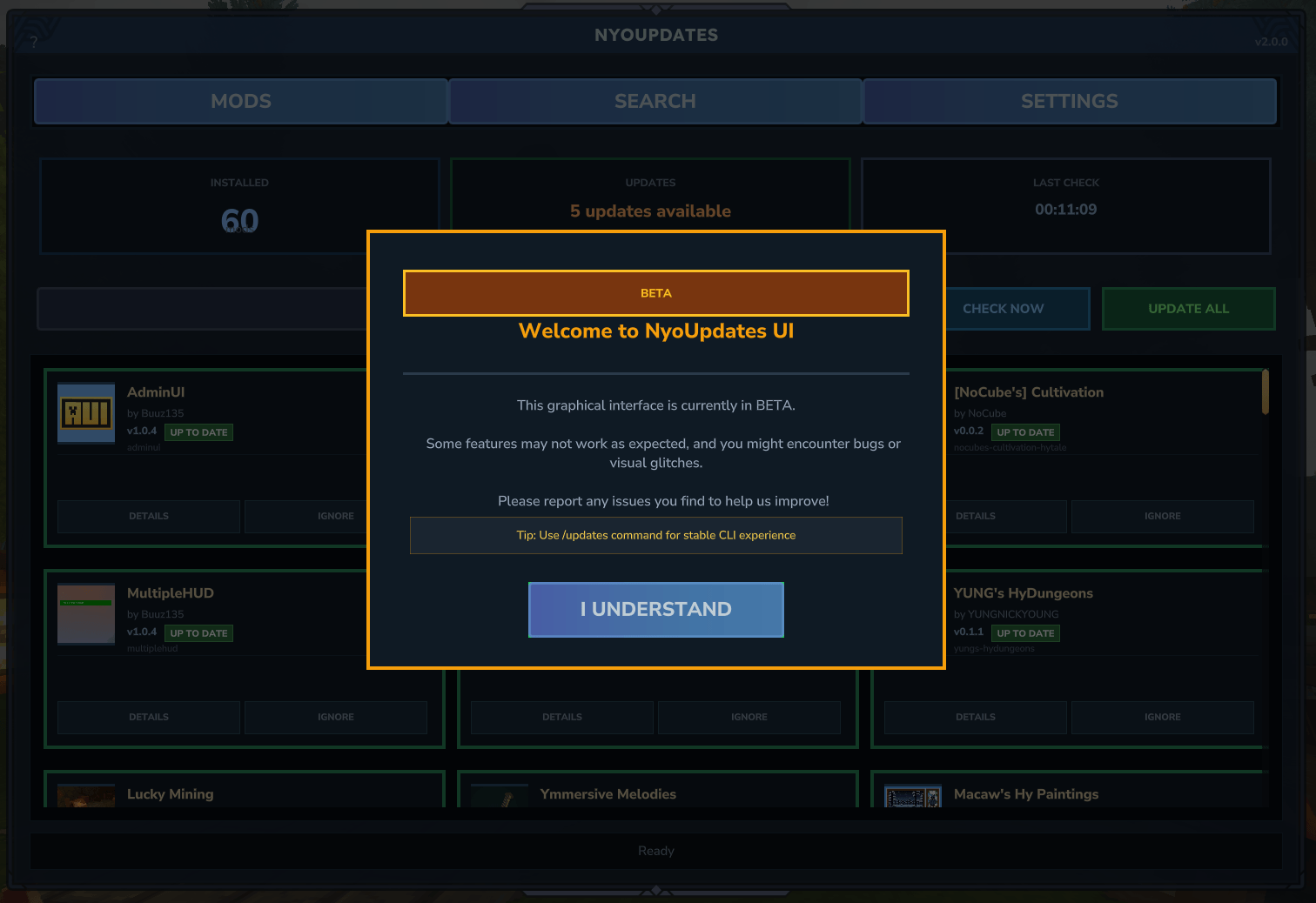
跟踪是否显示过 Beta 欢迎消息的内部标志 | false |
翻译
NyoUpdates 支持多种语言。内置翻译:
- 英语 (en-us) - 默认
- 葡萄牙语 (pt-br) - 由 dotJunyo 翻译
- 德语 (de-de) - 由 TomberWolf 翻译
- 法语 (fr-fr) - 由 Kraoc 翻译
- 意大利语 (it-it) - 由 Lasersonico83 翻译
- 波兰语 (pl-pl) - 由 Arcadiomo 翻译
如果你发现这些翻译有任何问题,请联系我们!
- 俄语 (ru-ru) - 由 dotJunyo(借助 AI)翻译
- 西班牙语 (es-es) - 由 dotJunyo(借助 AI)翻译
自定义翻译
你可以添加自己的翻译:
- 创建一个名为
<locale>.json的文件(例如西班牙语为es-es.json) - 将其放置在
mods/dotJunyo_nyoUpdates/lang/目录下 - 使用
/updates lang list验证它是否被检测到 - 使用
/updates lang <locale>激活它
复制 en-us.json 作为翻译模板。文件必须包含包含语言信息的 _meta 部分。
https://tools.junyo.dev/en 或 https://tools.junyo.dev/pt
权限
NyoUpdates 使用权限系统。默认情况下,所有命令都需要 operator 组。如需使用 LuckPerms 等权限插件进行精细控制,请使用下面的单个权限节点。
权限节点
| 权限 | 命令 | 描述 |
|---|---|---|
nyoupdates.base |
/updates |
访问基础命令(所有子命令都需要) |
nyoupdates.ui |
/updates ui |
打开游戏内模组管理界面 |
nyoupdates.check |
/updates check |
手动检查模组更新 |
nyoupdates.list |
/updates list |
列出所有已安装模组及其 ID |
nyoupdates.pending |
/updates pending |
查看待应用的更新 |
nyoupdates.done |
/updates done |
消除缓存的更新通知 |
nyoupdates.info |
/updates info <mod> |
显示关于模组的详细信息 |
nyoupdates.status |
/updates status |
查看详细的插件状态和配置 |
nyoupdates.setup |
/updates setup |
显示设置指南 |
nyoupdates.enable |
/updates enable |
通过 EarlyPlugin 启用自动更新 |
nyoupdates.disable |
/updates disable |
禁用自动更新 |
nyoupdates.ignore |
/updates ignore <mod> |
将模组添加到忽略列表 |
nyoupdates.unignore |
/updates unignore <mod> |
从忽略列表中移除模组 |
nyoupdates.mapping |
/updates mapping |
访问映射命令集合 |
nyoupdates.mapping.add |
/updates mapping add <mod> <url> |
将模组映射到 CurseForge 项目 |
nyoupdates.mapping.remove |
/updates mapping remove <mod> |
移除 CurseForge 映射 |
nyoupdates.mapping.list |
/updates mapping list |
列出所有已配置的映射 |
nyoupdates.cache |
/updates cache |
访问缓存管理命令 |
nyoupdates.cache.clear |
/updates cache clear |
清除模组信息缓存 |
nyoupdates.cache.stats |
/updates cache stats |
查看缓存统计信息 |
nyoupdates.lang |
/updates lang <locale> |
更改插件语言 |
nyoupdates.reload |
/updates reload |
重新加载插件配置 |
nyoupdates.debug |
/updates debug |
访问调试命令集合 |
nyoupdates.debug.info |
/updates debug info |
显示系统和路径信息 |
nyoupdates.debug.check |
/updates debug check |
运行详细输出更新检查 |
nyoupdates.debug.mods |
/updates debug mods |
显示每个模组的详细信息 |
使用示例
向玩家授予所有权限(LuckPerms):
/lp user <player> permission set nyoupdates.* true
仅授予 UI 和检查权限:
/lp user <player> permission set nyoupdates.base true
/lp user <player> permission set nyoupdates.ui true
/lp user <player> permission set nyoupdates.check true
向组授予所有权限:
/lp group moderator permission set nyoupdates.* true
移除操作员要求(允许所有玩家使用 /updates ui):
/lp group default permission set nyoupdates.base true
/lp group default permission set nyoupdates.ui true
推荐权限集
对于版主(管理):
- 所有玩家权限,加上:
nyoupdates.check- 手动触发更新检查nyoupdates.ignore/nyoupdates.unignore- 管理被忽略的模组nyoupdates.mapping.*- 配置 CurseForge 映射
对于管理员(完全控制):
nyoupdates.*- 所有权限(通配符)
包支持
NyoUpdates 处理以包 zip 文件形式提供的模组,这些文件包含模组和 EarlyPlugin。
示例包结构:
hyfixes-bundle-v1.9.7/
  mods/
    hyfixes-1.9.7.jar
  earlyplugins/
    hyfixes-early-1.9.7.jar
  README.md
插件检测包结构,将 jar 文件提取到正确的位置,并跟踪它们以进行更新。仅当你的服务器已经有一个包含现有 jar 文件的 earlyplugins/ 文件夹时,才会安装来自包的 EarlyPlugin。
手动 CurseForge 映射
如果 NyoUpdates 无法自动识别 CurseForge 上的模组(由于命名差异),你可以添加手动映射。
使用命令:
/updates mapping add <id|name> <curseforge-slug>
或编辑 config.json:
{
  "curseforgeMapping": {
    "hytale-votifier-1.0.0-SNAPSHOT.jar": "hytale-votifier",
    "votifier-1.4.jar": "votifier"
  }
}
键是你的模组文件名,值是在 URL 中出现的 CurseForge 项目 slug。
平台支持
- Windows(AppData 和服务器路径)
- Linux(XDG 路径、Flatpak、Snap)
- macOS(Application Support)
正在加载版本记录…
正在加载评论…
评论在新手盒子客户端中发表,这里同步展示。