命令缩写
为你常用的命令创建缩写。
本模组旨在避免重复输入长命令。
用法:
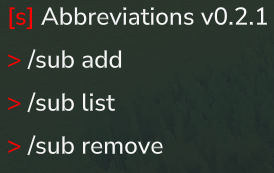
输入 /sub 查看命令列表。输入其中一个子命令可获取进一步说明。
示例:
零参数命令
/sub add /ic /inventory clear
/ic 执行 /inventory clear
单参数命令
/sub add /t $0 /time set $0
/t day 执行为 /time set day
双参数命令
/addsub /w $0 $1 /weather $0 $1
/w set Zone4_Wastes_Rain 执行为 /weather set Zone4_Wastes_Rain
改变参数顺序
/sub add /zyx $0 $1 $2 /tp $2 $1 $0
/zyx 12 120 50 执行为 /tp 12 120 50
多命令
/sub add /clearnoon /weather clear /time noon
/clearnoon 依次执行 /weather clear 和 /time noon。
带可选参数的命令
/sub add /g $i $q /give $i ++quantity $q
/g Food_Popcorn 664 执行为 /give Food_Popcorn --quantity 664
++ 会转换为 -- 以便可选参数正常工作。
覆盖原版命令
/sub add /help /echo "testing"
/help 执行 /echo "testing",而不会打开帮助菜单。
同一参数多次使用
/sub add /same $0 /tp $0 $0 $0
/same 100 执行为 /tp 100 100 100
权限:
在拥有 OP 权限的原版服务器中,你拥有所有权限。
对于服务器管理员:
potato.abbreviations.command.subpotato.abbreviations.command.*
为普通玩家组添加缩写命令权限:
potato.abbreviations.command.命令名称
除了缩写命令本身的权限外,还需要原命令的权限。例如,执行 /sub add /ic /inventory clear 后,命令 /ic 需要 /ic 和 /inventory clear 的权限才能使用。
如果你使用 LuckPerms,建议使用 /lp verbose on 查看缺少哪些权限。
配置文件:
配置文件位于 ./mods/AbbreviationPlugin/cmdsubstitutions.json
安装:
使用 CurseForge 应用
或
将 .jar 文件放入单人游戏或多人游戏服务器的 mods 文件夹中。通过输入 /day 并确认其为可用命令,即可验证模组是否正常工作。
正在加载版本记录…
正在加载评论…
评论在新手盒子客户端中发表,这里同步展示。