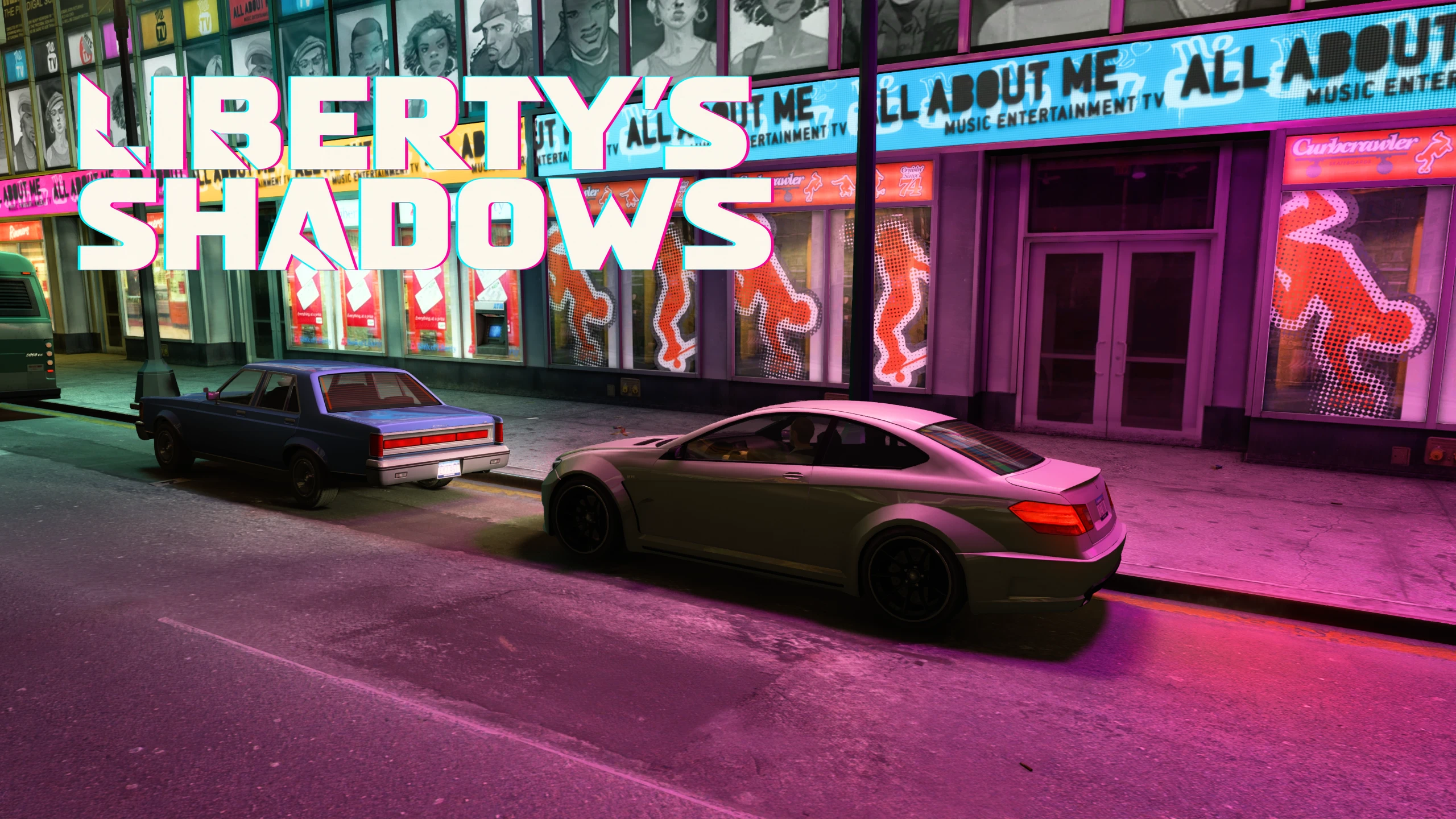
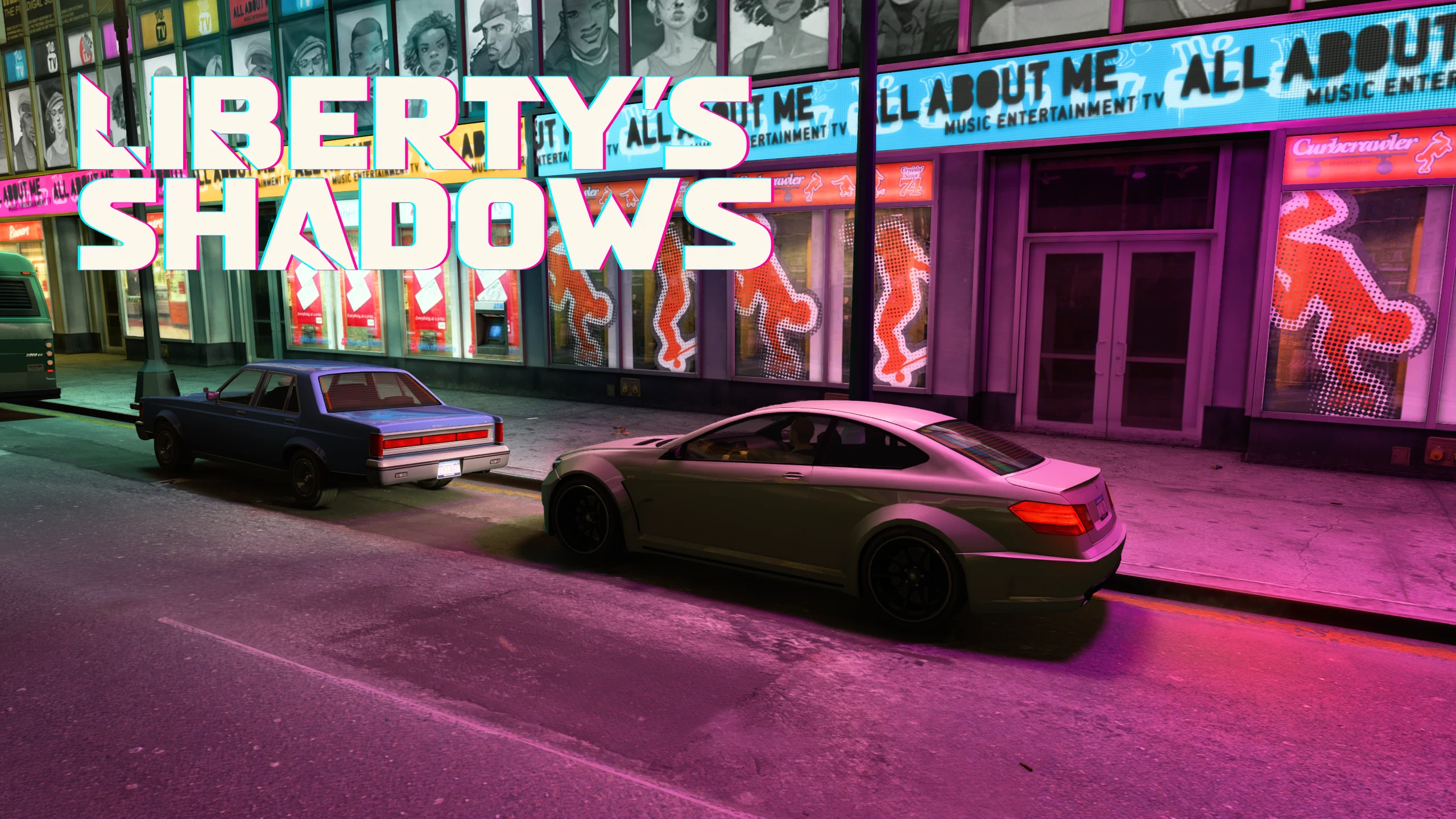
Liberty's Shadows - Extra Night Shadows Fix and Enhancements
Liberty's Shadows 2.0 turns more of Liberty City's existing lights into moving shadows across people, cars, trees and buildings. Dual headlights, taillights, storefronts, traffic and emergency lights come together in three presets. High is the full experience; Low and Medium offer lighter performance. Requires FusionFix.
 查看大图
[center][img]https://staticdelivery.nexusmods.com/mods/253/images/1459/1459-1791871771-1667028297.png[/img][/center]
[center][size=5][color=#39E7FF][b]2.0.1 - PERFORMANCE & SCENERY UPDATE[/b][/color][/size][/center]
Performance is [b][i][u]noticeably[/u][/i][/b] better in my latest testing. This update improves scenery priority and removes wasted background work.
[list]
[]High considers scenery shadows out to [b]250 ft[/b].[/]
[]Visible scenery lights receive better priority.[/]
[]Headlights are [b]15% dimmer[/b]; traffic-light spill is [b]5% brighter[/b]. Headlight and taillight range stays unchanged.[/]
[/list]
[size=4][color=#39E7FF][b]Expanded lighting across Liberty City[/b][/color][/size]
Storefronts, vehicle lights and city fixtures cast moving shadows from people, cars, trees and scenery, while keeping Liberty City's original atmosphere.
Built through days of continuous development and playtesting, with further improvements guided by your feedback.
[size=4][color=#39E7FF][b]City lights:[/b][/color][/size] storefronts, signs, building lights, illuminated fixtures and searchlights gain more shadow interaction across roads, walls and building fronts.
[compare before=https://staticdelivery.nexusmods.com/mods/253/images/1459/1459-1791920679-156860258.png]https://staticdelivery.nexusmods.com/mods/253/images/1459/1459-1791920684-1234119076.png[/compare]
[compare before=https://staticdelivery.nexusmods.com/mods/253/images/1459/1459-1791918930-1036191262.png]https://staticdelivery.nexusmods.com/mods/253/images/1459/1459-1791918937-554741429.png[/compare]
[center][compare before=https://staticdelivery.nexusmods.com/mods/253/images/1459/1459-1791918979-259134284.png]https://staticdelivery.nexusmods.com/mods/253/images/1459/1459-1791918983-157619312.png[/compare]
[/center]
[compare before=https://staticdelivery.nexusmods.com/mods/253/images/1459/1459-1791920845-924909840.png]https://staticdelivery.nexusmods.com/mods/253/images/1459/1459-1791920849-286547097.png[/compare]
[size=4][color=#39E7FF][b]Vehicles and traffic:[/b][/color][/size] dual-headlight and taillight enhancements on High, plus traffic-signal and police/emergency-light shadows that follow the action around them.
[center][compare before=https://staticdelivery.nexusmods.com/mods/253/images/1459/1459-1791920480-1957756954.png]https://staticdelivery.nexusmods.com/mods/253/images/1459/1459-1791920484-1450086777.png[/compare]
[color=#B4BBC5][i]Headlight and emergency-light shadows across vehicles and nearby scenery.[/i][/color][/center]
[center][/center]
[center][img]https://staticdelivery.nexusmods.com/mods/253/images/1459/1459-1791013032-947075523.png[/img]
[color=#B4BBC5][i]Police emergency lighting.
[/i][/color][img]https://staticdelivery.nexusmods.com/mods/253/images/1459/1459-1791874779-1626341487.png[/img]
[i]Helicopter spotlight shadows[/i][/center]
[center][/center]
[center][color=#B4BBC5][i][img]https://staticdelivery.nexusmods.com/mods/253/images/1459/1459-1791874769-464778067.png[/img]
Traffic signals become part of the lighting around the intersection.[/i][/color][/center]
[size=4][color=#39E7FF][b]People and scenery:[/b][/color][/size] pedestrians, cars, trees, branches and world geometry become part of the same lighting scene, from busy intersections to quieter parks.
[center][compare before=https://staticdelivery.nexusmods.com/mods/253/images/1459/1459-1791923839-170893598.png]https://staticdelivery.nexusmods.com/mods/253/images/1459/1459-1791923844-722182636.png[/compare]
[color=#B4BBC5][i]Tree and branch shadows in the park.[/i][/color][/center]
[center][compare before=https://staticdelivery.nexusmods.com/mods/253/images/1459/1459-1791923518-568330972.png]https://staticdelivery.nexusmods.com/mods/253/images/1459/1459-1791923523-553439867.png[/compare]
[color=#B4BBC5][i]People, vehicles and environmental shadows on a quieter park path.[/i][/color][/center]
[size=4][color=#39E7FF][b]Choose your lighting[/b][/color][/size]
[color=#FF38AF][b]High is the default[/b][/color], giving you the full experience. If you prefer more performance, open [b]Graphics → Liberty's Shadows[/b] before loading your save and select [b]Low[/b] or [b]Medium[/b]. Apply the choice, then restart the game once before playing.
[list]
[][b]Low — original fixes:[/b] corrected headlight and streetlamp shadows, without the expanded light families. The lightest option.[/]
[][b]Medium — enhanced traffic:[/b] everything in Low, plus traffic-signal and police/emergency-light shadows.[/]
[][color=#FF38AF][b]High — full lighting (default):[/b][/color] everything in Medium, plus separate shadows from both headlights, taillight shadows, expanded building/storefront/sign/fixture/searchlight coverage and world-geometry occlusion. Choose this for the widest lighting interaction.[/]
[/list]
High uses more CPU/GPU, especially in busy nighttime scenes; Low and Medium let you keep the core fixes with less added work. Presets change enabled features, not shadow resolution. Individual overrides are in the commented INI. [b]Restart after changing presets, features or Off/On, or editing the INI.[/b]
[size=4][color=#39E7FF][b]Requirements and installation[/b][/color][/size]
[color=#FF38AF][b]Known compatibility block — Volumetric Lights[/b][/color]
Current [b]Liberty's Shadows 2.0.1[/b] is incompatible with [b]VolumetricLights.asi[/b]: its protected headlight/light-copy code overlaps the addon, so compatibility checks can stop the mod from activating. Back up [b]VolumetricLights.asi[/b] and [b]VolumetricLights.ini[/b], move those two files outside the game's plugins folder, and restart before testing 2.0.1. Keep the checks enabled. This concerns the Volumetric Lights plugin, [b]not the entire Project Lights model/asset pack[/b]. Other lighting mods need their own compatibility checks.
Requires [b]FusionFix[/b]. Tested on Windows, [b]GTA IV Complete Edition 1.2.0.59, official FusionFix 5.1.1 and Vulkan/DXVK[/b]; other setups remain unverified.
Close the game, back up replaced files, then copy [b]plugins[/b] and [b]update[/b] beside GTAIV.exe. Remove older loadable Liberty's Shadows copies and keep FusionFix. No special launcher needed.
Set [b]Shadow Quality[/b] and [b]Night Shadows[/b] above Off; enable FusionFix's [b]Lampposts and Headlights[/b] Extra Night Shadows and [b]Vehicle Night Shadows[/b]. Follow the included README.
[size=4][color=#39E7FF][b]Having issues? Start here[/b][/color][/size]
[list=1]
[][b]Use the right download.[/b] 2.0.1 is the Complete Edition package. Legacy is the older 1.0.8.0 fix. Install one, not both. For troubleshooting, the tested setup is CE 1.2.0.59, official FusionFix 5.1.1 and Vulkan/DXVK.[/]
[][b]Check the actual game folder.[/b] Install the complete official FusionFix package first, then Liberty's Shadows. Copy both [b]plugins[/b] and [b]update[/b] beside the GTAIV.exe you launch. You should have [b]plugins/OnyxOak.ExtraNightShadows.asi[/b], its matching [b].ini[/b], and the included shaders under [b]update/common/shaders/win32_30[/b]. Keep that folder structure; installing only the ASI misses part of the mod. Back up replaced files outside the game folder and remove older loadable Liberty's Shadows copies. Reapply this package after a FusionFix update replaces its shaders.[/]
[][b]Check the shadow settings.[/b] Shadow Quality and Night Shadows must be above Off. FusionFix's Extra Night Shadows should include [b]Lampposts and Headlights[/b] plus [b]Vehicle Night Shadows[/b]. Choose Liberty's Shadows Low, Medium or High, apply and restart once. For slow performance, start with Low or Medium before loading your save.[/]
[][b]If it still looks inactive, get one useful log.[/b] In [b]plugins/OnyxOak.ExtraNightShadows.ini[/b], set [b]Logging=2[/b] under [b][SUPPORT][/b], restart and reproduce the problem. Attach [b]plugins/OnyxOak.ExtraNightShadows.log[/b] to your report, then restore [b]Logging=0[/b] for normal play. A [b]DISABLED[/b] line means activation failed; include that message. Do not bypass compatibility checks. Other lighting mods are not automatically incompatible, but an altered renderer or headlight hook may need an adapter.[/]
[/list]
[color=#FF38AF][b]Still stuck?[/b][/color] Use [b]Nexus Bugs[/b], one issue per ticket, or add your evidence to a matching existing report. Include game, FusionFix and Liberty's Shadows versions; preset; renderer; other lighting/ASI mods; and the location/time plus short steps to reproduce. For performance, add CPU/GPU, resolution and FPS. For lighting, say whether the light disappears or only its shadow changes. A screenshot or short clip helps. No special recording software is required.
Created by [b]OnyxOak[/b], with [b]OpenAI Codex[/b] development assistance. Full credits and licenses are included.
[b]Downloads:[/b] use [b]2.0.1[/b] for the expanded Complete Edition experience, or the optional [b]Original Night Shadows Fix 1.7[/b] for the original headlight/streetlamp fix scope. [b]Install only one Liberty's Shadows variant.[/b] When switching from 2.0 to 1.7, restore the official FusionFix shaders and use 1.7's matching ASI/INI; read its included guide. [b]Legacy[/b] is the older GTA IV [b]1.0.8.0[/b] lighting fix, without 2.0's expanded lighting features. Project and older releases: [url=https://github.com/onyxoak/fusionfix-extra-night-shadows]GitHub[/url].
[center][color=#B4BBC5][i]More scenes in the Images gallery. Separate vehicle and visual mods shown in photos are not included.[/i][/color][/center]

![https://staticdelivery.nexusmods.com/mods/253/images/1459/1459-1791920679-156860258.png]https://staticdelivery.nexusmods.com/mods/253/images/1459/1459-1791920684-1234119076.png[/compare]](https://staticdelivery.nexusmods.com/mods/253/images/1459/1459-1791920679-156860258.png%5Dhttps://staticdelivery.nexusmods.com/mods/253/images/1459/1459-1791920684-1234119076.png%5B/compare%5D)
![https://staticdelivery.nexusmods.com/mods/253/images/1459/1459-1791918930-1036191262.png]https://staticdelivery.nexusmods.com/mods/253/images/1459/1459-1791918937-554741429.png[/compare]](https://staticdelivery.nexusmods.com/mods/253/images/1459/1459-1791918930-1036191262.png%5Dhttps://staticdelivery.nexusmods.com/mods/253/images/1459/1459-1791918937-554741429.png%5B/compare%5D)
![https://staticdelivery.nexusmods.com/mods/253/images/1459/1459-1791918979-259134284.png]https://staticdelivery.nexusmods.com/mods/253/images/1459/1459-1791918983-157619312.png[/compare]](https://staticdelivery.nexusmods.com/mods/253/images/1459/1459-1791918979-259134284.png%5Dhttps://staticdelivery.nexusmods.com/mods/253/images/1459/1459-1791918983-157619312.png%5B/compare%5D)
![https://staticdelivery.nexusmods.com/mods/253/images/1459/1459-1791920845-924909840.png]https://staticdelivery.nexusmods.com/mods/253/images/1459/1459-1791920849-286547097.png[/compare]](https://staticdelivery.nexusmods.com/mods/253/images/1459/1459-1791920845-924909840.png%5Dhttps://staticdelivery.nexusmods.com/mods/253/images/1459/1459-1791920849-286547097.png%5B/compare%5D)
![https://staticdelivery.nexusmods.com/mods/253/images/1459/1459-1791920480-1957756954.png]https://staticdelivery.nexusmods.com/mods/253/images/1459/1459-1791920484-1450086777.png[/compare]](https://staticdelivery.nexusmods.com/mods/253/images/1459/1459-1791920480-1957756954.png%5Dhttps://staticdelivery.nexusmods.com/mods/253/images/1459/1459-1791920484-1450086777.png%5B/compare%5D)


![https://staticdelivery.nexusmods.com/mods/253/images/1459/1459-1791923839-170893598.png]https://staticdelivery.nexusmods.com/mods/253/images/1459/1459-1791923844-722182636.png[/compare]](https://staticdelivery.nexusmods.com/mods/253/images/1459/1459-1791923839-170893598.png%5Dhttps://staticdelivery.nexusmods.com/mods/253/images/1459/1459-1791923844-722182636.png%5B/compare%5D)
![https://staticdelivery.nexusmods.com/mods/253/images/1459/1459-1791923518-568330972.png]https://staticdelivery.nexusmods.com/mods/253/images/1459/1459-1791923523-553439867.png[/compare]](https://staticdelivery.nexusmods.com/mods/253/images/1459/1459-1791923518-568330972.png%5Dhttps://staticdelivery.nexusmods.com/mods/253/images/1459/1459-1791923523-553439867.png%5B/compare%5D)
正在加载版本记录…
正在加载评论…
评论在新手盒子客户端中发表,这里同步展示。