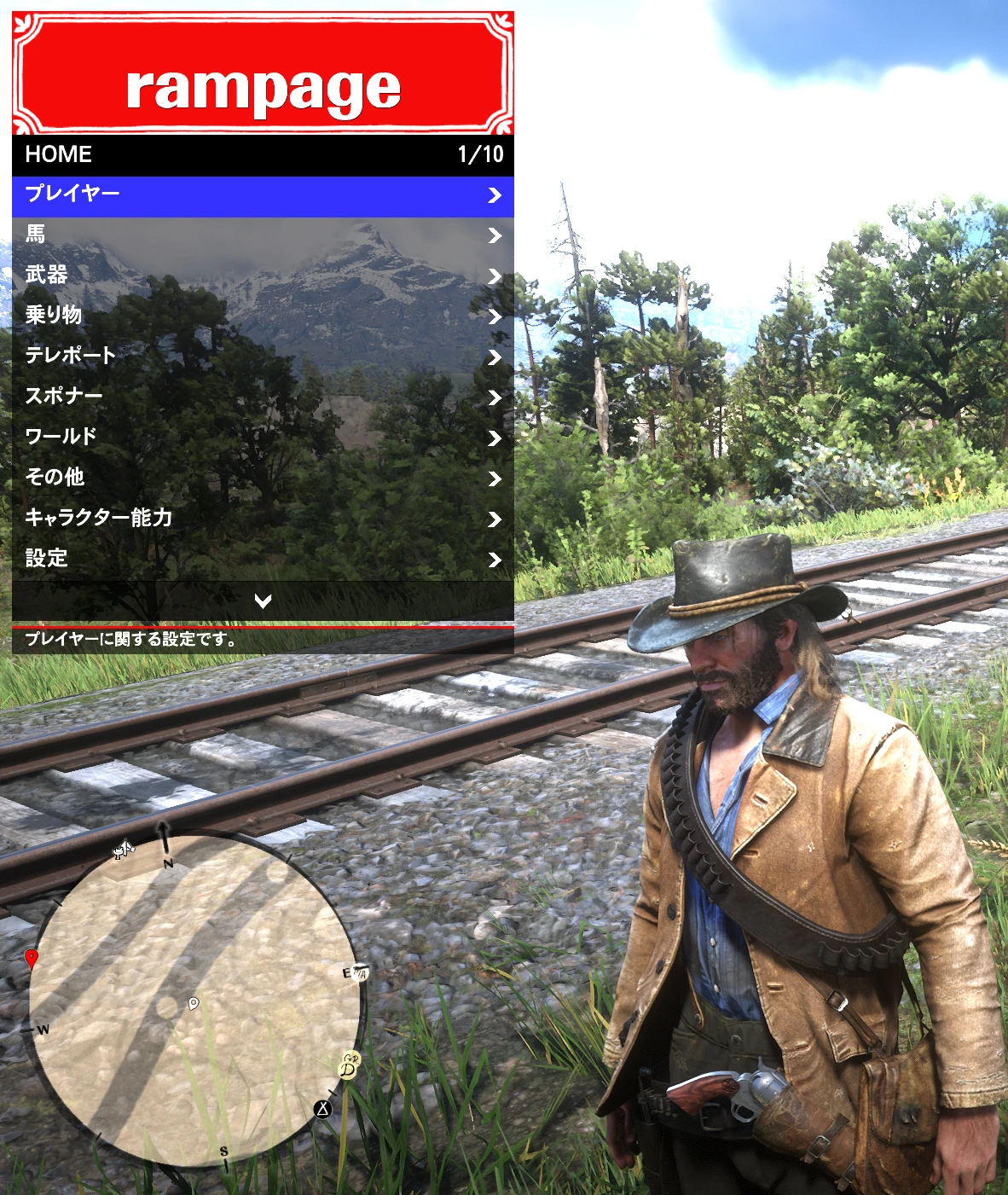
Rampage Trainer - Japanese Translation
Rampage Trainerの非公式日本語化ファイルです。使用にはオリジナルのRampage Trainerが必要です。 / Unofficial Japanese translation for Rampage Trainer. Requires the original mod.
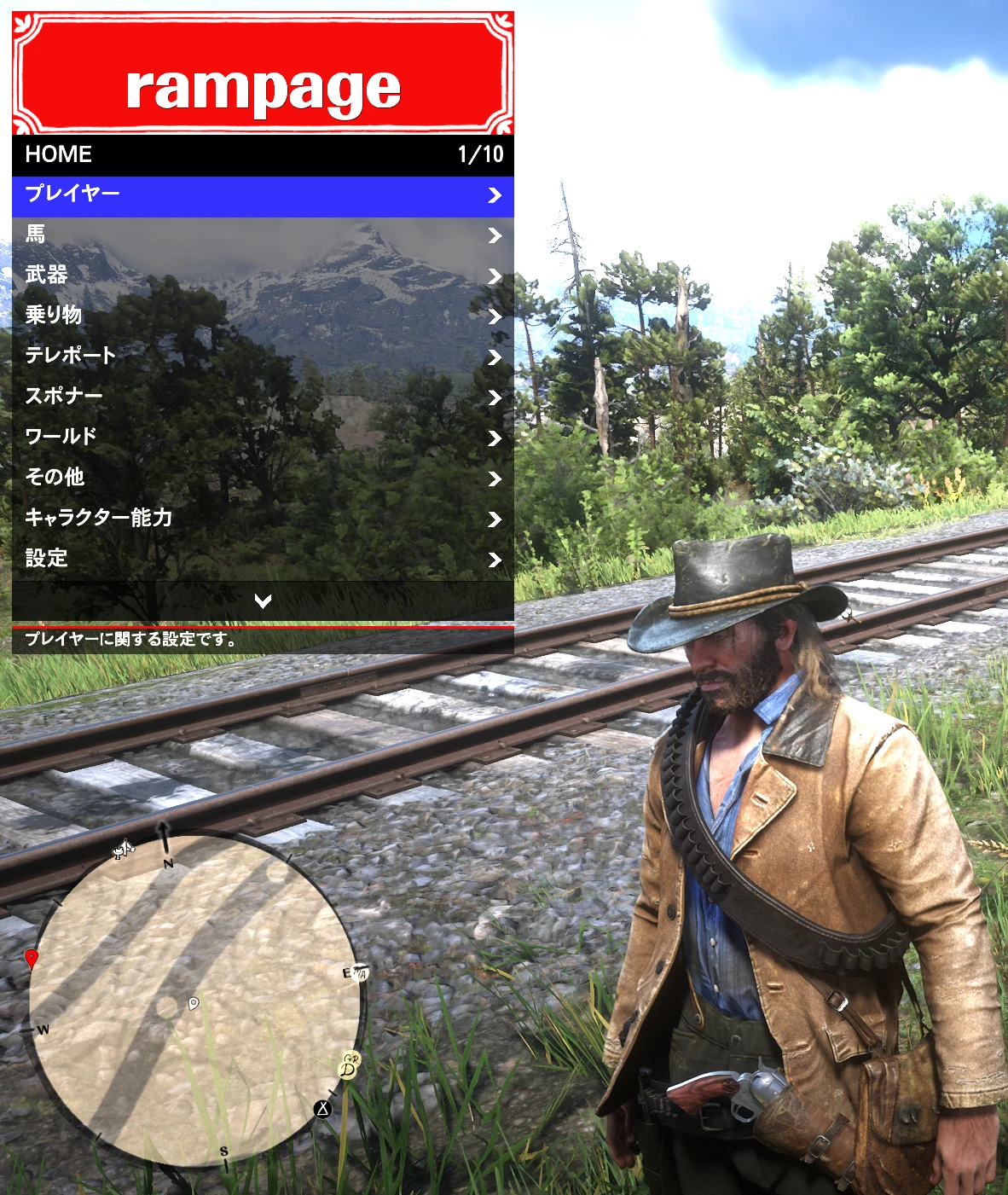 查看大图
查看大图【日本語】
■ 概要
Red Dead Redemption 2用MOD「Rampage Trainer」の非公式日本語化ファイルです。
Rampage Trainer内のメニュー名、説明文、警告文、設定項目などを日本語化します。
このファイル単体では動作しません。
先に[url=https://www.nexusmods.com/reddeadredemption2/mods/233]オリジナルのRampage Trainer[/url]を導入してください。
■ 導入方法
1. オリジナルのRampage Trainerを導入します。
2. ダウンロードしたZIPファイルを展開します。
3. 展開した「RampageFiles」フォルダーを、Red Dead Redemption 2のゲームフォルダーへコピーします。
4. 同名ファイルの上書き確認が表示された場合は、必要に応じて既存のJapanese.xmlをバックアップしてから上書きします。
5. ゲームを起動し、Rampage Trainerの言語設定から「Japanese」を選択します。
導入後のファイル配置:
Red Dead Redemption 2
└─ RampageFiles
└─ Language
└─ Japanese.xml
■ 主な内容
・Rampage Trainerのメニューおよびサブメニューを日本語化
・各機能の説明文、設定項目、警告文を日本語化
・大文字・小文字が異なる内部文字列へ個別に対応
・カラーコード、特殊記号、内部タグを可能な限り維持
・Rampage Trainerでの読み込みおよび主要項目の表示を確認済み
■ 必要なもの
・Red Dead Redemption 2 PC版
・オリジナルのRampage Trainer
Rampage Trainer本体、Rampage.asi、ScriptHookなどは、この配布ファイルには含まれていません。
■ 既知の制限
Rampage Trainerの一部文字列は言語XMLを経由せず、プログラム側から直接表示されるため日本語化されません。
確認済みの例:
・「Location:」と表示される現在地情報
・「Vehicle can't be customized.」と表示されるエラーメッセージ
ゲーム内の固有名詞、内部データ名、データIDなど、翻訳に適さない文字列は原文のまま残しています。
可能な限り確認していますが、一部に翻訳漏れや不自然な表現が残っている可能性があります。お気づきの点がありましたら、ご報告いただけると幸いです。
■ クレジット
Rampage Trainer original author:
RampageDev
Japanese translation:
Doremi
RampageDev氏から日本語翻訳版の公開許可をいただいています。
本ファイルは非公式の日本語化ファイルです。
Donation Pointsは無効にしています。
■ スペシャルサンクス
RampageDev氏には、Rampage Trainerの開発と維持にご尽力いただいていること、ならびに日本語翻訳版の公開を快く許可してくださったことに、心より感謝いたします。
【English】
■ Description
This is an unofficial Japanese translation for Rampage Trainer.
It translates menu titles, descriptions, warning messages, settings, and other interface text into Japanese.
This translation does not work by itself.
The [url=https://www.nexusmods.com/reddeadredemption2/mods/233]original Rampage Trainer[/url] must be installed first.
■ Installation
1. Install the original Rampage Trainer.
2. Extract the downloaded ZIP file.
3. Copy the included “RampageFiles” folder into your Red Dead Redemption 2 game directory.
4. If prompted to overwrite Japanese.xml, back up the existing file first if necessary.
5. Start the game and select “Japanese” in the Rampage Trainer language settings.
Installed file location:
Red Dead Redemption 2
└─ RampageFiles
└─ Language
└─ Japanese.xml
■ Main features
・Japanese translations for menus and submenus
・Japanese translations for descriptions, settings, and warning messages
・Support for different capitalisation variants used internally
・Preservation of colour codes, special characters, and internal formatting tags where possible
・Tested in-game with Rampage Trainer
■ Requirements
・Red Dead Redemption 2 for PC
・The original Rampage Trainer
Rampage Trainer itself, Rampage.asi, ScriptHook, and other original mod files are not included.
■ Known limitations
Some strings are displayed directly by Rampage Trainer and do not pass through the language XML file, so they cannot currently be translated.
Known examples include:
・“Location:”
・The “Vehicle can't be customized.” error message
Some proper names, internal data names, and data IDs are intentionally left untranslated.
Although the translation has been checked as thoroughly as possible, some untranslated or unnatural text may remain. Please report any issues you find.
■ Credits
Rampage Trainer original author:
RampageDev
Japanese translation:
Doremi
Permission to publish this translation was granted by RampageDev.
This is an unofficial translation.
Donation Points are disabled.
■ Special Thanks
My sincere thanks to RampageDev for his continued dedication to developing and maintaining Rampage Trainer, and for kindly granting permission to publish this Japanese translation.
正在加载版本记录…
正在加载评论…
评论在新手盒子客户端中发表,这里同步展示。