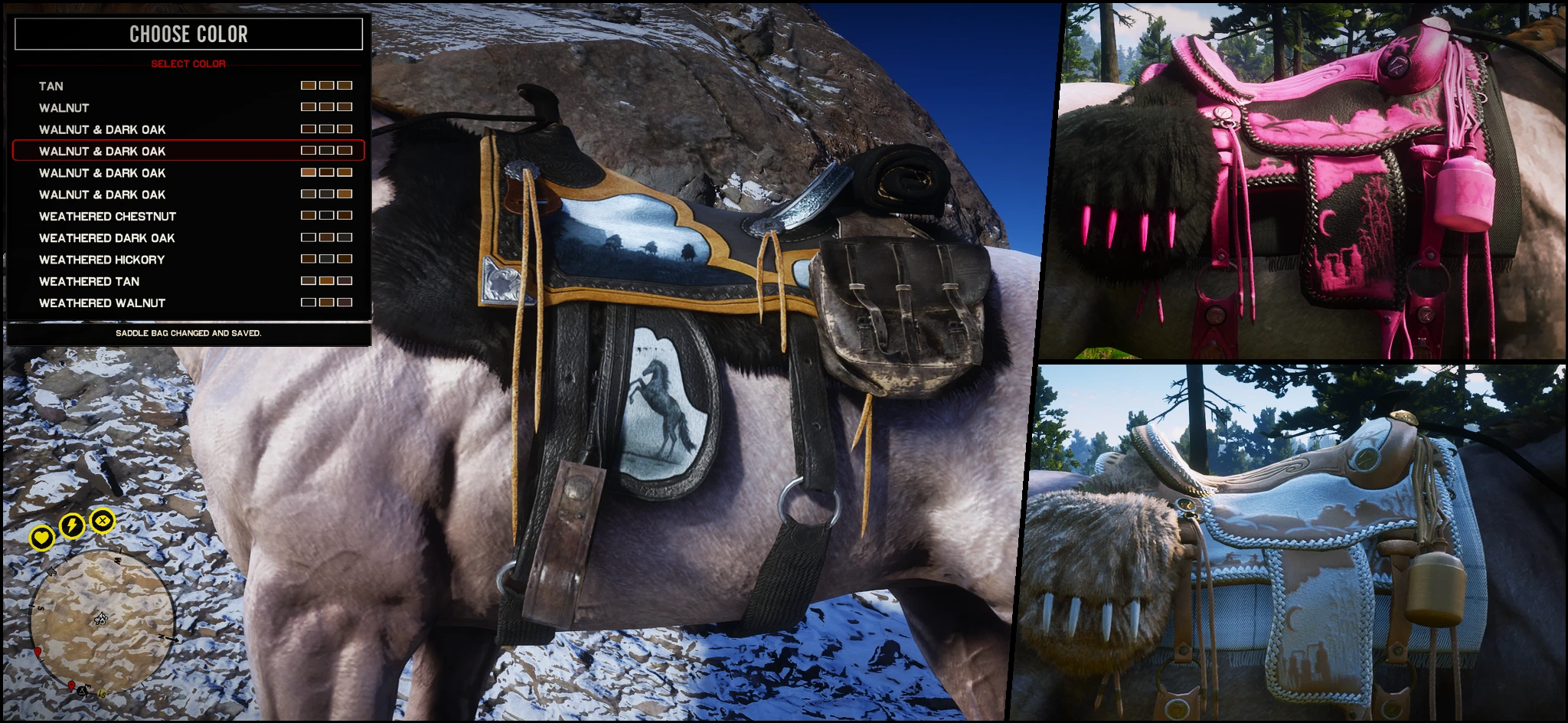
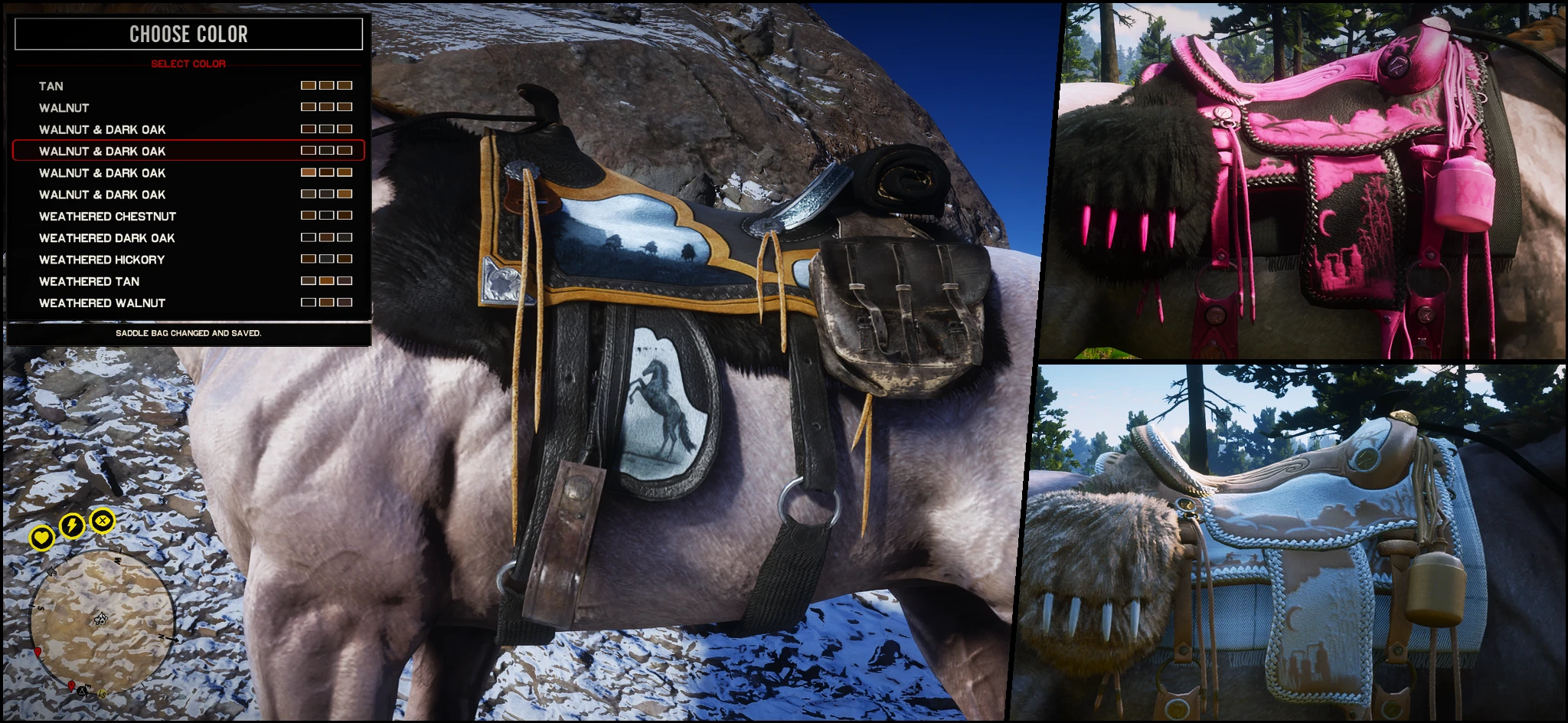
Horse Tack Trainer - Vanilla Gang and MP Combo Customizer
An ASI trainer for customizing horse tack colors. Now includes MP saddle combinations, gang saddle presets, individual component swapping, and custom preset saving. The thumbnail is only meant to showcase what the mod can do. Your changes are saved automatically.
 查看大图
查看大图[font=Arial][b][size=6]Ultimate Tack Trainer[/size][/b][/font]
[font=Arial][b][size=6][u][url=https://www.nexusmods.com/reddeadredemption2/mods/1472]Script Hook V2[/url] is mandatory, using the version from [url=dev-c.com]dev-c.com [/url]will cause a fatal error when spawning. If this warning does not help, neither will a support reply. [/u][/size][/b][/font]
[line]
[font=Arial][b][size=4]DESCRIPTION[/size][/b][/font]
Ultimate Horse Tack Customizer — previously released as Black Trapper Saddles — is an ASI trainer that lets you customize your horse tack directly in-game. You can edit supported tack colors in real time, swap individual components, apply complete saddle presets, and create your own combinations without restarting the game. Supported tack includes saddles, blankets, saddlebags, bedrolls, bridles, stirrups, horns, scabbards, and other compatible horse equipment. Customization is handled at runtime and does not require replacing shop_items.ymt. Tint values are stored in a readable CSV bank, making it easy to edit, back up, and share your configurations.
[b][font=Arial][u][url=https://www.nexusmods.com/reddeadredemption2/mods/1472]Script Hook V2[/url] is mandatory, if you get the version from [url=dev-c.com]dev-c.com [/url][/u][/font][u]the ASI won't be able to load.[/u][/b]
[quote][b]You do not need to understand the palette system to use this trainer. I recommend simply trying different presets and tint values—it is perfectly safe to experiment. The palette documentation is mainly there for users who want to reproduce a very specific color and need to know the exact palette and row to use.
With the addition of color presets, most users should be able to customize their tack without reading any documentation.
Direct palette and tint editing still offers a much wider range of possibilities. [/b][/quote][line]
[font=Arial][b][size=4]FEATURES[/size][/b][/font]
[color=#ffffff][font=Arial][b]In-Game Trainer [/b][/font][/color]
[font=Arial]» Customize horse tack while playing
» Browse available items by category
» Swap supported tack components individually
» Apply complete MP and gang saddle presets
» Mix components from different saddle sets
» Save custom component combinations
» Restore previous configurations
» Configurable hotkeys, appearance, opacity, size, spacing, and layout[/font]
[font=Arial][color=#ffffff][b]Default controls[/b][/color]
» F10 — Open trainer
» Enter — Apply selected item or color
» Right Arrow — Edit an existing saved color[/font]
[font=Arial]
[b][color=#ffffff]Tint Editing[/color][/b][/font]
» Edit all three texture-mask tint channels
» Enter tint values directly with the keyboard
» Use Left and Right to adjust values in increments of 1
» Select palettes individually for supported assets
» Preview tint changes without restarting the game
» Uses readable names instead of requiring users to work with hashes
» Includes HTML palette helpers for finding suitable tint combinations
[quote][b]Stable integration is intentionally limited to tint synchronization. Component and mesh swaps should be performed outside the stable through the trainer.[/b][/quote]
[font=Arial][b]Component Swapping[/b]
» Browse saddles, blankets, saddlebags, bedrolls, bridles, stirrups, horns, and other tack separately
» Items sharing the same drawable are grouped together
» Available colors and texture variations are shown inside the item submenu
» Component replacement enforces one active item per supported category
» Includes a Hard Reset Equipped Tack option for clearing leftover components and restoring the tack captured when the trainer session opened[/font]
[b]Saved Colors[/b]
» Create as many custom swatches as you want
» Add New Swatch always creates a new saved color
» Existing saved colors are never silently overwritten
» Press [b]Right Arrow[/b] on a saved color to explicitly edit it
» Rename saved colors directly from the trainer
» Give each saved color its own color chip
[font=Arial][b]Presets and Saved Combinations[/b]
» Includes MP saddle assets and gang saddle presets
» Apply complete tack sets or customize each component separately
» Save your currently equipped component mix
» Restore the previous setup
» Includes Black Trapper tint presets and matching equipment
» Saved tint choices and profiles remain editable as normal CSV files[/font]
[font=Arial][b]Configuration and Files[/b]
The main files are stored under: Sauvy_ASI\HorseTackCustomizer
The runtime tint bank is located at: Sauvy_ASI\HorseTackCustomizer\Data\Runtime\Tint Bank.csv
The trainer automatically migrates customization from older releases that used: Sauvy Horse Tack Tint\Sauvy Horse Tack Tint Bank.csv
Existing user tint values are merged into the new database by record ID. The original legacy files are not deleted, and migration backups are created automatically.[/font]
[font=Arial][b]Compatibility[/b]
» Designed to remain compatible with catalogue, clothing, texture, and gameplay mods
» Automatically detects supported Catalogue Improvements scabbard assets
» No manual CIScabbard setting is required
» Missing optional scabbard assets will not cause a crash
The optional LML content includes assets that cannot be recreated through runtime tinting alone, such as the Nuevo Paraiso saddle textures, optional blanket retextures, and the black lasso. The LML folder is not required for the trainer itself.[/font]
[line]
[b][size=4]Installation[/size][/b]
Drop the archive's content to you game directory. [b]Your custom tint values wont be affected.[/b]
For troubleshooting any issue with the trainer, please provide the logs generated.
[b][u][url=https://www.nexusmods.com/reddeadredemption2/mods/1472]Script Hook V2[/url] is mandatory, if you get the version from [url=dev-c.com]dev-c.com [/url]the ASI won't be able to load.[/u][/b]
[line]
[font=Arial][b][size=4]ROADMAP [/size][/b][/font]
These are the features I’d like to bring to the mod, listed in priority
⬜ Make stable-menu swatches reflect the actual tint applied to each item
Completed features
✅ Add a quick tint undo system
✅ Add Apply Current Color to All Tintable Tack
✅ Add a simplified color-customization menu with curated color presets
✅ Save complete tack combinations, including components, palettes, and tint values
✅ Apply saved tint combinations to other tack setups
✅ Live swapping for Online/MP saddle components
✅ Gang saddle presets
✅ Individual component swapping
✅ Custom saved component combinations
✅ Expand customization to horse coats, manes, and tails
正在加载版本记录…
正在加载评论…
评论在新手盒子客户端中发表,这里同步展示。