
Discord 集成 Luckperms
结合 Discord 角色和 Luckperms 群组
 查看大图
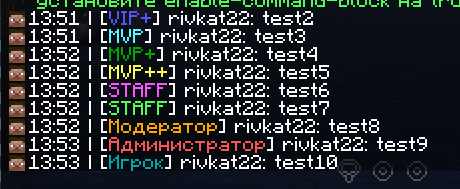
本模组是 Dreaming Codes 创建的 DiscordLoom 的分支。
此版本仅为 1.20.1 创建,不计划更新或推出新版本。 你可以在 Discord 中联系 luciferrium 来创建你需要的版本。

该模组允许你基于 Luckperms 权限模组,完整地同步 Discord 与 Minecraft 服务器。
模组可以做到:
- 将 Discord 角色与 Luckperms 组进行同步
- 将 Discord 用户名更改为 Minecraft 中指定的名称
- 通过启用该功能:在 mandatoryVCChannels = [] 中指定你服务器语音聊天的 id,例如 mandatoryVCChannels = ['435457687658665856856'],玩家只要在该语音聊天中在线,就能登录服务器并在其中游玩。
该模组已在以下整合包上完整测试:
- Forge - Craft to Exile 2
- Fabric - Prominence II
与其他模组和整合包的兼容性可能不稳定。
正确安装说明:
1. 创建机器人
你需要前往 https://discord.com/developers/applications/
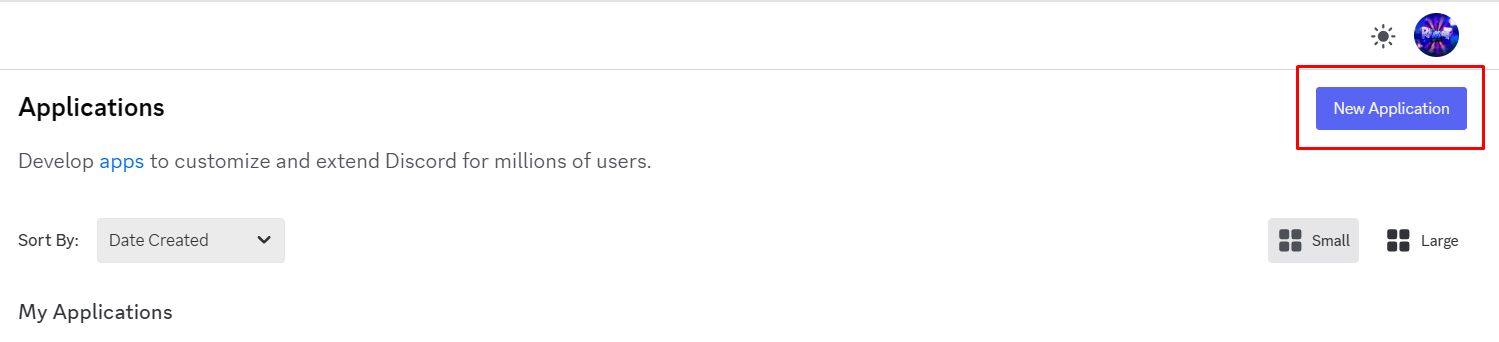
点击 New application 按钮
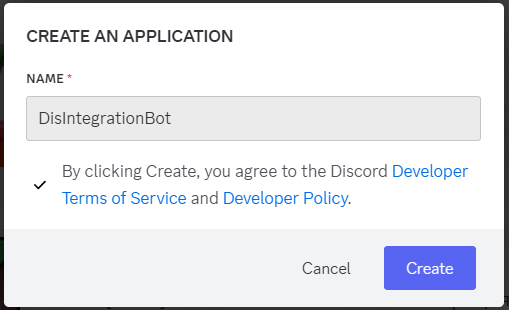
 为机器人起一个名字
 将打开机器人配置菜单,你需要进入 OAuth2 部分
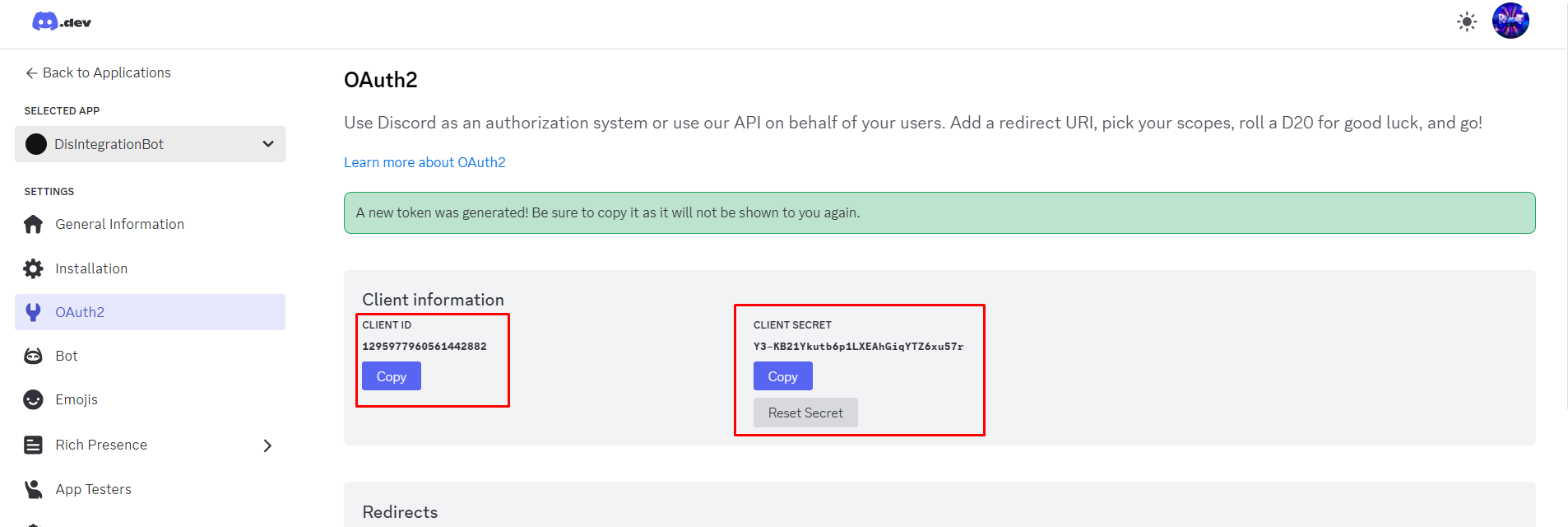
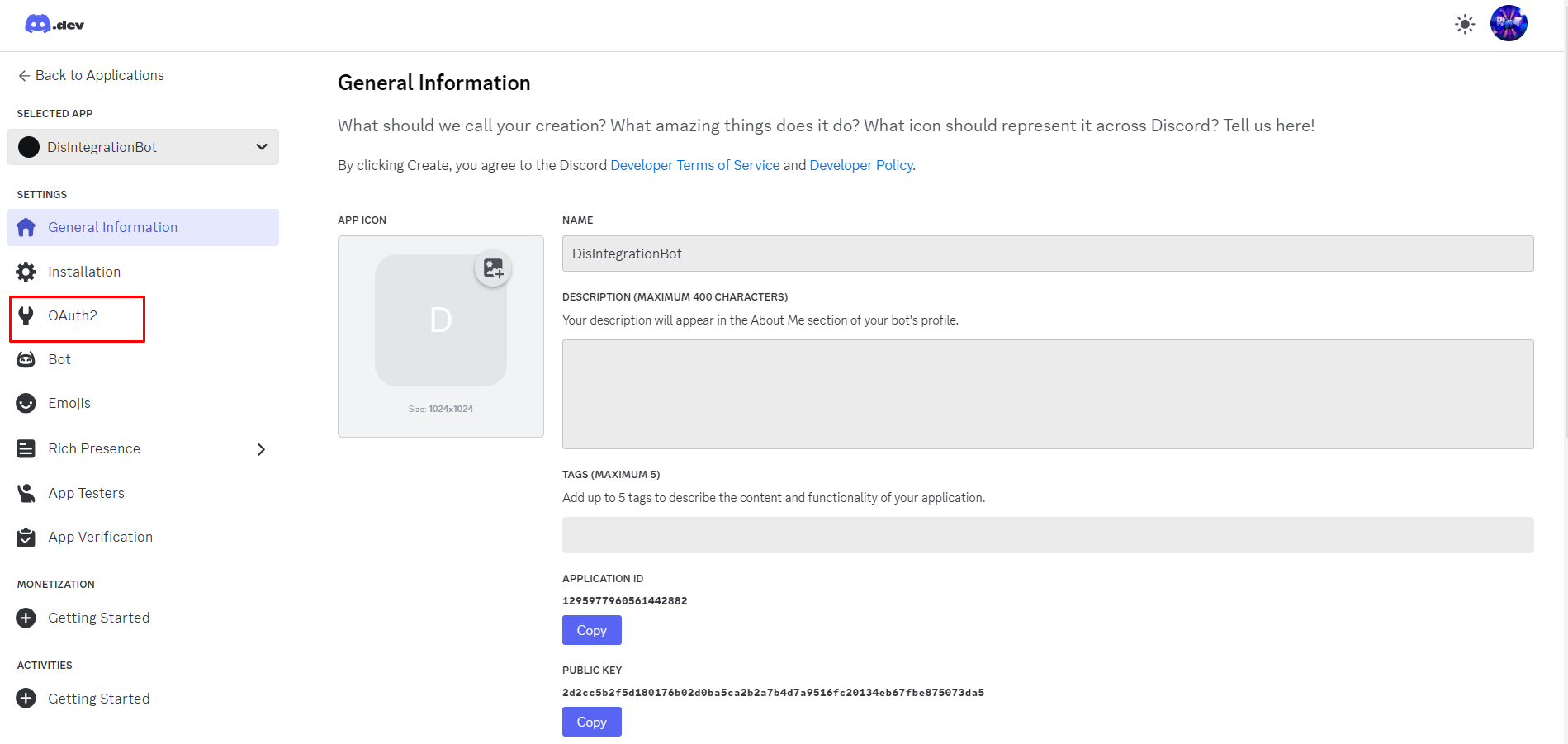 获取 Client Id 和 Client Secret
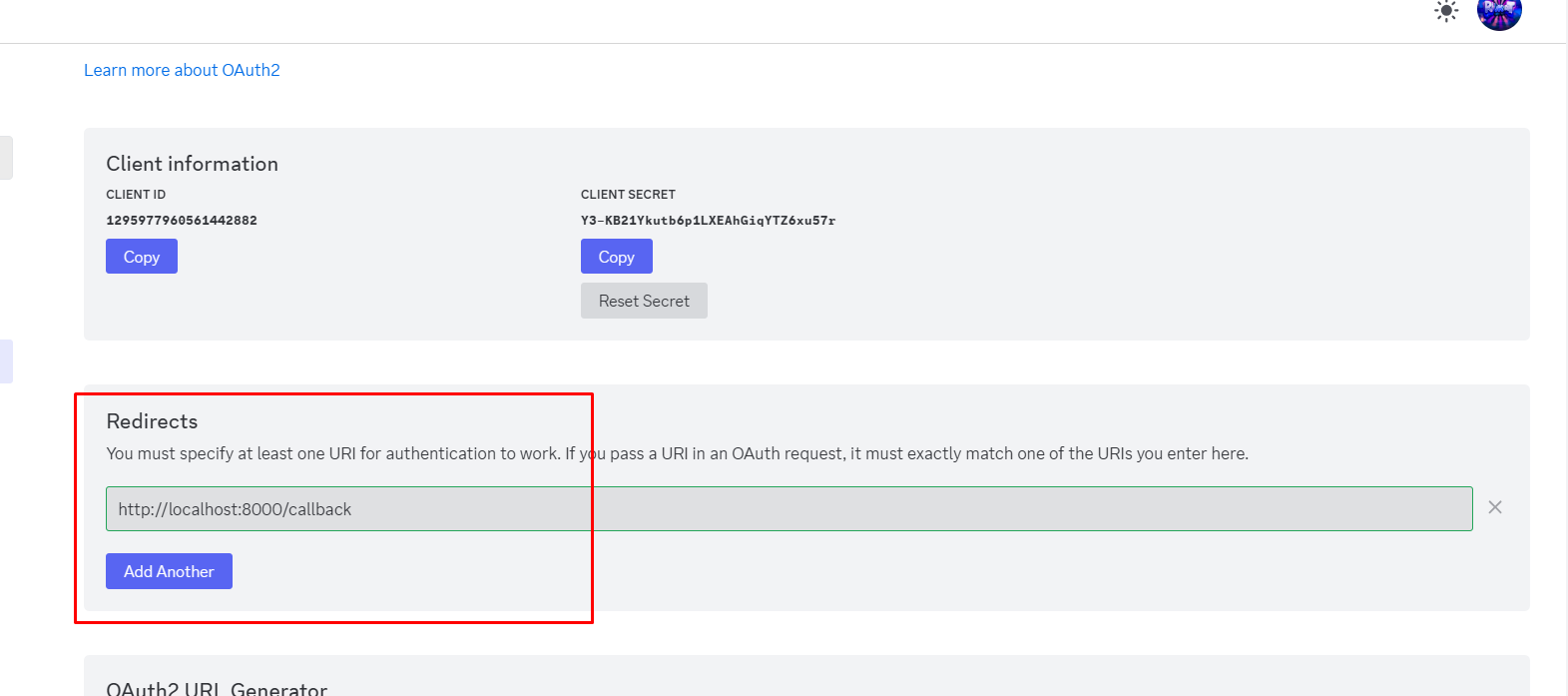
 应将以下链接添加到 Redirects 行:http://localhost:8000/callback
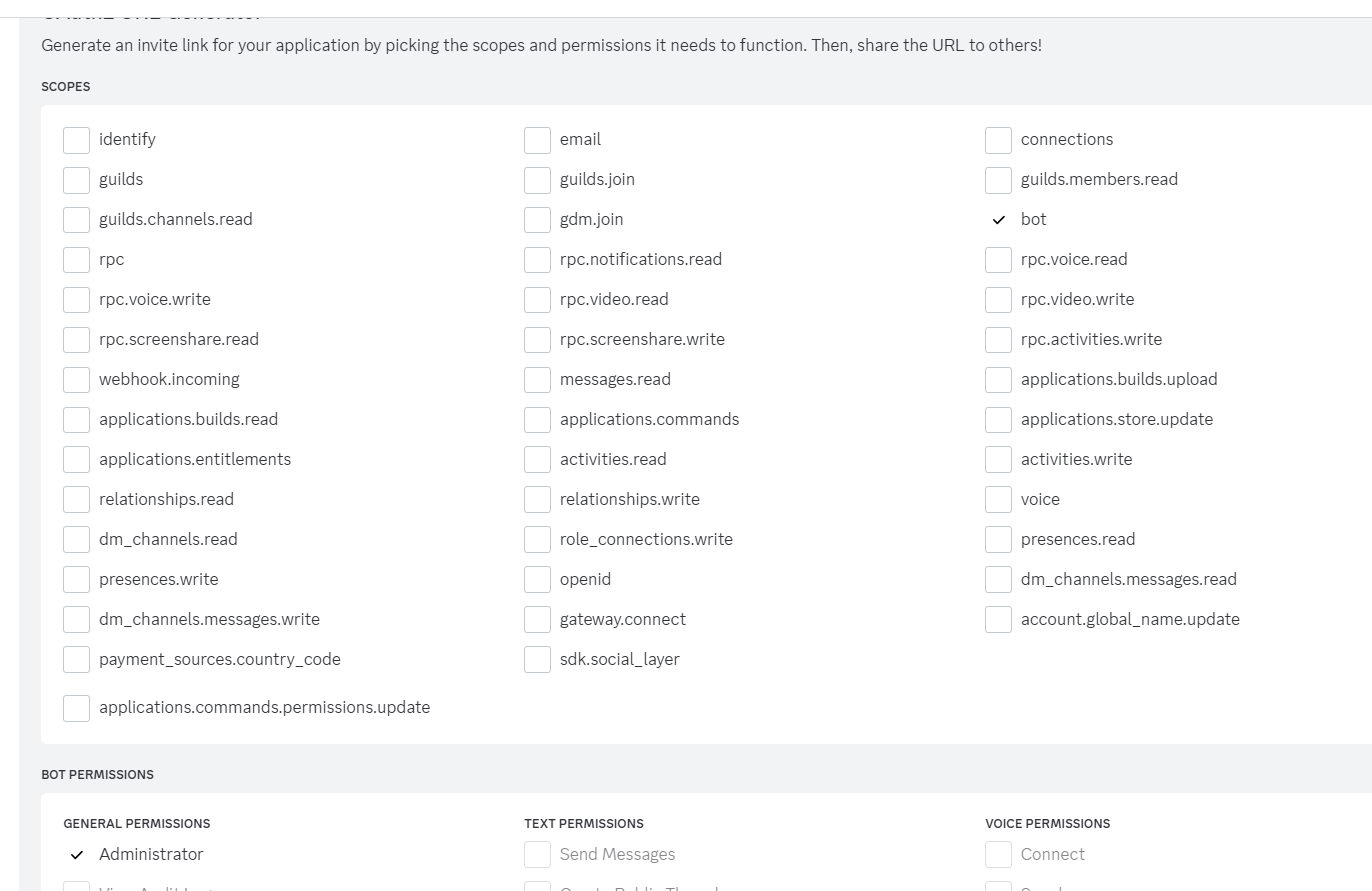
 通过设置 Bot 和 Administrator 参数生成机器人邀请链接
 然后进入 Bot 选项卡,按图中所示设置参数
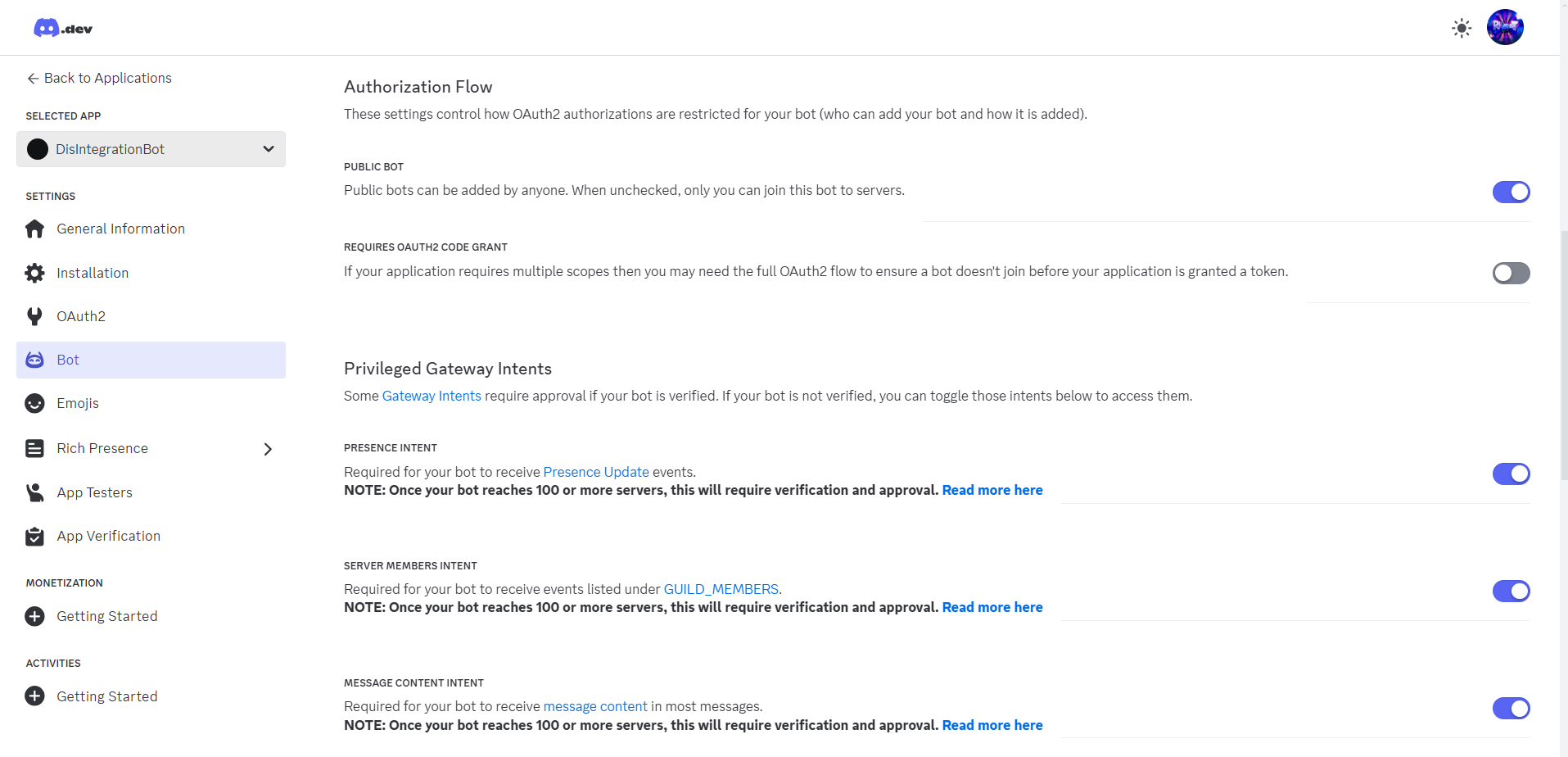 恭喜!你已成功创建机器人并将其添加到你的 Discord 服务器。现在进入下一步。
2. 在服务器上安装模组、设置配置、配置 Luckperms
下载模组后,将其添加到你的服务器并尝试运行,你会遇到错误。这意味着配置已创建,需要对其进行配置。
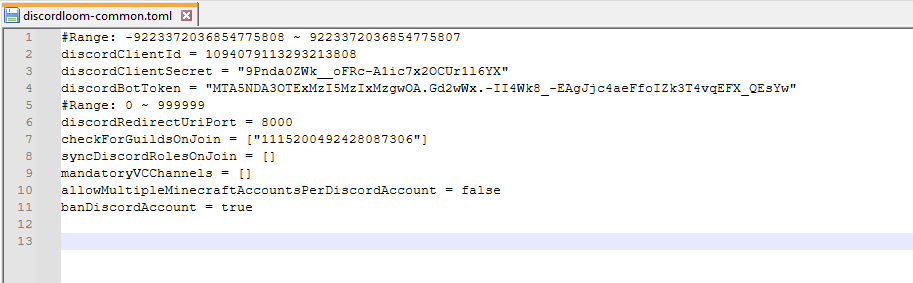
前往路径 config/discordloom-common.toml
用任意文本编辑器打开此文件并开始填写。
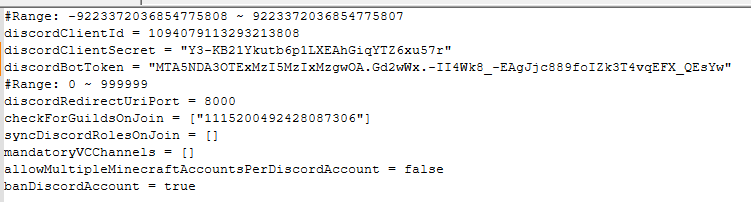
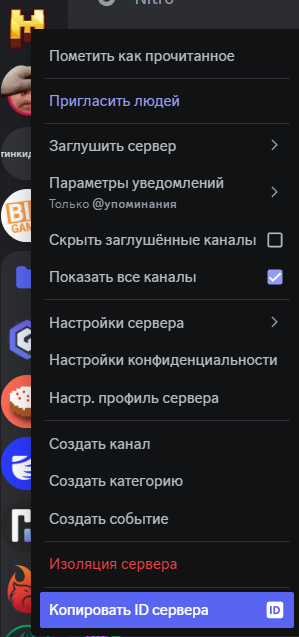
checkForGuildsOnJoin 参数是你的 Discord 社区 id,要获取它,你必须是社区管理员,点击社区图标并点击 Copy Server ID。
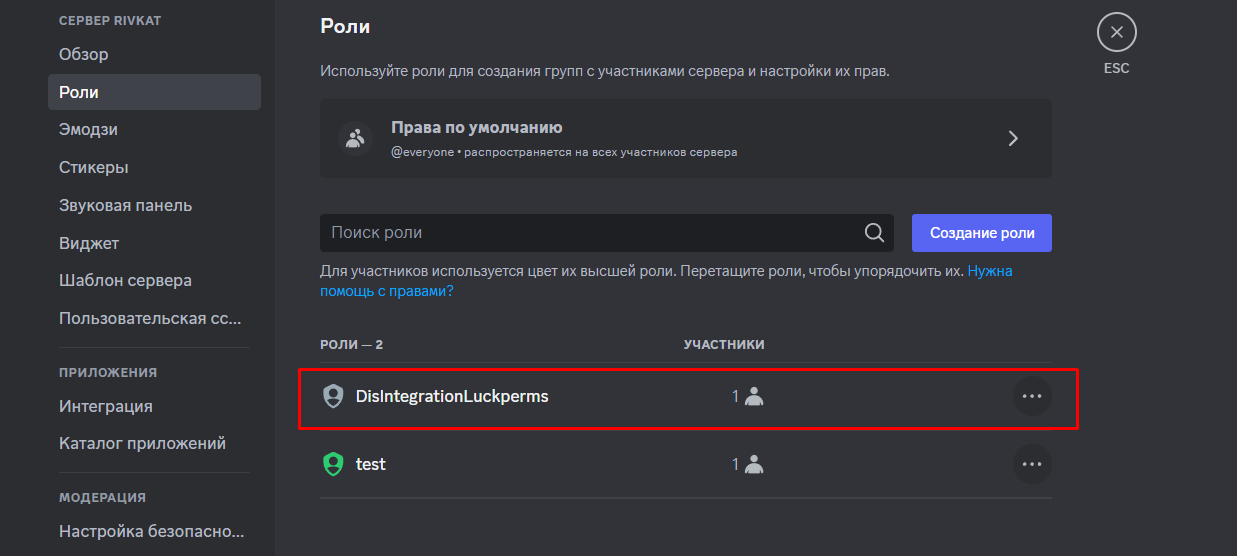
别忘了将机器人创建的角色设置为服务器角色列表中的第一个角色。
填写完配置文件后,如果你输入的所有参数都正确,模组将允许你启动服务器。首次登录服务器后,系统会提示你关联 Discord 账户和 Minecraft 账户。
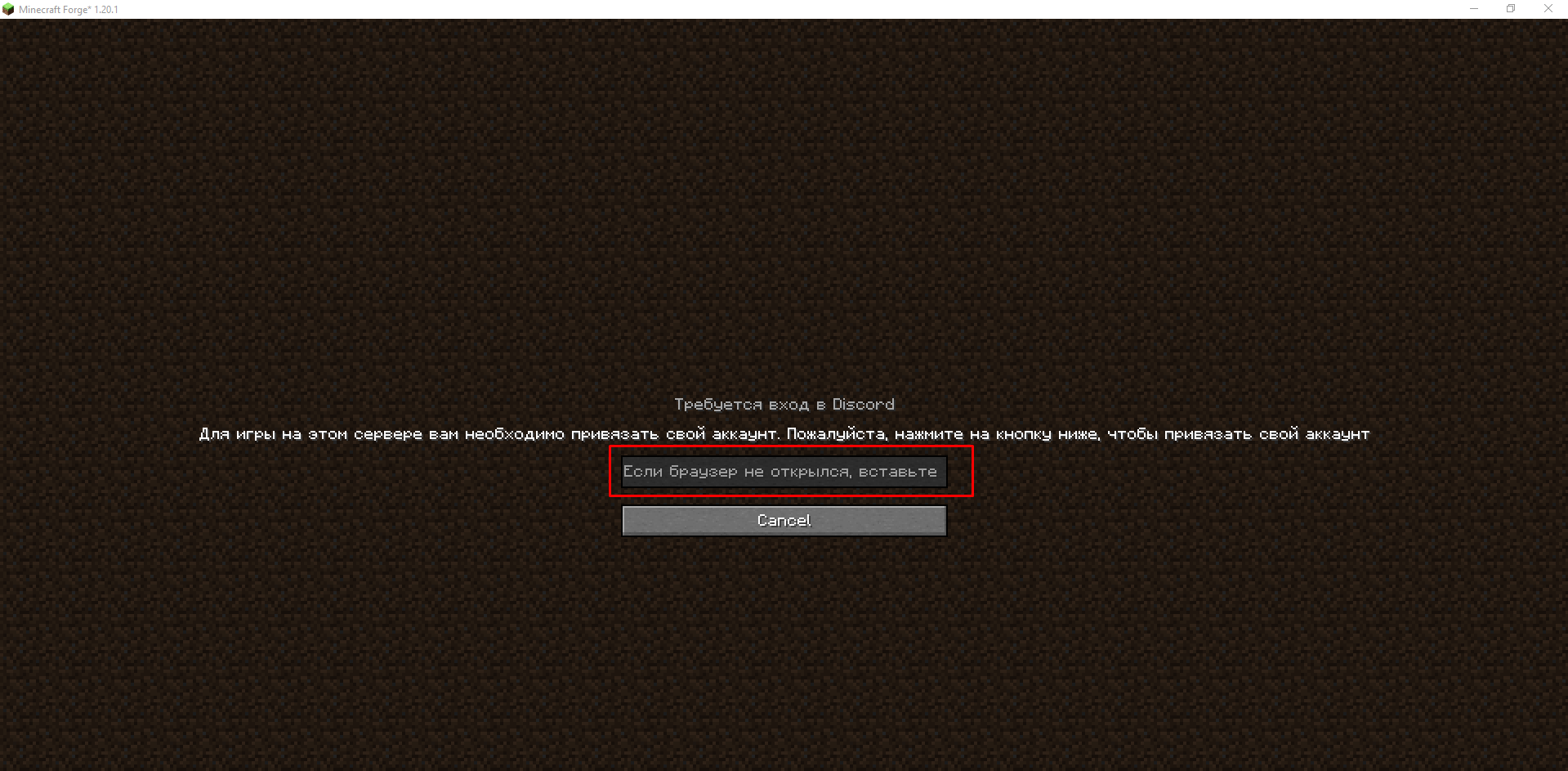
你会看到一个窗口,你需要在其中允许机器人管理你在服务器上的用户名并同步你的账户
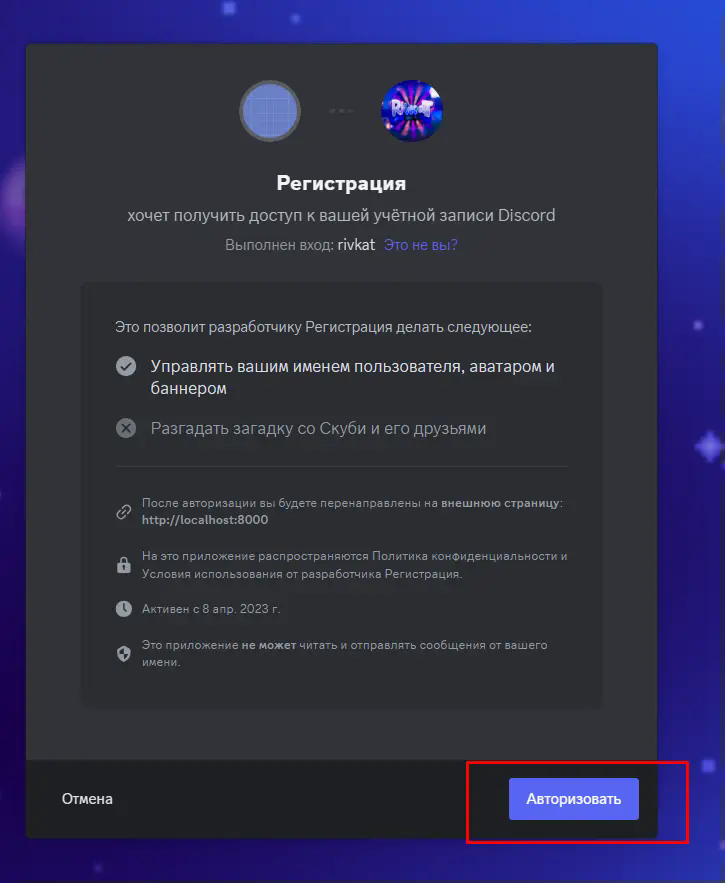
现在你的 Discord 名称将与 Minecraft 中的名称相同,Luckperms 将授予所有匹配 Discord 的组。
现在我会简要说明如何创建一个与 Discord 匹配的 Luckperms 组。
为此,在服务器控制台中输入 lp editor,并通过给出的链接打开图形编辑器。

点击 Group 按钮旁边的 +。
在出现的窗口中,你需要在组名中输入 discordloom:idrolediscord。
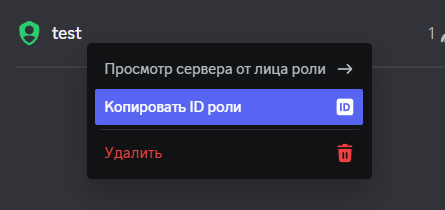
要获取 idrolediscord,你需要点击你创建的角色并点击 Copy role id。 你在 Luckperms 中的组名应如下所示:discordloom:3948293850239502395023509。
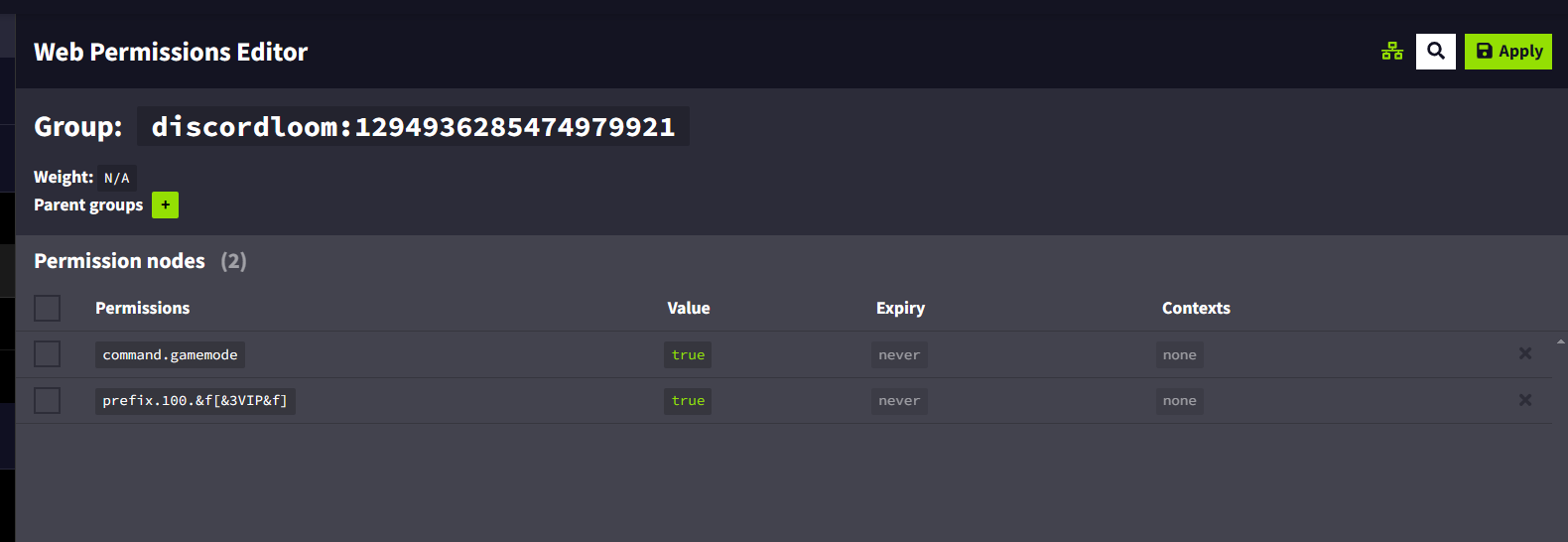
就是这样,你已成功将 Discord 与你的 Minecraft 服务器集成。如果你还有任何问题或需要帮助,请加入我的 Discord 社区:https://minecraft.press/
正在加载版本记录…
正在加载评论…
评论在新手盒子客户端中发表,这里同步展示。