
卡斯特NPC
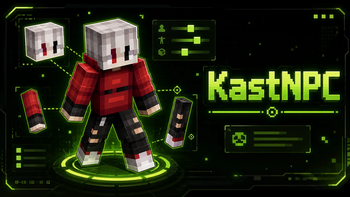
KastNPC — NewNPC 的最佳替代品。使用皮肤、生物、装备、预设和动画创建和自定义可摆姿势的 NPC。
 查看大图
KastNPC — 在 Minecraft 中直接搭建场景
为预览、截图、地图和摆拍视频创建角色。选择玩家或生物模型,调整姿势,搭配装备,并将完成的角色保存为预设。

拉弓的弓箭手:可以将动作停在所需的那一帧。

角色与外观
- Minecraft 玩家与生物。 可搜索的目录,包含分组和 3D 预览。村民可选择职业和生物群系服装,动物可选择可用的毛色变种。
- 自定义皮肤。 从文件、剪贴板导入 PNG,或将其拖放到游戏窗口中。皮肤会立即应用到所选 NPC;皮肤库可按文件夹整理。
- Steve、Alex 和披风。 可独立于皮肤选择手臂宽度,并从库中添加披风。
查看模型目录与村民变种


姿势、动画与装备
更改角色的位置和旋转角度,然后调整模型的各个部位:头部、手臂、腿部、翅膀以及该生物可用的其他部位。每个部位都有旋转、偏移、缩放和隐藏选项。
动画可以播放、暂停并选择精确的帧。列表取决于模型:玩家有闲置、行走和奔跑动画,末影龙有飞行动画。物品支持各自的动作:拉弓、弩装填、盾牌格挡、三叉戟挥击以及其他 Minecraft 动作。
装备可直接在编辑器中配置:
- 从物品目录或 Minecraft 常规创造模式物品栏将物品移入手中和盔甲槽位。支持按游戏语言搜索并可访问自己的物品栏。
- 选择盔甲纹饰图案和材质。皮革盔甲可通过调色板、预设色调或 HEX 代码染色。
- 无需添加附魔即可开启物品发光效果。一项设置可同时应用于多个选中的槽位。
示例: 选择弓,开启拉弓动作并在射击前停下。然后将头部转向目标并调整手臂位置。
查看创造模式物品栏与盔甲染色
编辑器中的 Minecraft 创造模式物品栏

皮革盔甲调色板


预设与场景管理
以自定义名称保存角色,包括模型、皮肤、披风、姿势、装备、动画和效果。预设卡片会显示保存的外观和姿势。预设可应用于现有 NPC,或从中创建新的 NPC。
角色列表支持搜索、标签、分组选择、复制和临时隐藏。可一次性更改多个 NPC 的装备或外观。撤销和重做可帮助你回到之前的场景版本。
示例: 保存带有盔甲和盾牌的"守卫"预设。用它创建多个角色,将他们布置在门口,并调整每个角色的姿势。
世界与效果
为镜头准备环境: 选择晴朗天气、雨、雪或雷暴;设置一天中的时间并将其冻结。即使在温暖的生物群系和低海拔处也可以开启下雪。
世界冻结会停止生物、流体和粒子,同时你仍可移动和建造。新生成的生物也会保持静止,直到模拟恢复。可以更改刻速度并禁用玩家拾取掉落物品。
为角色添加效果: 火焰、可见的受伤效果以及所选 Minecraft 效果的粒子。火焰和粒子有独立的帧控制、暂停和播放。可同时选择多个效果。
示例: 开启下雪,将时间冻结在傍晚,并冻结世界,以便从容布置角色并选择拍摄角度。
查看世界设置与效果选择
天气、时间与模拟

角色效果

如何开始
- 在创造模式下,打开 KastNPC 选项卡并获取冰针。
- 用冰针对方块点按右键——会出现 NPC 并打开编辑器。
- 在外观中选择模型、皮肤和装备。在姿势中调整身体部位,在世界选项卡中设置环境。
- 将完成的角色保存为预设,以便再次使用。
要返回编辑,用冰针点击 NPC。
| 操作 | 按键 |
|---|---|
| 撤销 | Ctrl + Z |
| 重做 | Ctrl + Shift + Z 或 Ctrl + Y |
| 选择多个 NPC | Ctrl + 点击卡片 |
| 选择范围 | Shift + 点击 |
| 播放 / 停止动画 | 空格 |
| 关闭当前窗口 | Esc |
安装与兼容性
| 要求 | 值 |
|---|---|
| Minecraft | 26.3 |
| 加载器 | Fabric |
| Fabric Loader | 0.19.5+ |
| Fabric API | 必需 |
| Java | 25+ |
将 KastNPC 和 Fabric API 安装到配置文件的 mods 文件夹中。对于服务器,模组需要同时安装在服务器和玩家的客户端上。NPC 编辑仅在创造模式下可用;共享世界设置需要命令权限。
界面支持俄语、英语、德语、法语和西班牙语,并使用 Minecraft 的语言设置。3D Skin Layers 在单独安装时受支持。
English Description
KastNPC — Create Scenes Right in Minecraft
Create characters for previews, screenshots, maps, and cinematic videos. Choose a player or mob model, adjust its pose, customize its equipment, and save finished characters as presets.
An archer drawing a bow: pause the action on exactly the frame you need.
Characters and Appearance
- Minecraft players and mobs. Browse a searchable catalog with categories and 3D previews. Choose professions and biome outfits for villagers, or available color variants for animals.
- Custom skins. Import PNG skins from a file, the clipboard, or by dragging and dropping them into the game window. The skin is applied to the selected NPC immediately, and you can organize your skin library into folders.
- Steve, Alex, and capes. Choose the arm width independently of the skin and add a cape from the library.
View the model catalog and villager variants
Poses, Animations, and Equipment
Change a character's position and rotation, then adjust individual model parts: the head, arms, legs, wings, and other parts available for that mob. Each part supports rotation, offset, scaling, and visibility controls.
Play an animation, pause it, and select an exact frame. Available animations depend on the model: players have idle, walking, and running animations, while the Ender Dragon can fly. Items have their own actions, including drawing a bow, charging a crossbow, blocking with a shield, swinging a trident, and other Minecraft actions.
Customize equipment directly in the editor:
- Move items into hand and armor slots from the item catalog or Minecraft's regular Creative inventory. Search in your game language and access your own inventory.
- Choose armor trim patterns and materials. Dye leather armor using a color picker, preset colors, or a HEX code.
- Enable the enchantment glint without adding enchantments. Apply the same setting to multiple selected slots at once.
Example: Equip a bow, start the drawing animation, and pause just before the shot. Then turn the character's head toward the target and fine-tune the arm position.
View the Creative inventory and armor dyeing options
Minecraft Creative inventory in the equipment editor
Leather armor color picker
Presets and Scene Management
Save a character under a custom name, including its model, skin, cape, pose, equipment, animations, and effects. Each preset card shows the saved appearance and pose. Apply a preset to an existing NPC or create a new NPC from it.
The character list supports search, labels, group selection, duplication, and temporary hiding. Change the equipment or appearance of multiple NPCs in a single action. Undo and redo make it easy to return to an earlier version of your scene.
Example: Save a "Guard" preset with armor and a shield. Create several guards from it, place them by a gate, and adjust each character's pose.
World and Effects
Set up the environment for your shot: choose clear weather, rain, snow, or a thunderstorm; set the time of day and freeze it. You can enable snow even in warm biomes and at low elevations.
Freezing the world stops mobs, fluids, and particles while you can still move around and build. Newly spawned mobs also stay motionless until simulation resumes. You can adjust the tick speed and disable item pickup for your player.
Add effects to your character: fire, a visible damage effect, and particles from selected Minecraft effects. Fire and particles have separate frame controls, pause, and playback. You can enable multiple effects at once.
Example: Turn on snow, freeze the time in the evening, and pause world simulation so you can arrange your characters and find the perfect camera angle.
View world settings and effect selection
Weather, time, and simulation
Character effects
Getting Started
- In Creative mode, open the KastNPC tab and take the Ice Needle.
- Right-click a block with it to spawn an NPC and open the editor.
- In Appearance, choose a model, skin, and equipment. Use Pose to adjust body parts and World to set up the environment.
- Save your finished character as a preset to use it again later.
To edit an NPC again, right-click it with the Ice Needle.
| Action | Keys |
|---|---|
| Undo | Ctrl + Z |
| Redo | Ctrl + Shift + Z or Ctrl + Y |
| Select multiple NPCs | Ctrl + click on cards |
| Select a range | Shift + click |
| Play / pause animation | Space |
| Close the current window | Esc |
Installation and Compatibility
| Requirement | Version |
|---|---|
| Minecraft | 26.3 |
| Mod loader | Fabric |
| Fabric Loader | 0.19.5+ |
| Fabric API | Required |
| Java | 25+ |
Install KastNPC and Fabric API in your profile's mods folder. On servers, the mod must be installed on both the server and the players' clients. Editing NPCs requires Creative mode; shared world settings require permission to use commands.
The interface supports English, Russian, German, French, and Spanish and follows your Minecraft language setting. 3D Skin Layers is supported when installed separately.
正在加载版本记录…
正在加载评论…
评论在新手盒子客户端中发表,这里同步展示。