
Trade Cycling: Enchantment Search
A Trade Cycling addon that automatically rerolls villager trades to find your chosen enchanted book, with item previews and an animated attempt counter.
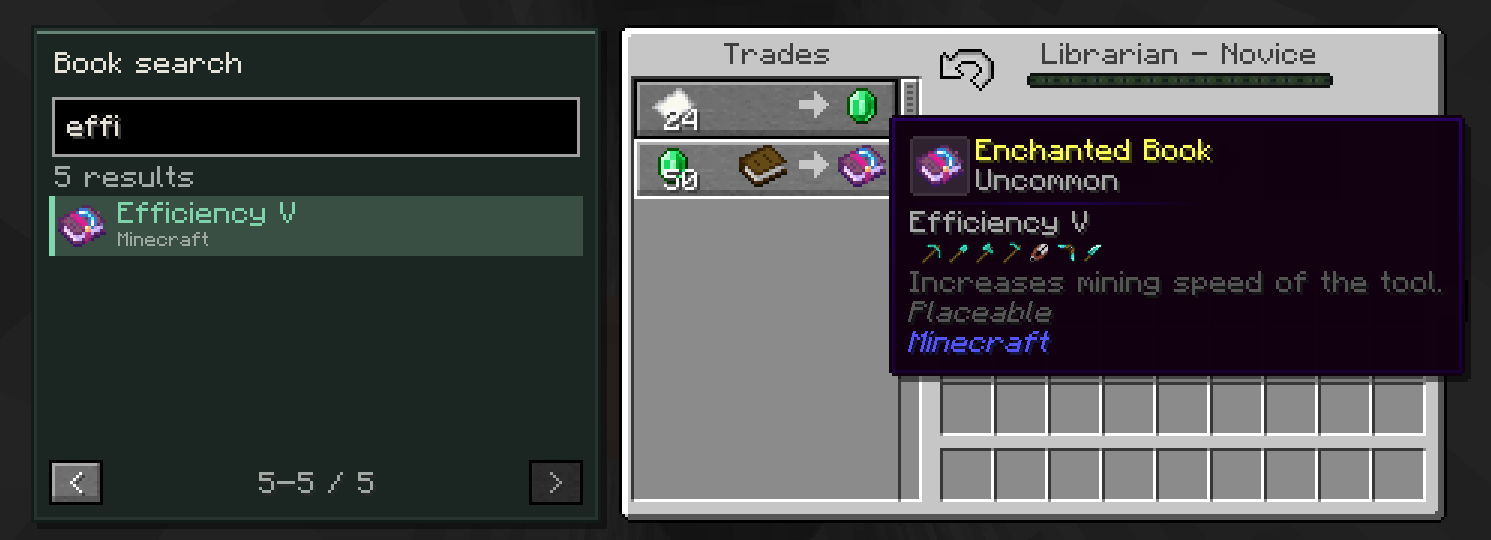 查看大图
查看大图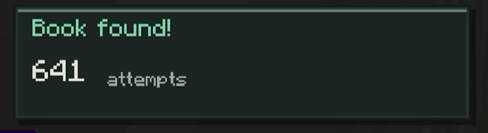
Trade Cycling: Enchantment Search
Find the enchanted book you want without manually rerolling trades over and over.
An addon for Trade Cycling that lets you search for an enchantment, select its exact level, and automatically cycle villager offers until a matching book appears.
Features
- Searchable book catalogue: Search by enchantment name, registry ID, or mod name.
- Vanilla and modded enchantments: Lists enchantments that allow villager trading, respecting restrictions exposed through their tradeability checks.
- Real item previews: Displays enchanted book items with their enchantment data, allowing compatible resource packs and book texture mods to customize their appearance.
- Left-side search panel: Matches the height of the villager trading interface, with pagination and mouse-wheel navigation.
- Automatic stopping: Stops when the selected enchantment and level appear. You can also stop the search manually.
- Responsive layout: Offers a toggleable search panel when there is insufficient space for the side-by-side layout.
- English and Spanish translations.
How to Use
- Open a villager that supports Trade Cycling and has not been traded with.
- Leave the trade input slots empty.
- Search for an enchanted book.
- Click a result to search for that exact enchantment level.
- Wait for a matching offer, or click Stop to end the search.
Hover over a book to view its tooltip. Hover over the status panel to see the selected target and details about the current search state.
Typing in the search field captures inventory shortcuts, so pressing E will not close the trading screen.
Created by Doradux.
Requires Trade Cycling by henkelmax.
正在加载版本记录…
正在加载评论…
评论在新手盒子客户端中发表,这里同步展示。