
ATiers 标签器
atiers.net 的 Tiertagger Minecraft CIS 梯队排行
 查看大图
查看大图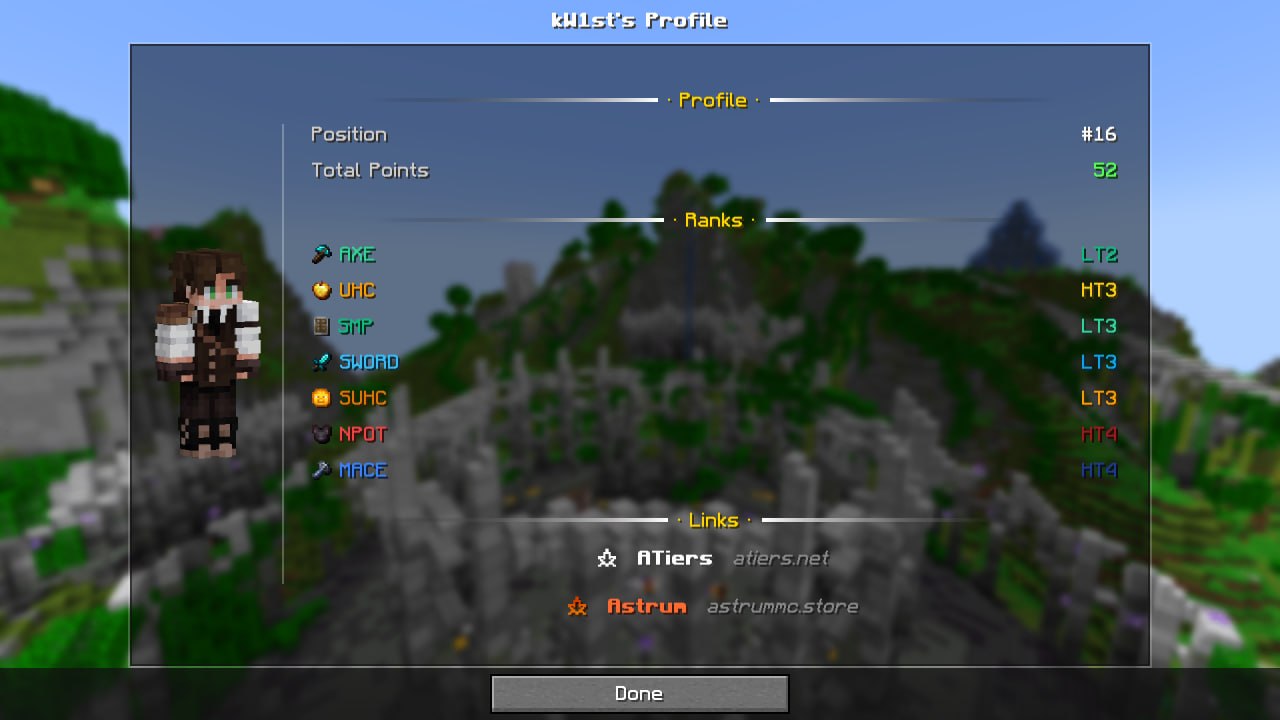
TierTagger
依赖
此模组需要 owo-lib 才能运行!
请确保在启动前已安装它。
什么是 TierTagger?
TierTagger 会在玩家的昵称中直接显示其 PvP 段位——头顶显示以及玩家列表(Tab)中显示。
该模组从我们的网站 atiers.net 实时获取段位数据,并以带有对应游戏模式图标的标签形式显示。
玩家个人资料界面
TierTagger 内置了 玩家资料查看器。
可以通过以下方式打开:
- 按住 Shift + 右键点击玩家
- 或使用命令:
/atiers profile <nickname>
资料界面显示:
- 完整的玩家皮肤渲染图;
- 所有游戏模式的段位;
- 总排名和总积分;
- 两种可用的主题:
- Default — 深色主题;
- Astrum — 星辉风格配色。
设置
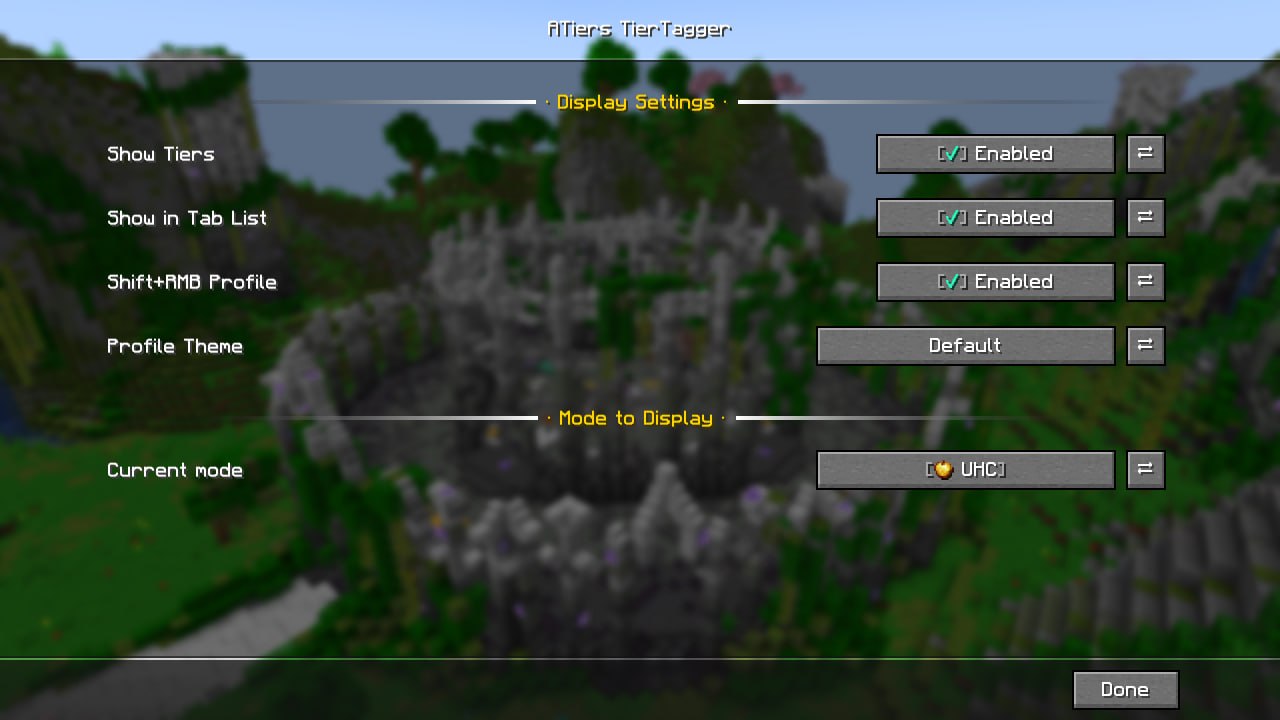
所有参数都可以在游戏内通过 Mod Menu 配置,或使用命令 /atiers config 打开。
| 参数 | 描述 |
|---|---|
| Enabled | 启用或禁用段位显示 |
| Show in Tab List | 在玩家列表中显示段位 |
| Shift+Click Profile | 启用或禁用通过 Shift + 右键点击打开资料 |
| Selected Mode | 选择要显示段位的游戏模式 |
| Profile Theme | 切换资料主题 |
Dependencies
This mod requires owo-lib to work!
Make sure it is installed before launching.
What is TierTagger?
TierTagger displays a player's PvP Tier directly in their nametag — above their head and in the Tab player list.
The mod fetches ranking data in real time from ATiers and displays it as a clean, color-coded tag with a matching game mode icon.
Player Profile Screen
TierTagger includes a built-in player profile viewer.
You can open it by:
- Shift + Right-Clicking a player
- or by using the command:
/atiers profile <nickname>
The profile screen shows:
- a full player skin render;
- rankings across all game modes;
- overall position and total points;
- two available themes:
- Default — dark theme;
- Astrum — animated fiery theme.
Configuration
All settings can be configured in-game through Mod Menu.
| Option | Description |
|---|---|
| Enabled | Enables or disables tier tags |
| Show in Tab List | Displays tiers in the Tab player list |
| Shift+Click Profile | Enables or disables opening the profile with Shift + RMB |
| Selected Mode | Chooses which game mode tier is displayed |
| Profile Theme | Switches the profile theme |
显示 1-12 条,共 12 条
以上为资源接口提供的文件记录。安装时请在客户端确认文件、游戏版本及依赖。
还没有人评论,去客户端里说两句吧。
评论在新手盒子客户端中发表,这里同步展示。