
自定义灯光
彩色灯光,具有形状、氛围和动画,实时可视化编辑器和服务器插件。兼容Sodium和着色器。
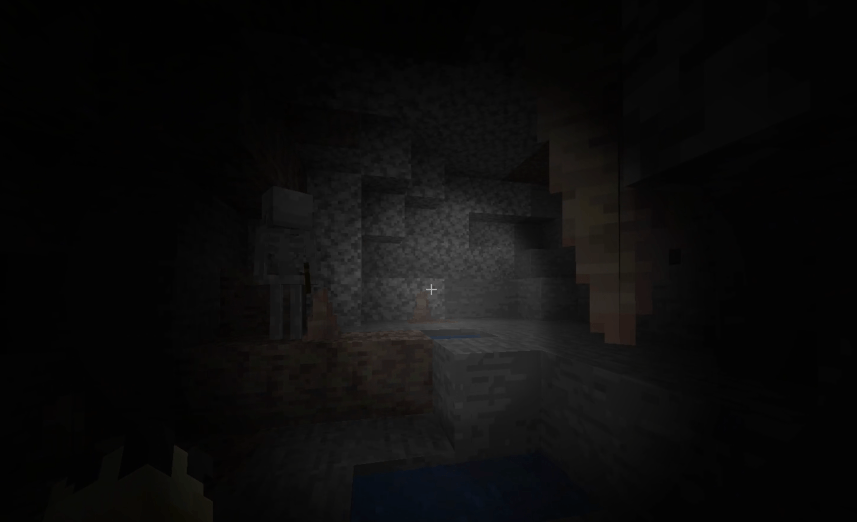 查看大图
查看大图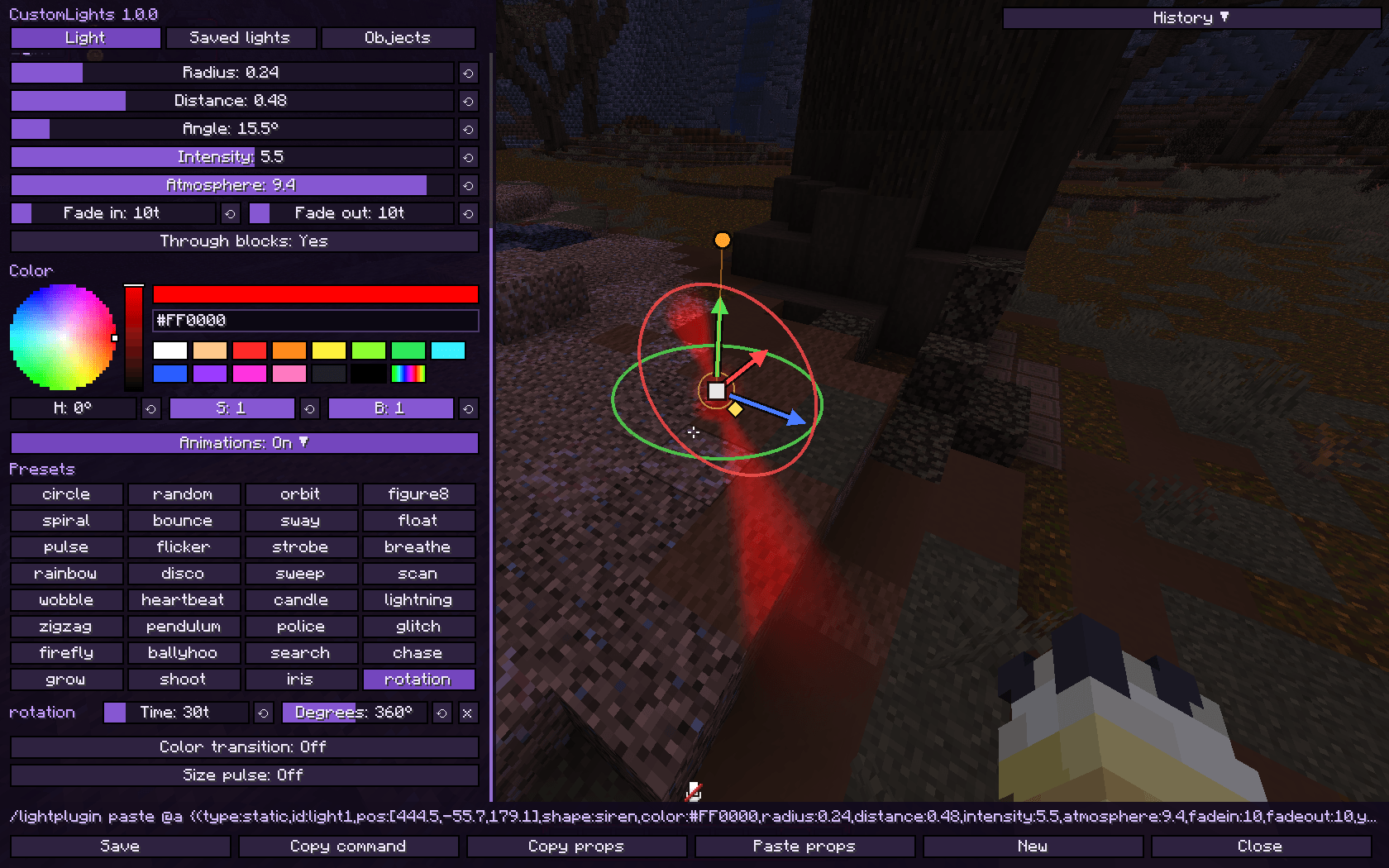
CustomLights
在世界的任何地方创建带形状、发光氛围和动画的彩色灯光:聚光灯、锥形光、光束、警灯、真正的手电筒,以及物品、方块、粒子、实体和模型骨骼上的灯光。使用客户端命令、带 Gizmo 的可视化编辑器,或通过 CustomLights 插件 从服务端控制一切。
灯光绘制在最终帧的上层,因此它们能照亮方块、实体、玩家、手持物品和你自己的手,而在你看不到它们时不产生任何开销。
支持的版本
| 加载器 | 版本 | | Fabric | 1.20.1 · 1.20.4 · 1.21.1 · 1.21.4 · 1.21.5 · 1.21.8 · 1.21.11 · 26.2 | | Forge | 1.20.1 · 1.20.4 |
兼容性
| Sodium ✅ | ✅ Embeddium | | 着色器 | ✅ Iris + 任意着色器包 | ✅ Oculus + 任意着色器包 |
- Sodium / Embeddium:完全支持,灯光遵循 Sodium 自身的剔除,因此隐藏在 Sodium 不绘制的区块中的灯光不产生任何开销
- 着色器:完全支持,并已使用 Complementary Reimagined 测试。灯光叠加在着色器图像之上,与世界和你的相机保持对齐,并可与着色器自身的光照协同工作
基础命令
/customlight
特性
- 13 种形状:
spherepadconeinverted_conespotlightflashlightsirenbeamringboxstarcrosstriangle,每种都有现成的外观 - 体积氛围:空气中的光束和辉光,可使用任意颜色(颜色名称、HEX 或
party)以及暗光(使周围变暗而非照亮) - 拉伸、角度和方向适用于每种形状,以及穿透方块开关,让墙壁可以阻挡灯光
- 跟随灯光:跟随玩家、实体(UUID)或所有带某标签的实体
- 逼真的手电筒 (新增):默认白色,明亮的热点周围带有柔和的光晕,从你的眼睛发出并粘附于相机
- 把手电筒交给任何人 (新增):通过命令、编辑器或服务端插件,将手电筒交给另一位玩家、实体(UUID)或所有带某标签的实体,让所有人都能看到谁持有它
- 保存任意数量的手电筒 (新增):带有
flashlight形状的跟随灯光从其目标眼睛所看的方向发光,每个都有自己的 ID 和分组 - 30+ 种循环动画:移动、闪烁、脉动、频闪、彩虹、迪斯科、警灯、舞台预设(
ballyhoo、search、chase、rotation等)、颜色过渡和尺寸脉动 - 移动任意灯光到某一点,支持
smooth、linear、step或bounce缓动 - 对象灯光:为任意物品(按显示上下文,类似 Blockbench)、方块、粒子、实体、特殊目标(信标光束、发光方块、燃烧或发光实体、敌对生物等)或骨骼添加灯光
- 模型灯光:在 GeckoLib、ModelEngine 或物品模型中,名为
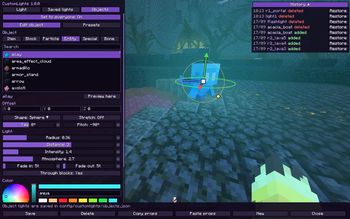
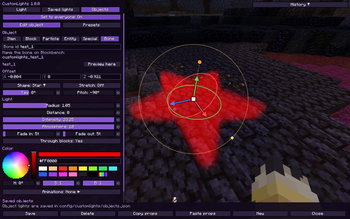
customlights_<id>的骨骼会变成跟随其动画的灯光 - 可视化编辑器:带有 Axiom 风格的 gizmo、实时预览、色轮、分组、预设、撤销/重做和历史记录
- 复制 / 粘贴灯光为一条命令,类似 FogTools
- 分组用于打开/关闭一组灯光或冻结它们的动画
- 性能优先:半分辨率光照,跳过屏幕外和隐藏的灯光,4 个画质等级(默认
medium) - 兼容 Sodium 和着色器(Iris / Oculus,Forge 上的 Embeddium)
- 灯光按世界和按维度保存
- 服务端控制:使用 CustomLights 插件(Paper):为所有玩家提供灯光,保存在服务端,并允许管理员从编辑器进行编辑
可视化编辑器
按 J(控制 → CustomLights)或运行 /customlight editor [id]。它打开时你可以继续行走。
- Gizmo 在世界中:拖动箭头沿轴移动,拖动方块自由移动,拖动圆环旋转和倾斜,拖动旋钮瞄准,拖动菱形改变半径,拖动方块进行拉伸。按住 Ctrl 吸附对齐
- Light 选项卡:类型(静态、跟随、手电筒)、形状、色轮、各项数值滑块、动画、玩家位置 / 视角 / 相机按钮
- 手电筒目标 (新增):从列表中挑选谁持有手电筒(你自己、在线玩家、你看向的实体、
tag:),支持 Tab 补全 - 已保存灯光选项卡:分组中的每个灯光,可折叠、重命名、打开/关闭或冻结,并支持拖放
- 对象选项卡:从可搜索的带图标列表(包含模组)中挑选物品、方块、粒子、实体、特殊目标或骨骼,并在你面前提供 3D 预览
- 可保存、加载和以文件分享的对象灯光预设
- 复制属性 / 粘贴属性将某个灯光的外观复制到另一个上
- Ctrl+S 保存,Ctrl+Z / Ctrl+Y 撤销和重做,历史记录保留最近 8 个保存或删除的灯光
- 底部栏显示等效命令:复制命令以便在聊天栏或命令方块中使用
- 在装有插件的服务器上,管理员会看到设置给所有人:保存时将灯光或对象灯光发送给每位玩家
示例
橙色发光球:
/customlight set lamp ~ ~1 ~ sphere orange 1 3 2 2 10 10
向下的舞台聚光灯,环绕扫射:
/customlight set stage 0.5 75 8.5 spotlight white 1.5 1 4 4 20 20 0 90
/customlight animate stage search 80 30
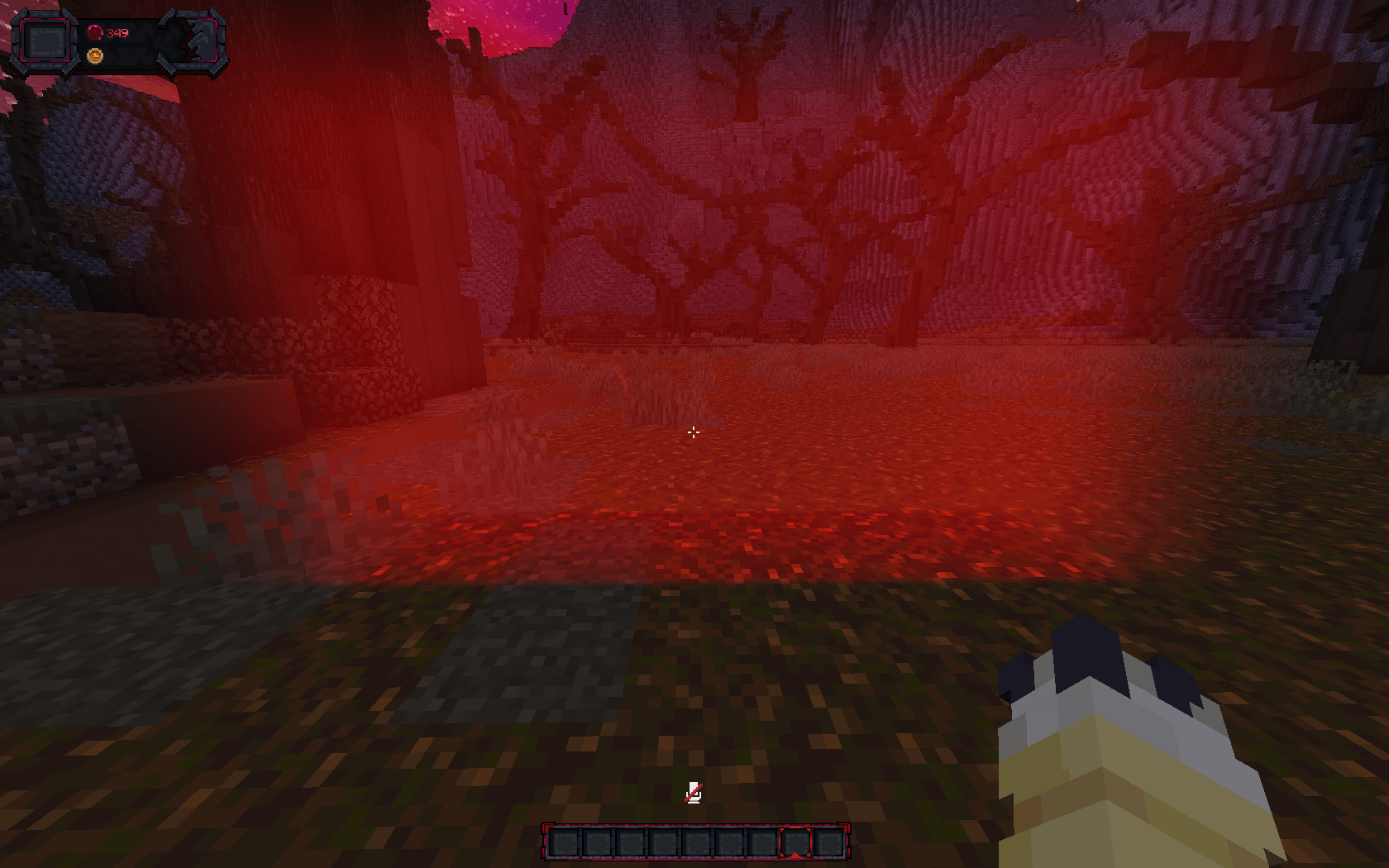
旋转的警灯:
/customlight set siren1 0.5 70 12 siren red 0.5 0.3 2.6 2.5 10 10
/customlight animate siren1 rotation 40 360
跟随玩家、但在其自身第一人称视角中隐藏的灯光:
/customlight follow aura Steve 0 1 0 sphere aqua 1.5 2 2 1 10 10 false
在所有带某标签的实体上的派对灯光:
/customlight follow party tag:dancer 0 2 0 sphere party 1 2 3 2 10 10
/customlight animate party disco 20
手电筒,然后把它交给另一位玩家:
/customlight flashlight white 1 8
/customlight flashlight target Steve
保存在玩家身上的手电筒 (新增):
/customlight follow torch2 Steve 0 0 0 flashlight white 1 8 2.8 0.35 0 0
用弹跳移动灯光:
/customlight move lamp ~ ~3 ~ bounce 40
复制和粘贴一个灯光:
/customlight paste {(type:static,id:lamp,pos:[0.5,70,8.5],shape:cone,color:warm,radius:3,distance:1.5,intensity:2,atmosphere:4,fadein:10,fadeout:10,yaw:0,pitch:90,presets:[pulse:60:0.9],colors:[warm:20,magenta:40])}
命令
/customlight set <id> <x> <y> <z> <shape> <color> <radius> <distance> <intensity> <atmosphere> <fade_in> <fade_out> [yaw] [pitch] /customlight follow <id> <player|uuid|tag:<tag>|@self> <offX> <offY> <offZ> <shape> <color> <radius> <distance> <intensity> <atmosphere> <fade_in> <fade_out> [yaw pitch] [visible_firstperson] /customlight move <id> <x> <y> <z> <smooth|linear|step|bounce> <time> /customlight remove <id|all|flashlight> [fade_out]
/customlight model_id <id> <x> <y> <z> <shape> <color> <radius> <opacity> <light> <fade_in> <fade_out> [distance] [yaw] [pitch] /customlight model_remove <id|all> [fade_out]
/customlight flashlight <color> <scale> <distance> [intensity] [atmosphere] [camera_delay] [angle] [target] /customlight flashlight target <player|uuid|tag:<tag>|@self> /customlight flashlight off
/customlight animate <id> <preset[+preset...]> [time] [amount] /customlight animate <id> add <preset> [time] [amount] /customlight animate <id> remove <preset> /customlight animate <id> color_transition <color1> <ticks1> <color2> <ticks2> [...] /customlight animate <id> size <radius> <distance> <time> /customlight animate <id> animation_radius <radius> [time] /customlight animate <id> stop [all|preset|color|size|radius]
/customlight stretch <id> <x> <y> <z> /customlight angle <id> <degrees> /customlight seethrough <id> <true|false>
/customlight group add|remove <group> [lights...] /customlight group modify <group> on|off|animations on|animations off|rename <name> /customlight group list
/customlight copy [id] /customlight paste [light] /customlight list /customlight editor [id] /customlight toggle /customlight quality <low|medium|high|ultra> /customlight stats
选项
| 选项 | 值 |
|---|---|
| shape | sphere pad cone inverted_cone spotlight flashlight siren beam ring box star cross triangle |
| color | white warm cold red crimson orange lava gold yellow lime green teal aqua cyan blue navy purple magenta pink soul shadow black、HEX #RRGGBB 或 party |
| radius | 完全照亮形状的大小 |
| distance | 光超出形状后模糊多远。0 = 硬边缘 |
| intensity | 亮度。深色会使其变暗 |
| atmosphere | 0–10,空气中散射的光 |
| fade_in / fade_out / time | 刻(20 刻 = 1 秒) |
| yaw / pitch | 光的指向(yaw 0 = 南,pitch 90 = 向下) |
| angle | 1–170°,锥形光、聚光灯、手电筒和警灯张开的宽度 |
| stretch | 在形状自身的 X/Y/Z 上 -64–64 |
| visible_firstperson | false 使跟随灯光在被跟随玩家的第一人称视角中隐藏 |
| quality | low · medium(默认) · high · ultra |
动画
| 类型 | 预设 |
|---|---|
| 移动 | circle random orbit figure8 spiral bounce sway float zigzag firefly |
| 强度 | pulse flicker strobe breathe heartbeat candle lightning glitch |
| 颜色 | rainbow disco police |
| 方向 | sweep scan wobble pendulum |
| 舞台 | ballyhoo search chase grow shoot iris rotation |
用 + 组合预设(circle+pulse),每个都有自己的 time 和 amount。每个预设都能平滑循环而无跳变。
对象灯光
- 物品:灯光位于物品模型内部并随其移动,在你开启的显示上下文中生效(第一人称、第三人称、头部、地面、物品展示框),可选仅针对某个自定义模型数据。在着色器包下也支持第一人称 (新增)
- 方块:任意方块在放置处变成灯光。大量方块会合并以保持流畅
- 粒子和实体在存活期间携带其灯光
- 特殊:
beacon_beamend_gateway_beamend_crystal_beamconduitlit_blocksburning_entityglowing_entitycharged_creeperenchanted_itemenchanted_gearhostile_mobsanimalsplayersprojectilesbossesitem_entities - 骨骼:在 Blockbench 中将骨骼命名为
customlights_<id>(GeckoLib、ModelEngine 或物品模型),它就会变成灯光<id>,跟随动画
对象灯光在所有世界中共享,位于 config/customlights/objects.json。
技巧
- 坐标接受
~和~1.5;x/z 上的整数会像/tp一样以方块为中心 - 不带文本的
/customlight paste会读取剪贴板,因此长灯光可以突破 256 字符的聊天限制 tag:<tag>跟随灯光在单人游戏中可独立工作;在服务器上,插件会发送带标签的实体/customlight toggle关闭并打开所有灯光,/customlight quality low适用于较弱的 PC- 使用着色器包时,灯光叠加在着色器图像之上
CustomLights 插件(服务器)
在 Paper 服务器上安装插件后,可向装有该模组(Fabric 或 Forge)的玩家发送灯光。没有该模组的玩家仍可正常加入。
- 每条客户端命令,以
/lightplugin(别名/lpl)形式使用,并带目标:@a、all、玩家名称或选择器 - 灯光保存在服务端,玩家加入时再次发送,玩家离线期间移除的灯光对它们来说也会消失
- 来自编辑器的对象灯光和预设会与所有人共享
- 管理员可以从编辑器编辑服务端灯光(设置给所有人)
- Tab 补全一切:玩家、id、分组、形状、颜色、坐标、预设
- 权限:
customlights.admin(默认:OP)
插件命令 /lpl set <targets> <id> <x> <y> <z> <shape> <color> <radius> <distance> <intensity> <atmosphere> <fade_in> <fade_out> [yaw] [pitch] /lpl follow <targets> <id> <target> <offX> <offY> <offZ> <shape> ... [yaw pitch] [visible_firstperson] /lpl move <targets> <id> <x> <y> <z> <smooth|linear|step|bounce> <time> /lpl remove <targets|all> <id|all> [fade_out] /lpl model_id <targets> <id> <x> <y> <z> <shape> <color> <radius> <opacity> <light> <fade_in> <fade_out> [distance] [yaw] [pitch] /lpl model_remove <targets> <id|all> [fade_out] /lpl animate <targets> <id> <preset[+preset]> [time] [amount] /lpl stretch <targets> <id> <x> <y> <z> /lpl angle <targets> <id> <degrees> /lpl seethrough <targets> <id> <true|false> /lpl group <targets> list | add <group> [ids] | remove <group> [ids] | modify <group> on|off|animations <on|off> /lpl flashlight <targets> <color> <scale> <distance> [intensity] [atmosphere] [camera_delay] [angle] [holder] | target <holder> | off /lpl object list | object remove <key|all> /lpl preset list | preset remove <name|all> /lpl paste <targets> {(...)} /lpl list [targets] /lpl reload
插件示例
/lpl set @a spawnlight 0 72 0 beam gold 0.8 1 3 4 20 20 /lpl animate @a spawnlight breathe 60 /lpl follow @a crown Steve 0 2.3 0 sphere gold 0.4 1 3 2 10 10 /lpl move @a spawnlight ~ ~5 ~ smooth 60 /lpl flashlight @a white 1 8 2.8 0.35 0 40 Steve /lpl remove all
正在加载版本记录…
正在加载评论…
评论在新手盒子客户端中发表,这里同步展示。