
Imagict Hud
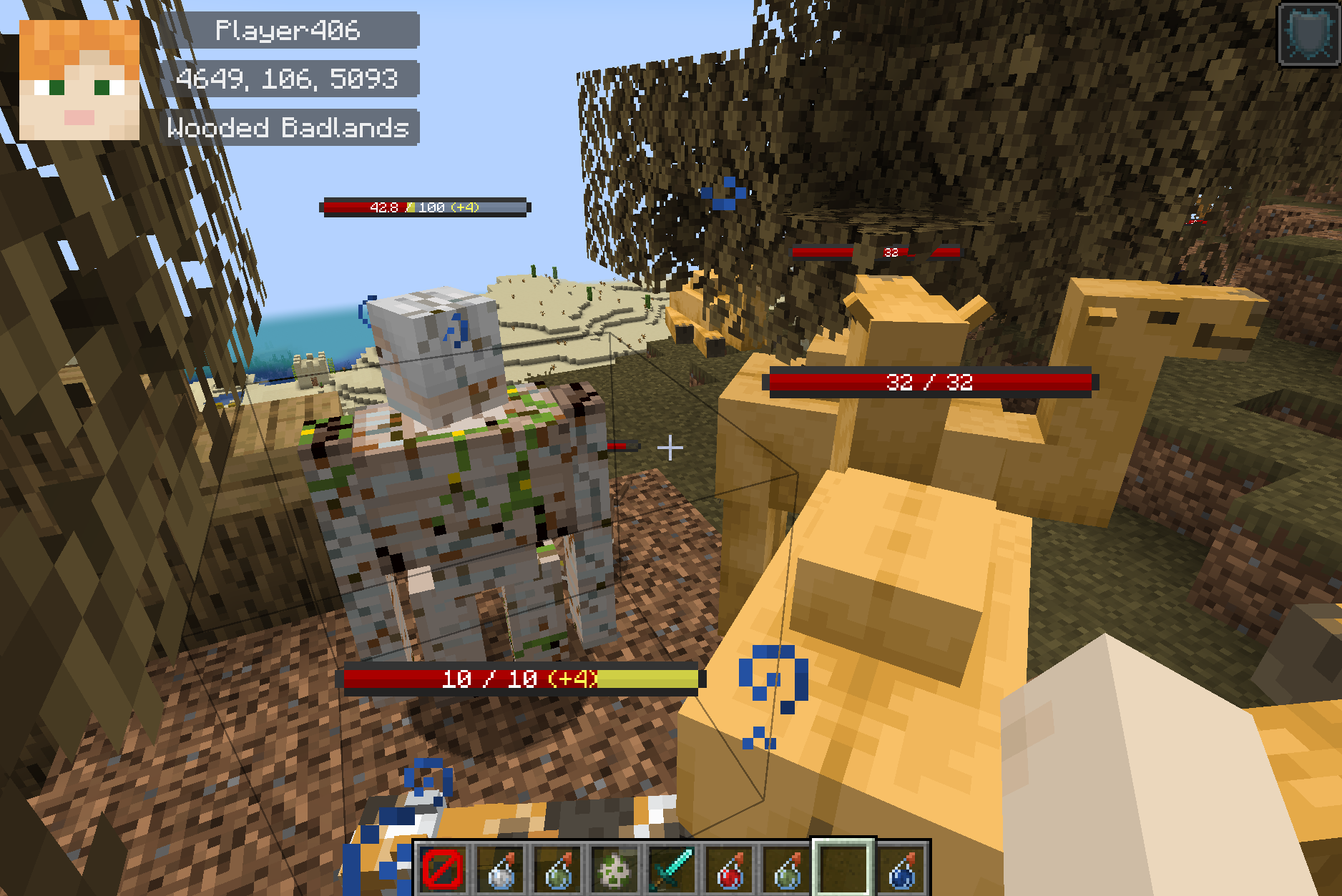
在游戏HUD上显示玩家的头部、昵称、坐标、指示器等。
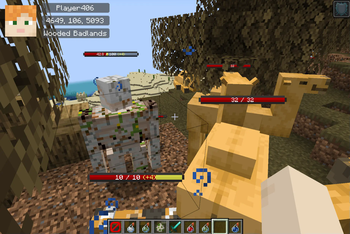 查看大图
查看大图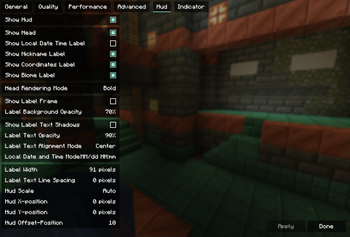
注意
v1.5.0:自 v1.5.0 起,HUD 缩放逻辑已更改。默认值为 4(或 0),因此请将 hud_scale 改为 1 -> 0(Auto) 或 1 -> 4。
Imagict Hud
客户端模组,在游戏内 HUD 上显示玩家的头部、昵称、坐标、指示器等。
请在此提交问题、改进建议和意见。
开发者是韩国人,英语不熟练。如果您能为翻译做出贡献(PR),我们将不胜感激。
安装
注意:
- v1.6.0 及以上:非必需,部分可选 / 可选 Sodium 0.6 及以上
- v1.5.x 及以下:必需 Fabric-API / 可选 Sodium 0.5.x
| 类型 | 依赖项 |
|---|---|
| 可选 | Sodium |
| 可选 | YetAnotherConfigLib |
| 可选 | ModMenu (Fabric) |
截图
界面
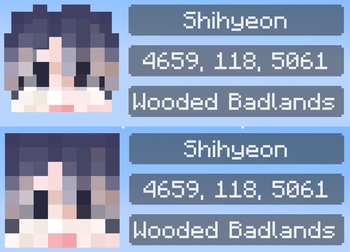
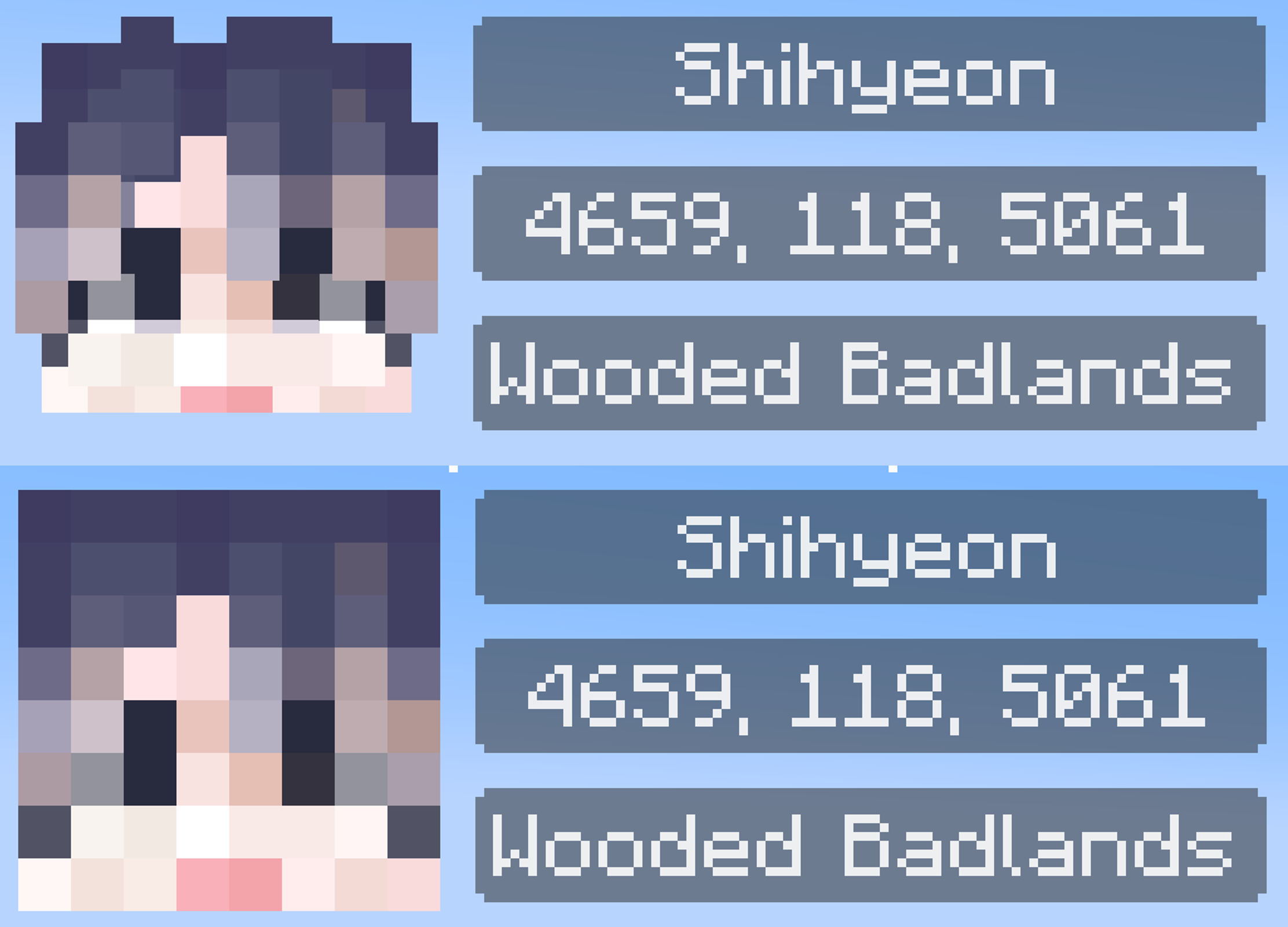
头部模式(粗体/扁平)
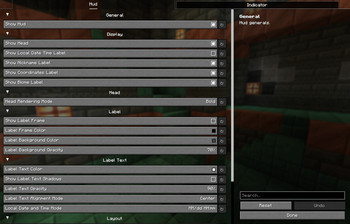
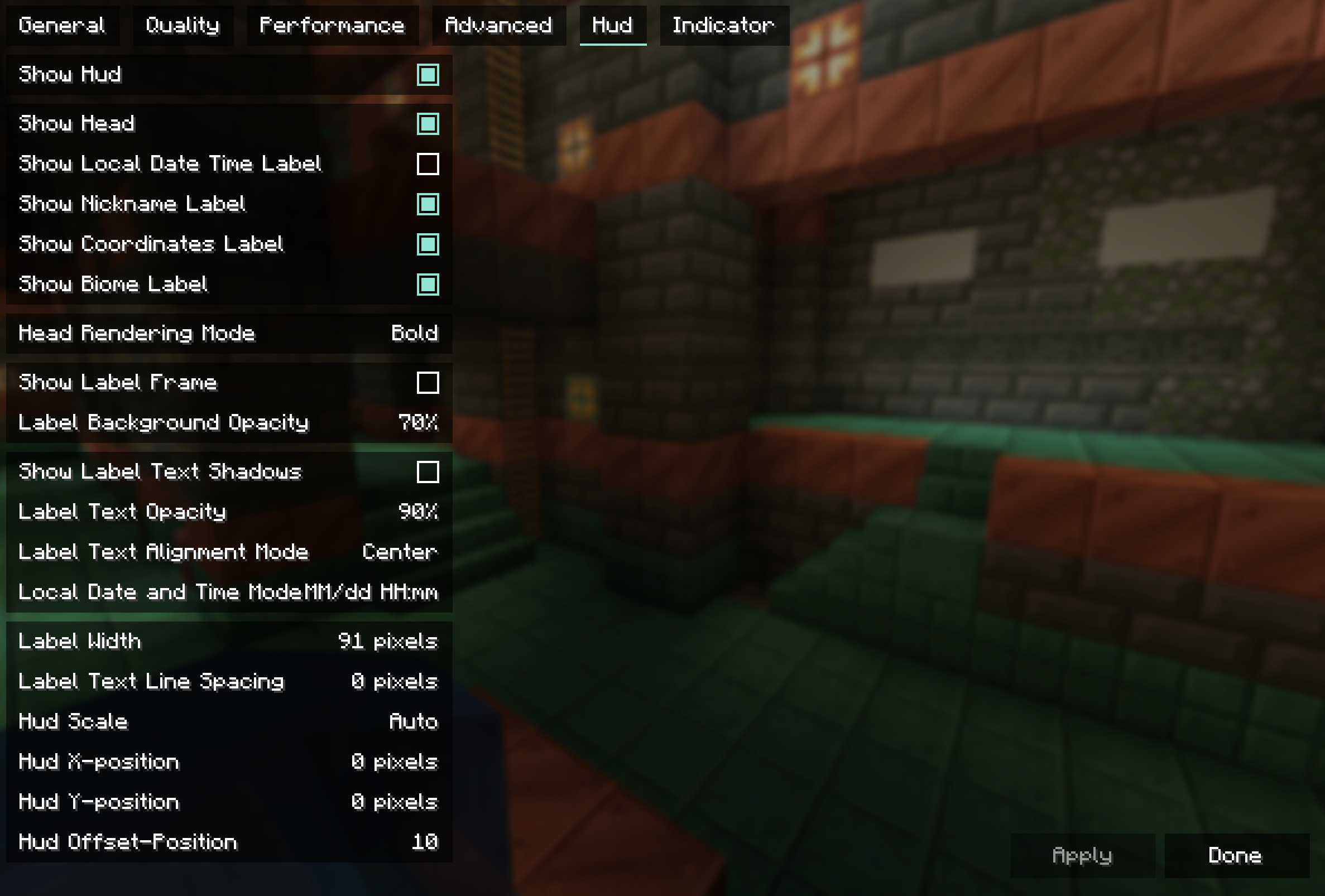
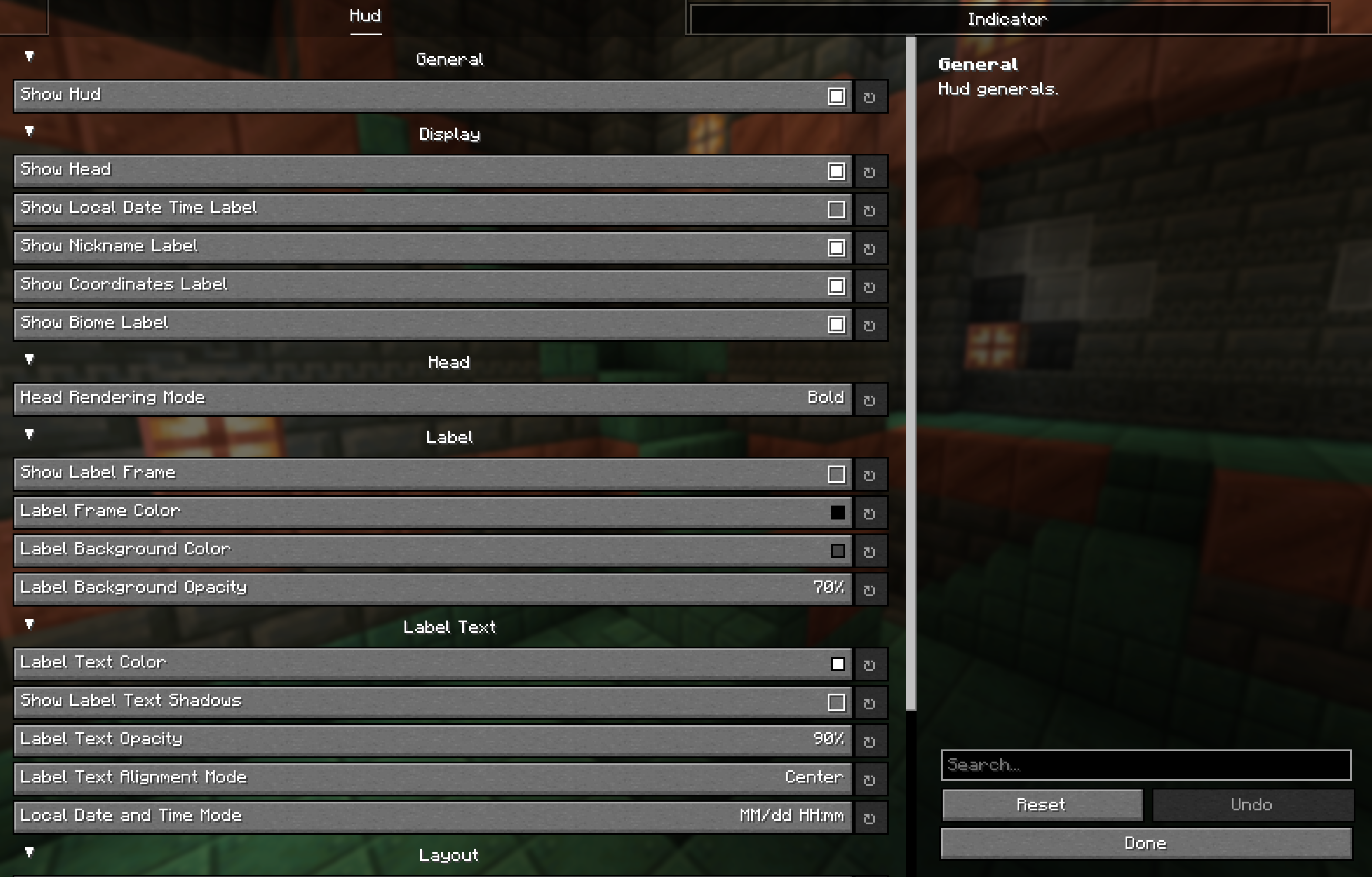
HUD 配置
安装 ModMenu 和 YetAnotherConfigLib、Sodium 后,您可以从 GUI 界面操作设置。
如果您想在不直接编辑 json 的情况下更改标签颜色,则需要 YetAnotherConfigLib。
{
  "hud": {
    "general": {
      "enable_hud": true
    },
    "display": {
      "enable_head": true,
      "enable_local_date_time_label": false,
      "enable_nickname_label": true,
      "enable_coordinates_label": true,
      "enable_biome_label": true
    },
    "head": {
      "head_render_mode": "BOLD" // ["BOLD", "FLAT"]
    },
    "label": {
      "enable_label_frame": false,
      "label_frame_color": -16777216,
      "label_background_color": -12303292,
      "label_backgound_opacity": 70
    },
    "text": {
      "text_color": -1,
      "enable_text_shadows": false,
      "text_opacity": 90,
      "text_align_mode": "CENTER", // ["LEFT", "CENTER"]
      "local_date_time_mode": "DATE_AND_TIME" // ["DATE_AND_TIME", "DATE", "TIME"]
    },
    "layout": {
      "label_width": 91,
      "label_line_spacing": 0,
      "hud_scale": 0,
      "position_x": 0,
      "position_y": 0,
      "offset": 10
    }
  },
  "indicator": {
    "general": {
      "enable_indicator": true
    },
    "display": {
      "attacking_at": false,
      "looking_at": true,
      "damaged_only": false,
      "duration": 10,
      "reach": 20
    },
    "entities": {
      "player_entities": true,
      "self_player_entity": false,
      "passive_entities": true,
      "hostile_entities": true
    }
  }
}
许可证
正在加载版本记录…
正在加载评论…
评论在新手盒子客户端中发表,这里同步展示。