
HUD Music Control
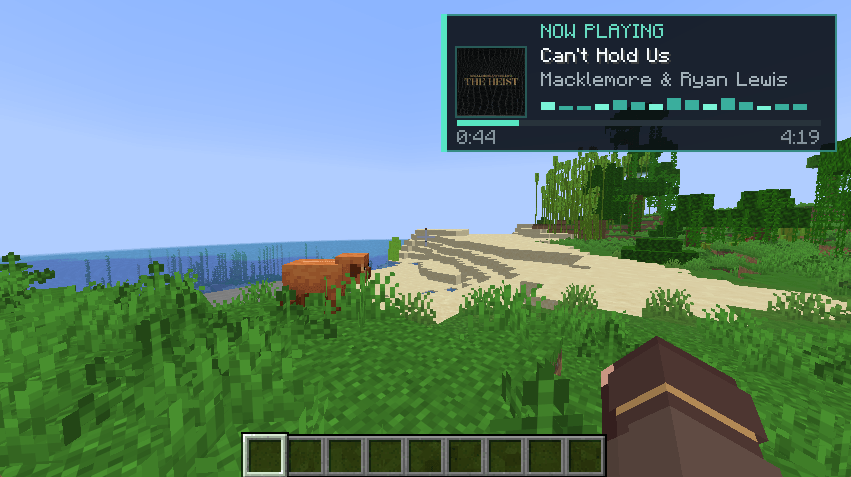
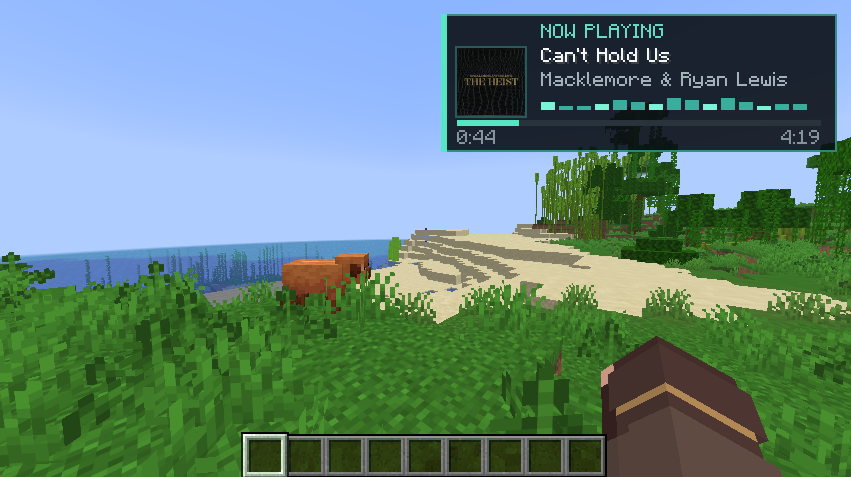
Control music playing on your computer directly from Minecraft with album art, media controls, track history, volume control, livestream support, and a modern Now Playing HUD.
 查看大图
查看大图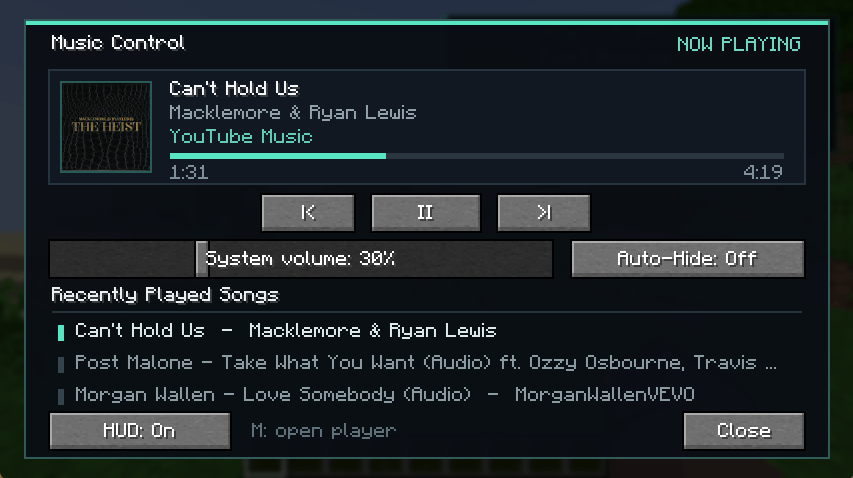
Music Control
Music Control adds a modern in-game music HUD and media control menu to Minecraft.
Control music that is already playing on your Windows computer without leaving the game. The mod reads the active Windows media session, so it does not download, redistribute, or stream music itself.
Features
- Modern, compact Now Playing HUD
- High-quality album and cover artwork
- Automatically synchronized artwork when tracks change
- Smooth elapsed-time and track-duration display
- Livestream detection with a proper LIVE indicator
- Scrolling titles and artist names for long text
- Dynamic audio visualizer
- Play, pause, previous-track, and next-track controls
- Recently Played list showing the last three tracks
- Minecraft-style system volume slider
- Optional Auto-Hide mode
- Automatically reconnects to active or paused media after joining a world
- Persistent settings and volume state
Music Control menu
Press M by default to open the full Music Control menu.
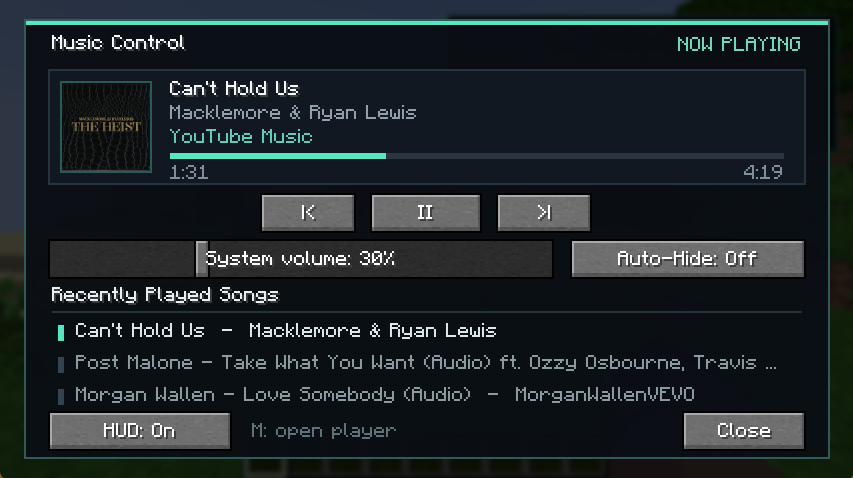
From this menu, you can:
- Control playback
- Change the system volume
- Enable or disable the HUD
- Enable or disable Auto-Hide
- View your three most recently played tracks
The keybind can be changed through Minecraft's Controls menu.
Supported media
Music Control works with applications and web browsers that publish playback information through Windows media controls, including:
- YouTube
- YouTube Music
- Spotify
- SoundCloud
- Internet radio and livestreams
- Other compatible desktop applications and browser-based players
Available information and controls may depend on what the active media application provides to Windows.
Compatibility
- Minecraft 26.2
- Fabric
- Quilt
- Forge
- NeoForge
- Windows 10 and Windows 11
- Client-side only—servers do not need to install the mod
Important disclosures
- Music Control currently supports Windows 10 and Windows 11 only.
- The mod is entirely client-side and does not need to be installed on a server.
- It uses a bundled local PowerShell helper to communicate with Windows media controls.
- It can read the active track title, artist, album artwork, playback state, timeline, and system volume exposed by Windows.
- Recently played tracks and configuration settings are stored locally in the Minecraft configuration folder.
- The mod does not collect telemetry, upload personal data, download music, bypass advertisements, or redistribute copyrighted audio.
- Music Control is not affiliated with, endorsed by, or sponsored by Spotify, YouTube, YouTube Music, SoundCloud, Microsoft, or Mojang.
- Media availability and accuracy depend on what each browser or desktop application reports to Windows.
Dependencies
Fabric and Quilt
Fabric API is required.
The same Fabric JAR supports both Fabric and Quilt.
Forge and NeoForge
No additional API dependency is required.
还没有人评论,去客户端里说两句吧。
评论在新手盒子客户端中发表,这里同步展示。