
Inspecio
一个《我的世界》模组,添加更多工具提示。
Inspecio



更精美、更丰富的物品提示框!
这个模组是做什么的?
Inspecio 为潜影盒、已填充地图、鱼桶、盔甲、食物、旗帜图案等物品添加了新的提示框。
其中一些只是用更精美的提示框取代了原版的“文字”提示,另一些则为用户提供了额外信息!
模组的大部分内容都可以配置,你可以根据喜好自由启用或禁用部分功能!
图片
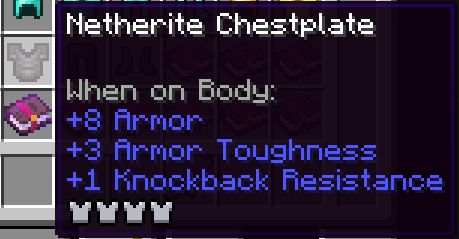
盔甲提示框
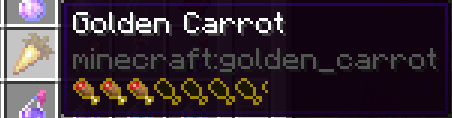
食物提示框
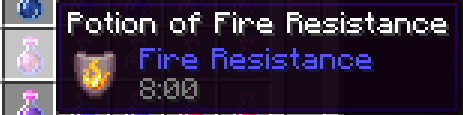
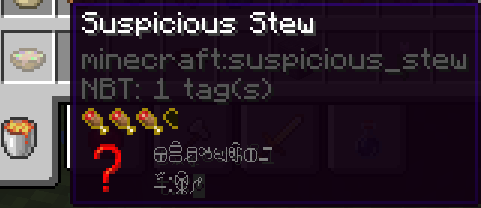
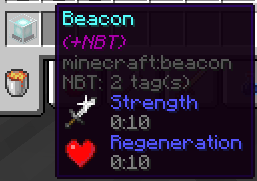
效果提示框
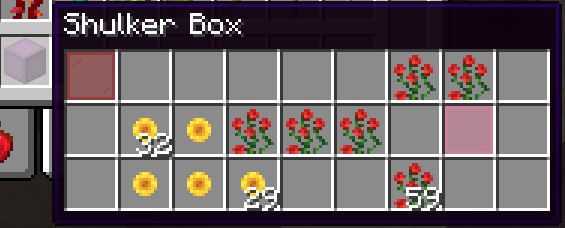
潜影盒提示框(以及其他存储方块)
常规:
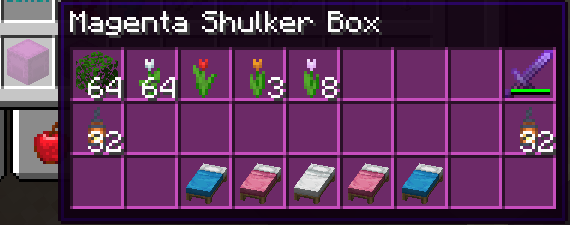
着色:
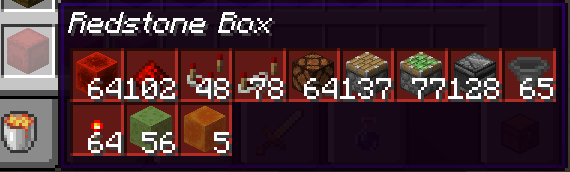
紧凑:
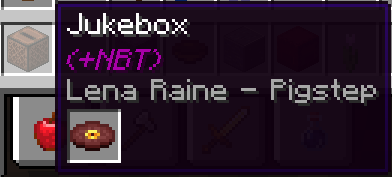
唱片机提示框
战利品表提示框

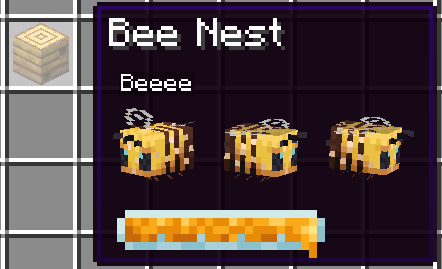
蜂巢提示框
告示牌提示框

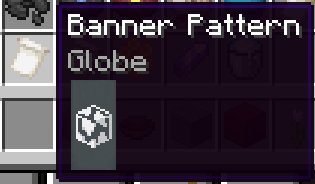
旗帜图案提示框
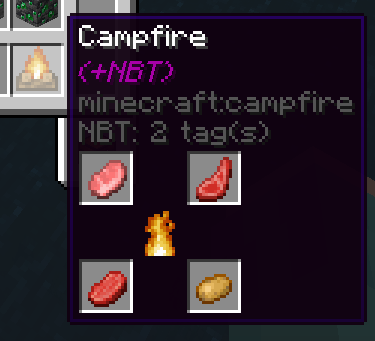
营火提示框
已填充地图提示框
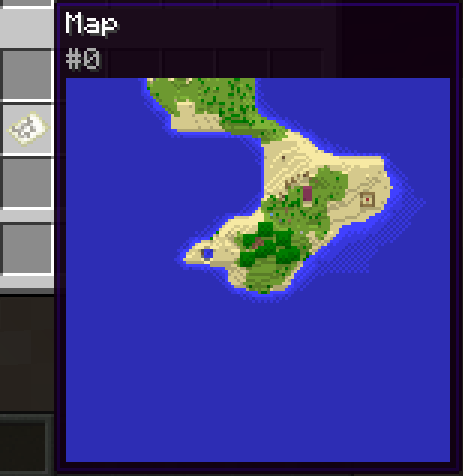
实体
盔甲架

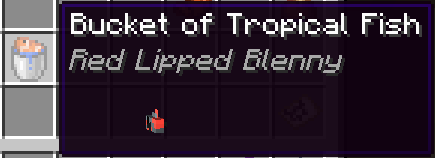
鱼桶
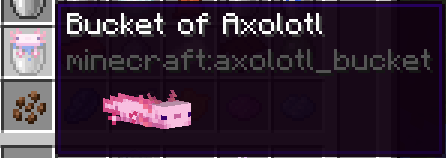
美西螈桶
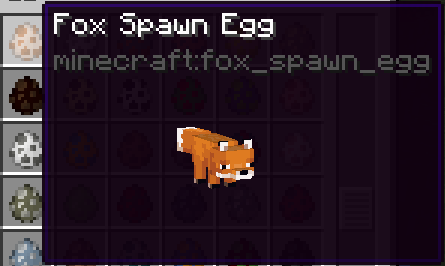
刷怪蛋
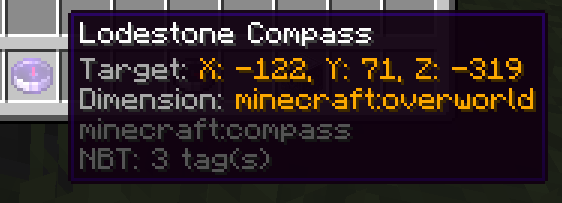
磁石指南针提示框
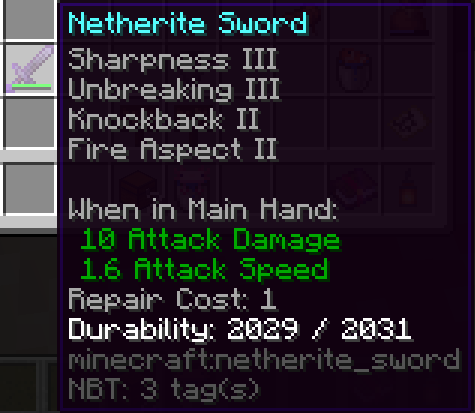
修复费用提示框
配置
模组的配置文件位于 <minecraft directory>/config/inspecio.json。
你可以使用命令 /inspecio config 来管理配置。
以下是默认配置:
{
  "jukebox": "fancy",
  "sign": "fancy",
  "advanced_tooltips": {
    "repair_cost": true,
    "lodestone_coords": false
  },
  "filled_map": {
    "enabled": true,
    "show_player_icon": false
  },
  "food": {
    "hunger": true,
    "saturation": "merged"
  },
  "containers": {
    "campfire": true,
    "storage": {
      "enabled": true,
      "compact": false,
      "loot_table": true
    },
    "shulker_box": {
      "enabled": true,
      "compact": false,
      "loot_table": true,
      "color": true
    },
    "chiseled_bookshelf": {
      "enabled": true,
      "compact": false,
      "loot_table": true,
      "block_render": true
    }
  },
  "effects": {
    "food": true,
    "hidden_motion": true,
    "hidden_effect_mode": "enchantment",
    "beacon": true,
    "potions": true,
    "tipped_arrows": true,
    "spectral_arrow": true
  },
  "entities": {
    "fish_bucket": {
      "enabled": true,
      "always_show_name": false,
      "spin": true
    },
    "spawn_egg": {
      "enabled": true,
      "always_show_name": false,
      "spin": true
    },
    "pufferfish_puff_state": 2,
    "armor_stand": {
      "enabled": true,
      "always_show_name": false,
      "spin": true
    },
    "bee": {
      "enabled": true,
      "always_show_name": false,
      "spin": true,
      "show_honey_level": true
    },
    "mob_spawner": {
      "enabled": true,
      "always_show_name": false,
      "spin": true
    }
  },
  "armor": true,
  "banner_pattern": true,
  "painting": true
}
以下是每个配置项及其作用的列表:
armor(bool) - 为true时,在盔甲物品上显示盔甲值条;否则为false。banner_pattern(bool) - 为true时,在旗帜图案的提示框中显示图案;否则为false。painting(bool) - 为true时,在已知变体的画作物品提示框中预览画作;否则为false。advanced_tooltipsrepair_cost(bool) - 为true时,显示修复费用数值;否则为false。lodestone_coords(bool) - 为true时,在磁石指南针上显示磁石坐标;否则为false。
containerscampfire(bool) - 为true时,为持有自定义 NBT 的营火显示特殊提示框;否则为false。storageenabled(bool) - 为true时,在提示框中显示箱子、木桶等存储物品的库存;否则为false。compact(bool) - 为true时,压缩库存以尽可能减少空间占用;否则为false。loot_table(bool) - 为true时,如果指定了战利品表,则在提示框中显示战利品表标识符;否则为false。
shulker_boxenabled(bool) - 为true时,在提示框中显示潜影盒的库存;否则为false。compact(bool) - 为true时,压缩库存以尽可能减少空间占用;否则为false。loot_table(bool) - 为true时,如果指定了战利品表,则在提示框中显示战利品表标识符;否则为false。color(bool) - 为true时,库存提示框的颜色与潜影盒相同;否则为false。
chiseled_bookshelfenabled(bool) - 为true时,在提示框中显示雕纹书架的书架内容;否则为false。compact(bool) - 为true时,压缩库存以尽可能减少空间占用;否则为false。loot_table(bool) - 为true时,如果指定了战利品表,则在提示框中显示战利品表标识符;否则为false。block_render(bool) - 为true时,雕纹书架的提示框显示方块形式而不是标准库存;否则为false。
effectspotions(bool) - 为true时,用药水物品上更精美的效果提示框取代原版;否则为false。tipped_arrows(bool) - 为true时,用更精美的效果提示框取代药箭上的原版提示;否则为false。spectral_arrow(bool) - 为true时,用更精美的效果提示框取代光灵箭物品上的原版提示;否则为false。food(bool) - 为true时,在食物物品上添加效果提示框;否则为false。hidden_motion(bool) - 为true时,对隐藏效果提示框使用模糊文本;否则为false。hidden_effect_mode(string) -"enchantment"将使用附魔字体显示隐藏效果提示框的模糊文本,"obfuscated"将使用普通字体。beacon(bool) - 为true时,添加一个显示主效果和副效果(如果存在)的提示框;否则为false。
entitiesarmor_standenabled(bool) - 为true时,显示盔甲架提示框;否则为false。always_show_name(bool) - 为true时,始终显示盔甲架的名称;为false时则使用 CTRL 键。spin(bool) - 为true时,盔甲架在提示框中旋转;否则为false。
beeenabled(bool) - 为true时,在蜂巢提示框中显示蜜蜂;否则为false。always_show_name(bool) - 为true时,始终显示蜜蜂的名称;为false时则使用 CTRL 键。spin(bool) - 为true时,蜜蜂在提示框中旋转;否则为false。show_honey_level(bool) - 为true时,显示蜂蜜等级;否则为false。
fish_bucketenabled(bool) - 为true时,鱼桶提示框显示其持有的实体;否则为false。spin(bool) - 为true时,实体在提示框中旋转;否则为false。
mob_spawnerenabled(bool) - 为true时,刷怪笼提示框显示其持有的实体;否则为false。always_show_name(bool) - 为true时,始终显示所持实体的名称;否则为false。spin(bool) - 为true时,实体在提示框中旋转;否则为false。
spawn_eggenabled(bool) - 为true时,刷怪蛋提示框显示其持有的实体;否则为false。always_show_name(bool) - 为true时,始终显示所持实体的名称;否则为false。spin(bool) - 为true时,实体在提示框中旋转;否则为false。
pufferfish_puff_state(int) - 河豚的膨胀状态,介于 0 到 2(含)之间。
filled_mapenabled(bool) - 为true时,已填充地图提示框显示地图;否则为false。show_player_icon(bool) - 为true时,在已填充地图提示框上显示玩家图标;否则为false。
foodhunger(bool) - 为true时,在食物物品上显示饥饿值条;否则为false。saturation(string) -"disabled"不做任何事,"merged"将饱和度条作为轮廓添加到饥饿值条上,"separated"添加独立的饱和度条。
jukebox(string) -"disabled"不做任何事,"fast"会在唱片机的提示框中添加已插入唱片名称(如有可能),"fancy"也会显示唱片物品。sign(string) -"disabled"不做任何事,"fast"会在告示牌的提示框中添加文字内容(如有可能),"fancy"会添加精美的告示牌提示框(如有可能)。
正在加载版本记录…
正在加载评论…
评论在新手盒子客户端中发表,这里同步展示。