![Molecules [NeoForge]](https://cdn8.newbeebox.com/nbbnext/2026/08/15/844064728154a51815f6ecf31cc75181.png)
Molecules [NeoForge]
这个仅客户端模组为格雷科技化学品添加了数据驱动的分子绘图。已针对NeoForge重写。
![Molecules [NeoForge]预览](https://cdn8.newbeebox.com/nbbnext/2026/08/15/b75bdc37de8dabdac725f32da84d7f71.png) 查看大图
查看大图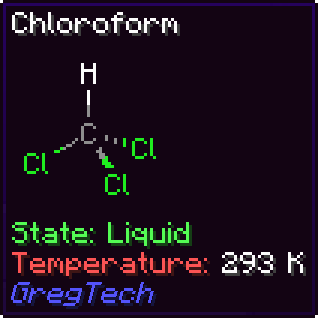
分子(Molecules)
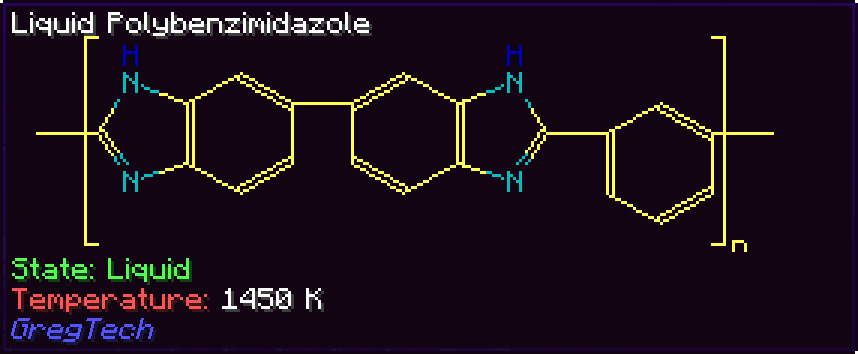
此模组仅客户端可用,为 GregTech CEu 及其附属模组和整合包中的有机分子在物品提示框中添加分子结构图。它是原版模组的一个分支,为 NeoForge 1.21.1 重写。
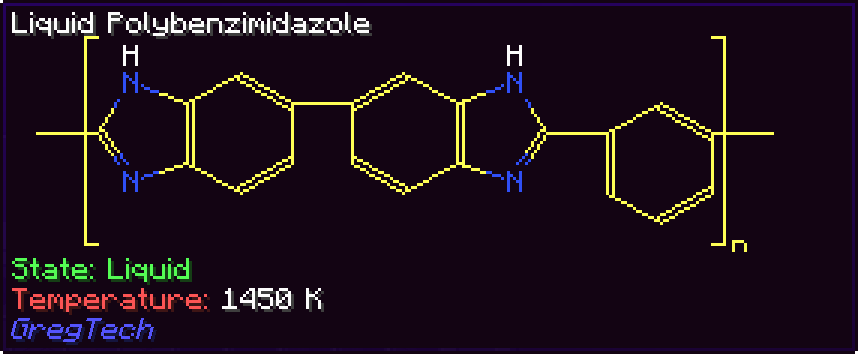
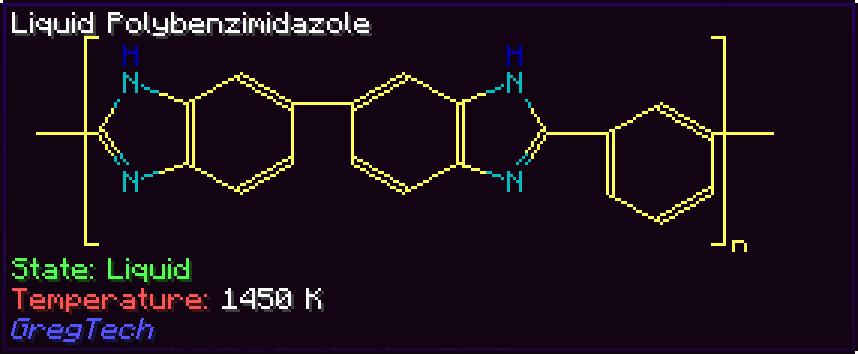
示例
| 颜色 | 聚乙烯 | 聚苯并咪唑 | 氯仿 |
|---|---|---|---|
| 无 | 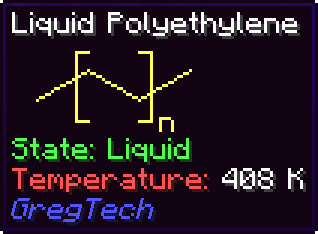 |
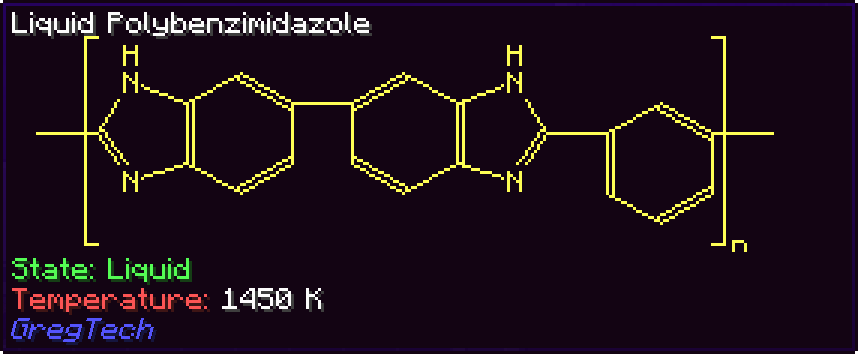 |
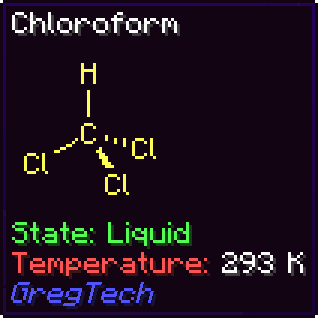 |
| CPK | |
 |
 |
| 材料 | |
 |
 |
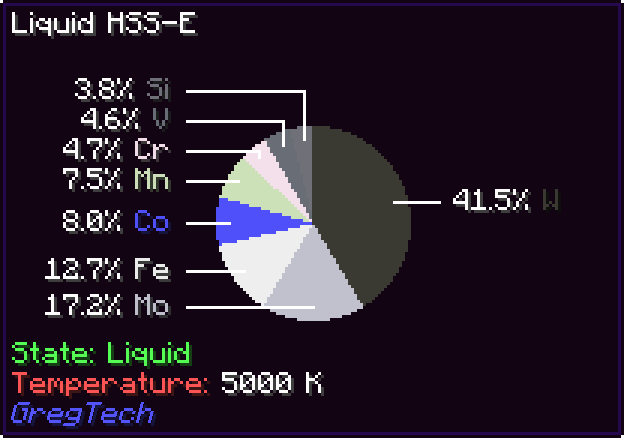
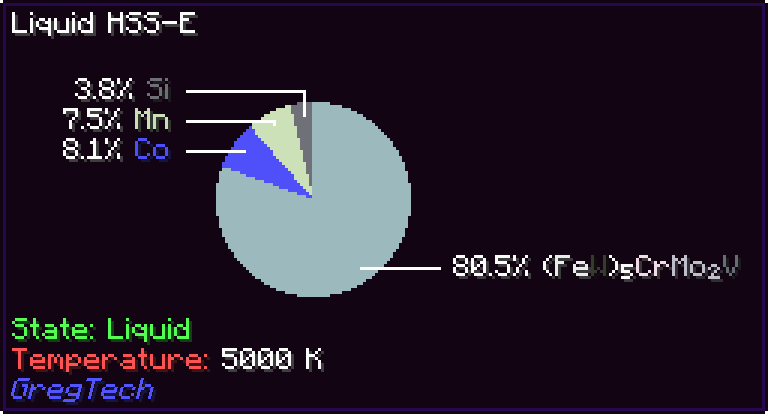
合金
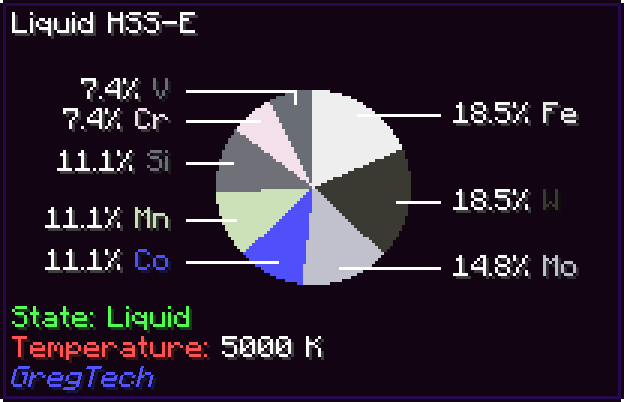
| 模式 | HSS-E |
|---|---|
| 按质量 | 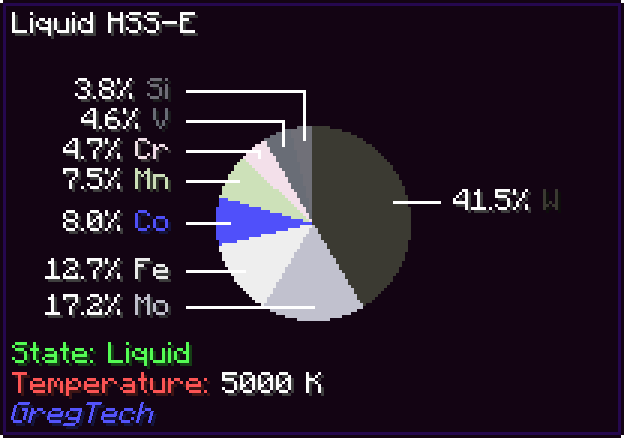 |
| 非递归 | 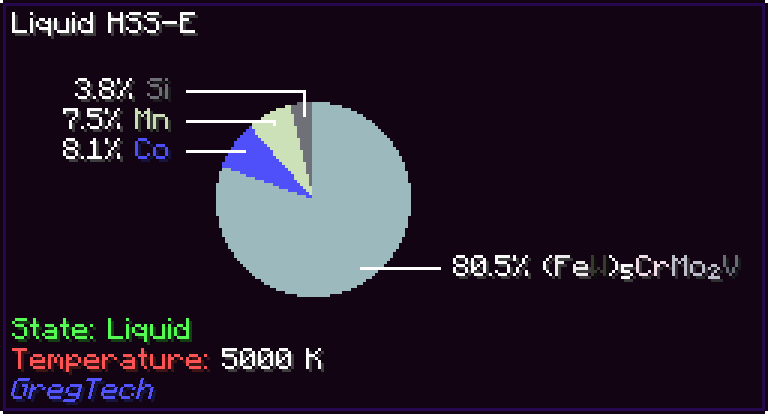 |
| 按数量 | 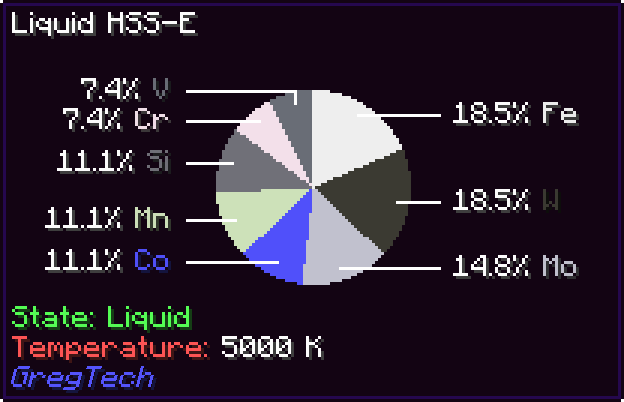 |
附加内容支持
MolDraw 开箱即用地支持基础 GTCEu 中的大部分有机材料和合金,同时还支持许多附属模组和整合包。目前支持的扩展包括:
- Monifactory
- Star Technology
- Cosmic Frontiers
- Phoenix Forge Technologies
- TerraFirmaGreg
- GT--
- GregTech Community Additions
- Gregicality Rocketry
大家对这款模组的评价
这可能是我见过有人用提示框做出来的最酷的东西。
这每天都在提醒我,基本上所有的有机化学都是苯环上插着一些东西。
我只想说,这就是巅峰。
现在我能体会到我正在建造的聚合物有多复杂了。
这已经很酷了,加上颜色后就更棒了!
我觉得应该允许我给 GregTech 附属模组颁发米其林星级,因为 Madeline 的烹饪技术了得。
非常没用,但又非常酷!
耶,芳香环的呈现!
添加你自己的分子
分子文件存储在资源包的 assets/<命名空间>/molecules/<化合物>.json 路径下,对应 ID 为 <命名空间>:<化合物> 的 GT 材料。
分子遵循以下模式:
// ARGB 颜色或 RGB 十六进制字符串,将始终使用,或者是具有相同字段并指定是否可通过配置禁用的对象
type ElementColor = number | string | {
  color: number | string;
  optional: boolean;
};

// 仅一个符号,可用于普通原子,或一个指定符号、是否不可见及颜色的对象
type Element = string | {
  symbol: string;
  invisible?: boolean; // 新的不可见元素如果打算使用不同颜色,仍需使用不同于空字符串的符号;无论哪种方式都不会显示
  color?: ElementColor;
  material?: string; // 与此元素关联的 GregTech 材料 ID,用于按材料着色设置
};

// 原子数量默认为 1
type CountedElement = string | [string, number];

interface AtomCommon {
  type: 'atom';
  index: number; // 用于引用此原子的标识符
  element?: CountedElement; // 原子的主元素,如果原子应为不可见碳则不包含
  above?: CountedElement; // 要在主元素上方显示的元素
  right?: CountedElement; // 等等
  below?: CountedElement;
  left?: CountedElement;
  spin_group?: number; // 具有相同组的原子以相同速率旋转,前提是它是分子 spin 属性中的有效索引
}

// 原子可以指定 X 和 Y 坐标...
interface AtomXY extends AtomCommon {
  x: number;
  y: number;
}

// 或 U 和 V 坐标,它们分别是相对于正 X 半轴逆时针和顺时针倾斜 30 度的单位向量...
interface AtomUV extends AtomCommon {
  u: number;
  v: number;
}

// 或完整的 3D X、Y 和 Z 坐标。
interface AtomXYZ extends AtomCommon {
  x: number;
  y: number;
  z: number;
}

// 向内和向外的键会朝着第二个原子方向增大尺寸。
type Line = 'solid' | 'dotted' | 'inward' | 'outward' | 'thick';

interface Bond {
  type: 'bond';
  a: number; // 键的第一个原子
  b: number; // 键的第二个原子
  centered?: boolean // 如果为 true,则线条可以偏移半个单位以居中
  lines: Line[];
}

// 括号是围绕某些原子的方括号,用于显示下标和/或上标。
interface Parens {
  type: 'parens';
  sup?: string; // 上标文本
  sub?: string; // 下标文本
  atoms: number[]; // 要被包围的原子列表
}

// 在原子环内绘制的圆;自动以其质心为中心。
interface CircleCommon {
  type: 'circle';
  atoms: number[];
}

// 按 x 和 y 缩放且轴对齐的圆。
interface CircleXY extends CircleCommon {
  x: number;
  y: number;
}

// 应用于单位圆的线性变换。
interface CircleMatrix extends CircleCommon {
  a00: number;
  a01: number;
  a10: number;
  a11: number;
}

// 苯环
interface BenzeneCommon {
  type: 'benzene';
  start_index: number; // 环中第一个原子的索引
  clockwise?: boolean; // 环是顺时针还是逆时针运行(默认为顺时针)
  spin_group?: number; // 环中原子的旋转组
}

interface BenzeneXY extends BenzeneCommon {
  x0: number; // 第一个原子的 X 坐标
  y0: number; // 第一个原子的 Y 坐标
  x1: number; // 第二个原子的 X 坐标
  y1: number; // 第二个原子的 Y 坐标
}

interface BenzeneUV extends BenzeneCommon {
  u0: number; // 第一个原子的 U 坐标
  v0: number; // 第一个原子的 V 坐标
  u1: number; // 第二个原子的 U 坐标
  v1: number; // 第二个原子的 V 坐标
}

interface BenzeneXYZ extends BenzeneCommon {
  x0: number; // 第一个原子的 X 坐标
  y0: number; // 第一个原子的 Y 坐标
  z0: number; // 第一个原子的 Z 坐标
  x1: number; // 第二个原子的 X 坐标
  y1: number; // 第二个原子的 Y 坐标
  z1: number; // 第二个原子的 Z 坐标
}

type SpinSpec
  = boolean // 以默认速度启用旋转
  | number // 启用旋转并设置速度
  | number[]; // 为多个组设置速度

type MoleculeElement = AtomXY | AtomUV | AtomXYZ | Bond | Parens | CircleXY | CircleMatrix | BenzeneXY | BenzeneUV | BenzeneXYZ;

// 分子 JSON 文件类型为 Molecule。
interface Molecule {
  contents: MoleculeElement[];
  spin?: SpinSpec;
}
原子的位置可以存储为一对 x 和 y 坐标,或者一对 u 和 v 坐标,它们分别是相对于正水平半轴逆时针和顺时针倾斜 30 度的单位向量。通常,使用 u 和 v 编码位置更容易,因为有机化合物的骨架图尽可能遵循六边形网格。
例如,这是苯的编码,如果它不使用 benzene 组件的话:
{
  "contents": [
    {
      "type": "atom",
      "index": 0,
      "u": 0.0,
      "v": 0.0
    },
    {
      "type": "atom",
      "index": 1,
      "u": -1.0,
      "v": 1.0
    },
    {
      "type": "atom",
      "index": 2,
      "u": -1.0,
      "v": 2.0
    },
    {
      "type": "atom",
      "index": 3,
      "u": 0.0,
      "v": 2.0
    },
    {
      "type": "atom",
      "index": 4,
      "u": 1.0,
      "v": 1.0
    },
    {
      "type": "atom",
      "index": 5,
      "u": 1.0,
      "v": 0.0
    },
    {
      "type": "bond",
      "a": 0,
      "b": 1
    },
    {
      "type": "bond",
      "a": 1,
      "b": 2,
      "lines": ["solid", "solid"]
    },
    {
      "type": "bond",
      "a": 2,
      "b": 3
    },
    {
      "type": "bond",
      "a": 3,
      "b": 4,
      "lines": ["solid", "solid"]
    },
    {
      "type": "bond",
      "a": 4,
      "b": 5
    },
    {
      "type": "bond",
      "a": 5,
      "b": 0,
      "lines": ["solid", "solid"]
    }
  ]
}
添加你自己的合金
类似地,合金文件存储在资源包的 assets/<命名空间>/alloys/<化合物>.json 路径下,对应 ID 为 <命名空间>:<化合物> 的 GT 材料。
在最简单的情况下,材料只需标记为合金,然后即可通过 GregTech 的材料组成系统自动计算其成分。这种情况下,只需将以下文件放在正确位置:
{
  "derive": true
}
如果你想手动指定组分,例如指示材料组成中不存在的杂质,合金遵循以下简单模式:
// 材料 ID 和整数数量,默认为 1
type Datum = string | [string, number];

// 合金 JSON 文件类型为 Alloy
interface Alloy {
  components: Datum[];
}
正在加载版本记录…
正在加载评论…
评论在新手盒子客户端中发表,这里同步展示。