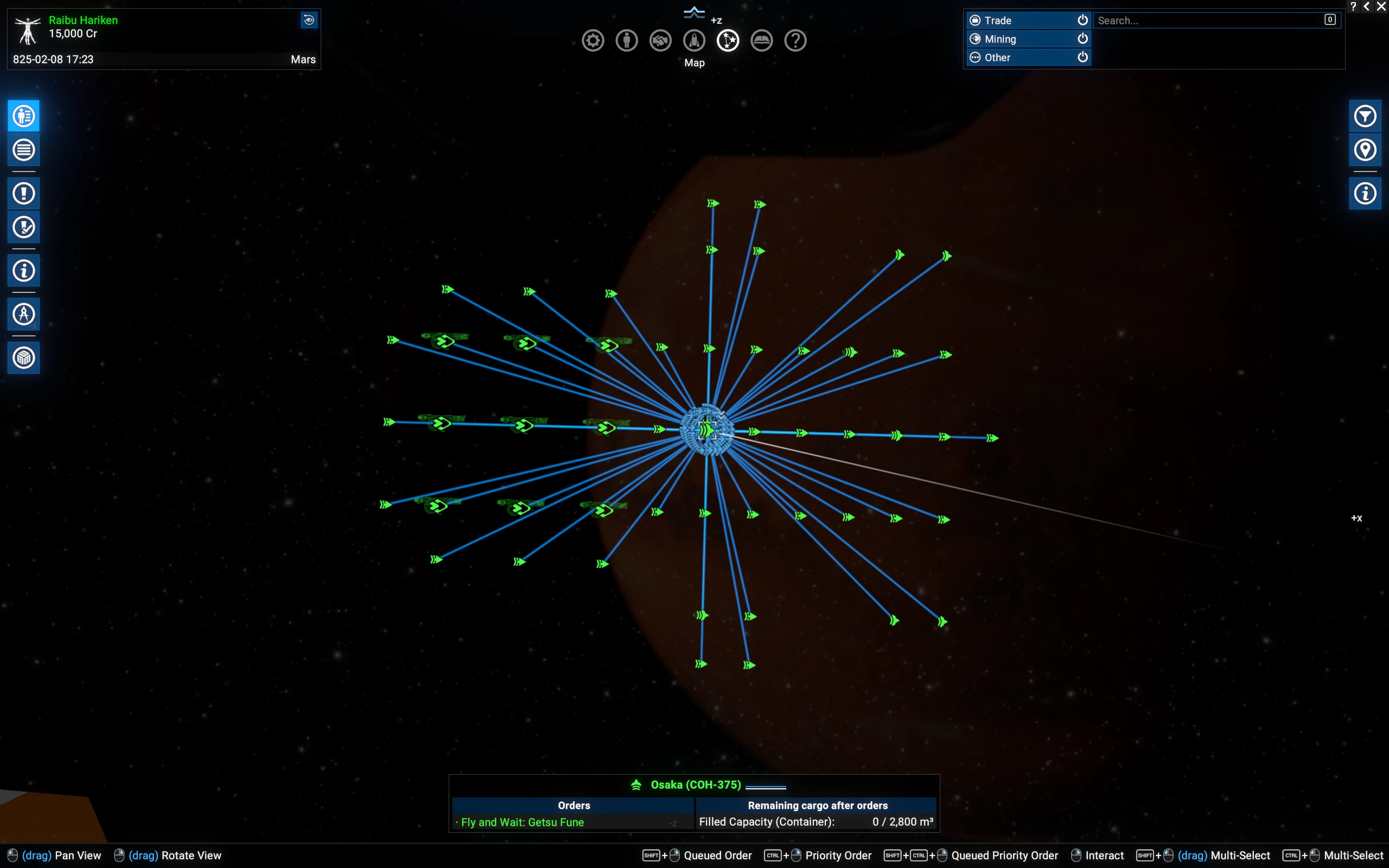
Fleet Doctrine
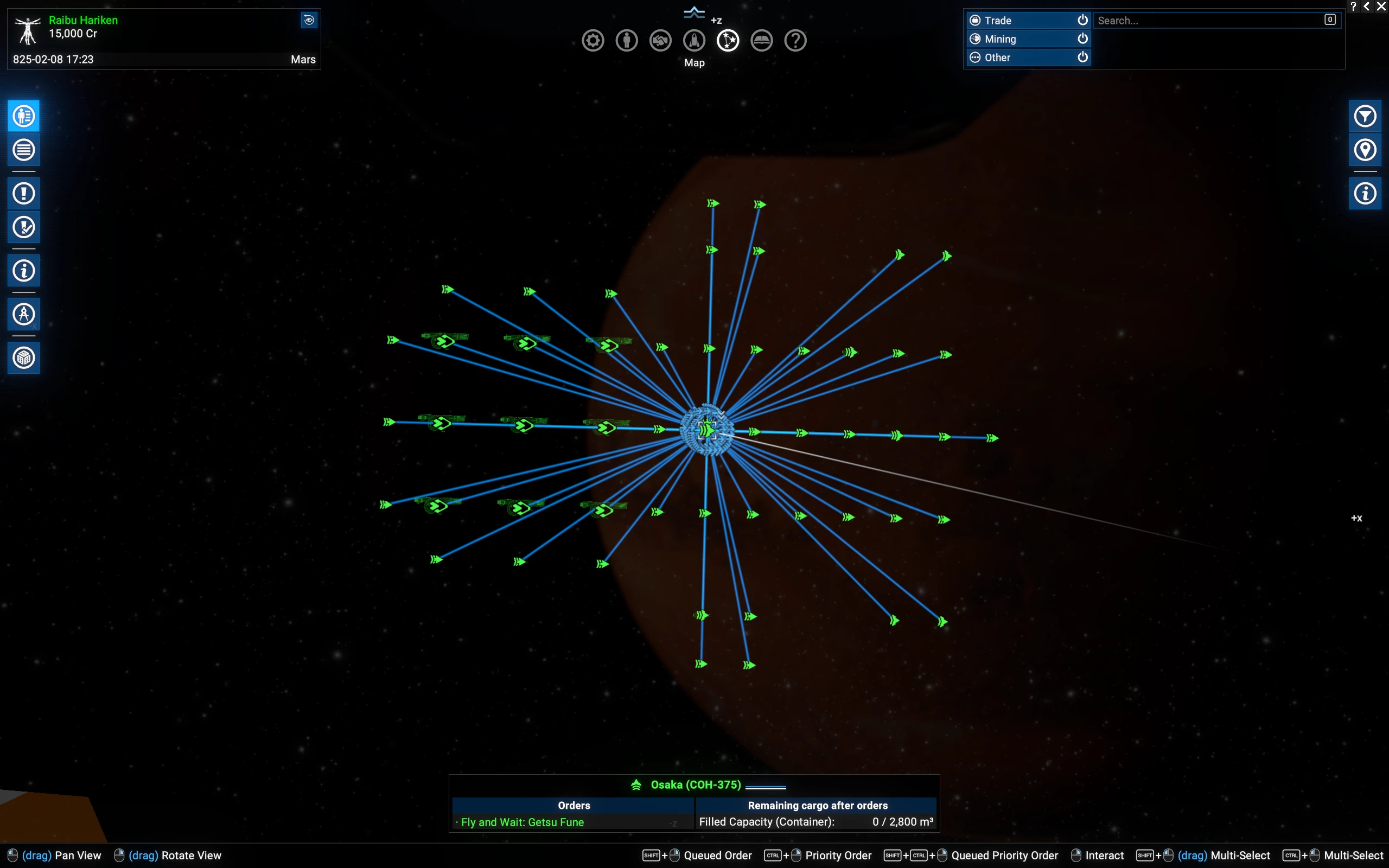
Well fleet formations were a problem since day 1 this game came out, this is I think a massive improvement. This was 2 days of work with Opus 5.5, there might be some bugs, I will not fix them, but you can freely use the mods code or mod as you wish. Formation editor is included, you can have your own formations now. Also fleet commands.
 查看大图
FLEET DOCTRINE - version 1.00, for X4: Foundations 9.00
==========================================================
Your fleets fly in real formations, keep them while they turn and travel,
and fight by simple rules you choose. You can also design your own
formations, place by place, in a formation editor.
WHAT YOU NEED
-------------
- X4: Foundations 9.00 or newer.
- Optional, but recommended: "Mod Support APIs" by SirNukes. It adds the
Fleet Doctrine submenu to the right-click menu (postures and fleet orders).
Formations and the formation editor work without it.
- Do not use it together with other mods that change how escorts fly or
fight (for example "Fleet Combat Doctrines"). They would fight over the
same ships.
INSTALL
-------
Unzip the folder "fleet_doctrine" into the "extensions" folder of your game,
so you get ...\X4 Foundations\extensions\fleet_doctrine\content.xml
Start the game and load your save. That is all.
HOW TO START
------------
1. Right-click the commander of one of your fleets (the ship the others
escort).
2. Open "Formation" and pick "Switch on Fleet Doctrine".
3. The Formation list now shows the Fleet Doctrine formations. Pick one.
The ships fly to their places, and you get a message on screen when
the fleet has formed up.
To go back to the normal game behaviour, pick "Switch off Fleet Doctrine"
in the same list.
WHAT CHANGES FOR A FLEET UNDER FLEET DOCTRINE
---------------------------------------------
- Every ship has its own place in the formation and keeps it while the fleet
turns, speeds up or uses travel drive.
- The fleet goes through gates and accelerators together and forms up again
on the other side.
- Big ships get more room on their own, so carriers and destroyers don't
bump into each other.
- Fighters in a fleet with big ships fly a close protective screen around
the commander instead of a far-away place.
- Badly damaged ships (below 40 % hull) break off and return to formation
until they are repaired to 60 %.
- Ships don't chase enemies that sit right next to an enemy station, so
your fleet is not dragged under station guns by accident.
THE FORMATIONS
--------------
The Formation list shows 14 formations in four groups. Move the mouse over
one to read what it is good for.
Travel: Column, Double column, Triple column, Armoured column
Battle line: Line abreast, Wall, Wedge, Echelon, Point guard
All-round: Box, Ring, Sphere
Assault: Bowl, Arrowhead
The formation the fleet has now is marked ACTIVE. Your own saved formations
from the editor appear in the same list.
THE FORMATION EDITOR
--------------------
Open it from the Formation list ("Formation editor...") or from the
Fleet Doctrine submenu.
- Left: your ships, sorted by the groups you gave them in the game
(Alpha, Beta, ...), with their job: bodyguard, interception, bombardment
or strike group. Click a group's header to fold it.
- Middle: a grid of places around the commander (CMD). Ahead is up.
Click a ship, then click a place to put it there. Click a ship on the grid
and then another place to move it or swap two ships.
Right-click removes a ship from its place.
Click an empty place with no ship picked to keep it free for a ship class
(S, M, L or XL).
- The grid has no edge. Use the arrow buttons above it, or just place a
ship at the border and the grid moves on.
- Layers: add layers above and below the commander to build formations in
3D.
- Right side:
- start from a basic shape, or let "Fill" place the remaining ships;
- the distance slider sets the space between places;
- two pictures show the formation from above and from the side, to scale.
- Save a formation with a name. It shows up in the Formation list of every
fleet under Fleet Doctrine, and stays for all your saves.
- Press Apply to give the formation to the fleet.
Empty places you leave in the grid stay empty in space too. Use this to put
your interceptors out on the flanks, or to keep your strike group a little
ahead, so it never has to fly through the main fleet to reach a target.
POSTURES - how freely your fleet fights
---------------------------------------
Right-click a ship of the fleet, Fleet Doctrine submenu:
- Hold formation: nobody leaves its place. Turrets still fire.
For travel and for slipping past trouble.
- Defend: the default. Ships only go for armed enemies close to the
fleet, and come back after a short chase.
- Engage at will: ships go for any enemy within 30 km and chase further.
Each ship fights by the job you gave its group in the game:
- bodyguards protect the commander;
- interceptors take small and medium ships;
- bombardment ships take big ships and stations;
- the strike group attacks what the commander attacks, or your target when
you fly the commander yourself.
FLEET ORDERS
------------
In the Fleet Doctrine submenu:
- Clear the area: the fleet spreads out over the enemies within 30 km.
- Recall and reform: everybody stops fighting and returns to formation.
- Fall back: everybody returns, and the whole fleet moves 30 km
away from the enemy.
Right-click an enemy while your ships are selected:
- Attack: the right ships for that target attack it.
- All-out attack: every armed ship attacks it now.
- Attack it and its group: the fleet takes on the enemy ship and its
escorts, spread out over them.
- Leave it alone: your ships stop attacking it.
REMOVING THE MOD
----------------
Pick "Switch off Fleet Doctrine" for your fleets, save, then delete the
folder. Your saves don't need the mod to load.
CREDITS
-------
Idea, testing and many hours of flying fleets around: damir
Written together with Claude, an AI by Anthropic. It was a pleasure to build.
Have fun, and fly in formation!
正在加载版本记录…
正在加载评论…
评论在新手盒子客户端中发表,这里同步展示。