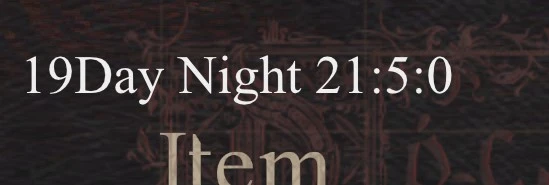
时钟
在左上角显示游戏内时间。
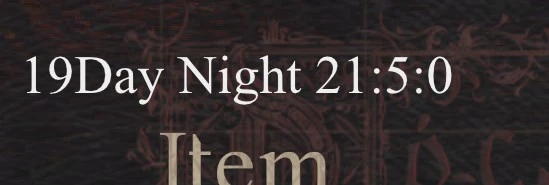 查看大图
在左上角显示游戏内时间。
所有 dd2 模组源码位于 [url=https://github.com/xyzkljl1/MyDD2Mod]github[/url]。
[b]
注意:
[/b]
[b]1. [/b][b]在 UI 中配置[/b]
按 Insert 键显示/隐藏 reframework UI。
点击 Script Generated UI。
按下与此模组同名的按钮。
[b]2.可配置设置:[/b]
[b]enable: [/b]启用
[b]disableInMenu: [/b]显示菜单时禁用
[b]enableHotkey:[/b] 启用/禁用的热键(需要 _ScriptCore)
[b]fontsize:[/b] 字体大小
(字体过大会导致崩溃!)
[b] color:[/b] 文本颜色。
(在 UI 中,它是简单的 rgba 颜色。)
[b]backgroundcolor: [/b]背景颜色
[b][b] offset[/b]: [/b]显示时间的位置
(自 v1.2 起,offsetX/offsetY 已被 offset 配置取代。从 v1.1 升级时,你可能需要重新配置)
[b]showtimeslot:[/b] 显示时间段(黄昏/正午/……)
[b]showbackground:[/b] 显示背景
[b] zerofill:[/b] 为小时/分钟/秒补零,例如,3:3:1-> 03:03:01
[b]useampm: [/b]使用 am/pm 代替 24 小时制
[b]customFormat: [/b]默认值为 "{D}Day {T} {h}:{m}:{s} {a}"。 "{D}/{T}/{h}/{m}/{s}/{a}" 表示 "Day/timeslot/hour/minute/second/ampm"。
例如,如果你将其设置为 "This is {D}th day"。在第 5 天时,它会显示 "This is 5th day."。
[b]安装[/b]
[b]1. [/b]安装 [url=https://www.nexusmods.com/dragonsdogma2/mods/8]Reframework[/url][url=https://www.nexusmods.com/dragonsdogma2/mods/8]
[/url][url=https://www.nexusmods.com/dragonsdogma2/mods/30]
[/url][b]1.5.[/b] 安装 [url=https://www.nexusmods.com/dragonsdogma2/mods/234]_XYZApi[/url] (可选。只有需要在 UI 中修改设置时才需要)
[b]1.6.[/b] 安装 [url=https://www.nexusmods.com/dragonsdogma2/mods/30]_ScriptCore[/url](可选。只有需要使用热键时才需要)
[b]2.[/b] 你可以通过 Fluffy Mod Manager 或手动安装
3.1. 通过 Fluffy Mod Manager 安装:
下载此模组并拖入模组管理器。然后在模组管理器中启用它
3.2.手动安装
下载此模组并解压。将 reframework 文件夹复制到游戏文件夹。如果游戏文件夹中已存在 reframework,则合并这两个文件夹。
如果 times.ttf 已存在,则忽略
正在加载版本记录…
正在加载评论…
评论在新手盒子客户端中发表,这里同步展示。