
完美防御
在《剑士》中体验只狼式的战斗!这个轻量级工具引入了一种“完美格挡”机制:在适当的时间格挡(G键)可以暂时提升防御力。无需修改存档数据,与其他模组高度兼容,完全安全。
 查看大图
查看大图Compatible with RE-Kenshi
RE-Kenshi対応
Compatible with both Steam and GOG versions
Steam版とGOG版の両方に対応
Description / 概要
[EN] This tool introduces a "Perfect Guard" mechanic to Kenshi. By timing your defensive input, your defense bonus increases by 100 for exactly 0.7 seconds. Perfect for players who want to add a layer of skill and technical intervention to melee combat.
[JP] Kenshiに「ジャストガード」を導入するツール。タイミング良くガード入力をすることで、0.7秒だけ防御ボーナスが100上昇します。ゲームデータを改変したり、他MODに干渉することはありません。近接戦闘に技術介入の要素を加えたいときにどうぞ。
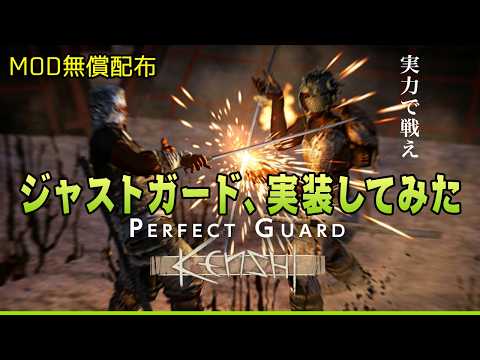
- [EN] This video includes a verification of the exact timing required for a successful "Perfect Guard." (7:01~) [JP] 動画にはどのタイミングでガードすれば良いかの検証が含まれています(7:01~)
- [EN] The security warning mentioned in the video refers specifically to the .exe version distributed on GitHub. The .ahk version does not trigger security warnings and does not require changing your system's security levels. [JP] 動画内のセキュリティ警告の話はGitHubで配布しているexe版です。ahk版はセキュリティの警告やセキュリティレベルの変更は必要ありません。
Installation instructions / 導入手順
- [EN] Install AutoHotkey v2.0+. [JP] AutoHotkey v2.0以上をインストールしてください。
https://www.autohotkey.com/ - [EN] Download the .ahk file. [JP] .ahkファイルをダウンロード。
- [EN] Right-click the .ahk file and select "Run as administrator". (Crucial for memory access)
[JP] ダウンロードした.ahkファイルを右クリックし、「管理者として実行」してください。(メモリ操作に必要です) - [EN] Please manually bind the "Toggle Block Only Mode" to the G key in the game's keybindings menu.
[JP] ゲーム内のキー設定メニューから、「防御態勢」をGキーに割り当ててください。
Main features / 主な機能
- Timed Block / ジャストガード:
[EN] When you press the G key to trigger Defensive Stance, your defense bonus is boosted by +100 for 0.7 seconds, before returning to the default +20. A 0.5-second cooldown is required before the effect can be triggered again.
[JP] Gキーを押して防御態勢を発動すると、0.7秒間だけ防御ボーナスが+100され、その後通常の+20に戻ります。再発動には0.5秒のクールタイムが必要です。 - Safe & Clean / 安全仕様:
[EN] No save data modification. Highly compatible with other mods.
[JP] セーブデータやゲーム本体のファイルは一切書き換えません。他のModとも競合しにくい設計です。 - On/Off Toggle / 機能切替:
[EN] Use the Semicolon ( ; ) key to enable/disable the script.
[JP] セミコロンキー( ; )で、ゲーム中に機能のON/OFFを切り替え可能です。 - Notes on Background Process / 常駐に関する注意:
[EN] This tool will not close automatically when you exit Kenshi. While it is extremely lightweight and has no impact on other applications, you can manually close it via the System Tray (near the clock) if you prefer.
[JP] ゲーム終了後も自動では閉じません。非常に軽量でKenshi以外に影響はありませんが、気になる方はタスクトレイ(時計横のアイコン)からプログラムを終了してください。
Requirements / 必須環境
- AutoHotkey v2.0+
- Kenshi (64-bit)
Customization / AHKファイルの編集
- [EN] You can customize the activation key (default: G) and various values by opening the .ahk file with a text editor like Notepad.
[JP] .ahkファイルをメモ帳などのテキストエディターで開くと、Gキーや各種数値を自由に変更できます。 - [EN] NOTE: If you set the defense bonus to an extremely high value (e.g., beyond +100), it may cause loud, distorted audio noise in-game. Please adjust with caution.
[JP] 注意:防御ボーナスの数値を極端に大きく設定すると、ゲーム内で巨大な音響ノイズが発生する場合があります。変更の際はご注意ください。
Shout outs / クレジット
[EN] If you like this mod, please don't forget to Endorse it! A small donation—the price of a cup of coffee—would be greatly appreciated and helps support my work. Thank you!
[JP] もし気に入っていただけたら、Endorse(高評価)をお願いします!コーヒー1杯分の寄付をいただけると非常に喜びます
正在加载版本记录…
正在加载评论…
评论在新手盒子客户端中发表,这里同步展示。