


TellMeWhen 谷风修复版
 泰坦重铸版本配置
“TMW”,状态监控插件,包括监控技能物品冷却时间、目标状态等
2026-05-11:版本更新,修复报错
2026-04-28:版本更新,适配 3.80.1
2025-11-23:版本更新,补全汉化,适配 3.80.0
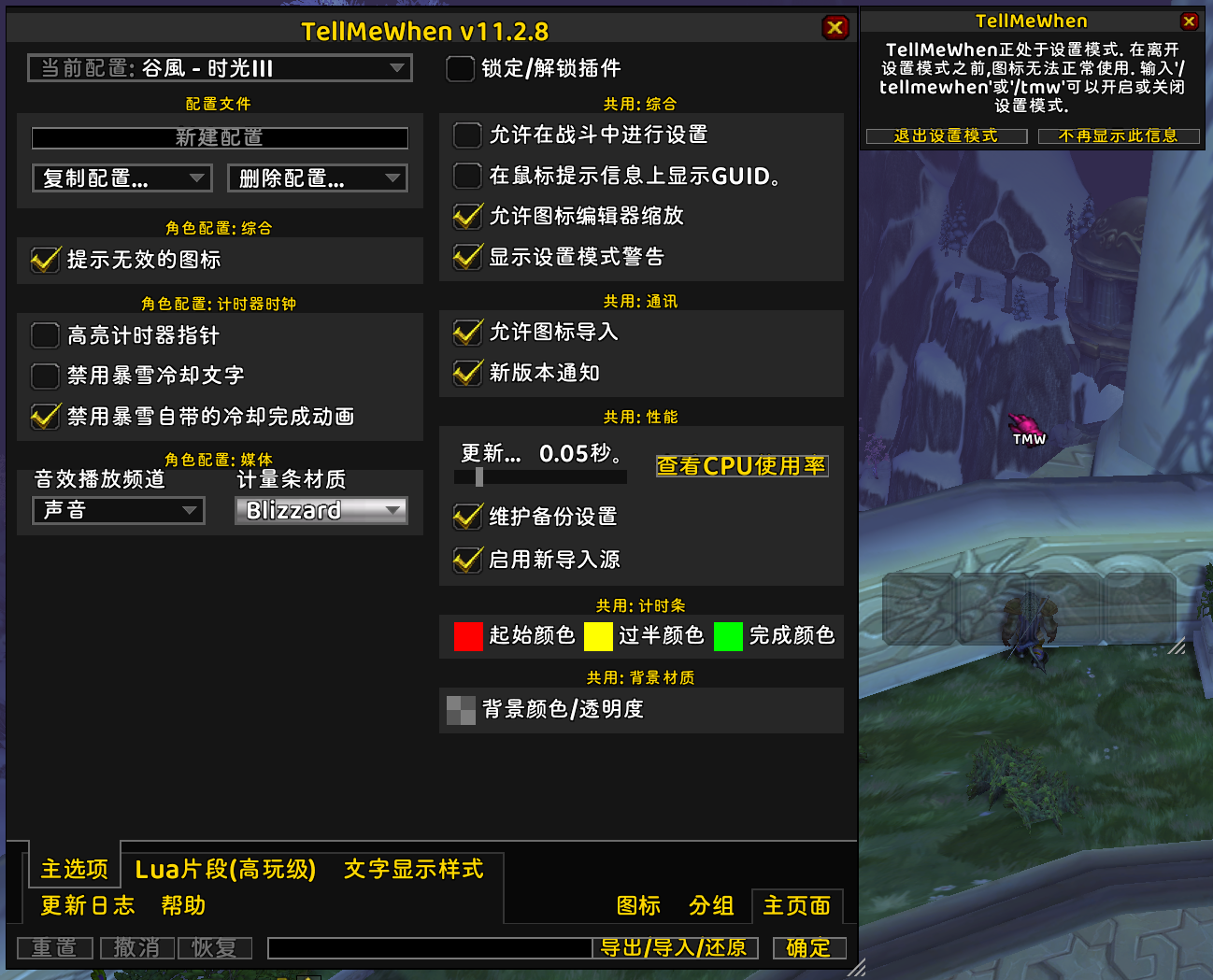
可以通过“/tmw 选项”、暴雪界面选项或图标编辑器的“组设置”选项卡访问常规设置。
所有可用的斜线命令是:
'/tmw' — 在锁定(功能)或解锁(配置)状态之间切换 TellMeWhen。
'/tmw options'——打开 TellMeWhen 的常规设置配置。
'/tmw profile "个人资料名称"' - 加载 TellMeWhen 个人资料。个人资料名称区分大小写,如果包含空格,则必须用引号引起来。(例如 '/tmw profile "Cybeloras - Aerie Peak"')。
'/tmw enable global|profile groupID iconID' - 启用指定的组或图标(例如 '/tmw enable 2 4' 或 '/tmw enable global 3')。
'/tmw disable global|profile groupID iconID' - 禁用指定的组或图标(例如'/tmw disable profile 2 4'或'/tmw disable 3')。
'/tmw toggle global|profile groupID iconID' - 在启用和禁用之间切换指定的组或图标(例如'/tmw toggle global 2 4'或'/tmw toggle profile 3')。
'/tmw counter counter-name +|-|/|*|= number' - 改变 TMW 计数器。计数器可以在条件中检查或显示在图标上。(例如 '/tmw counter casts = 0' 或 '/tmw counter phase + 1')
'/tmw cpu' - 启用并显示图标性能测量的 UI。这是一项高级功能;不会提供读取数据的指导。